7 Tracking Devices for Seniors: How to Choose the Right One
Introduction
Finding the right tracking devices for seniors can make it easier for families to stay connected with an older adult while still respecting that person’s independence. A senior GPS tracker can help caregivers understand where a loved one is, receive an alert when they leave a familiar area, or contact them when assistance may be needed. Depending on the design, a device might look like a smartwatch, pendant, small wearable button, or portable GPS unit rather than something that feels like medical equipment. The important point is that these devices are not all designed for the same purpose, so choosing one should start with the senior’s daily routine rather than with a long list of technical specifications.
Modern senior tracking devices can combine several technologies, including GPS, cellular networks, Bluetooth, Wi-Fi, motion sensors, and smartphone applications. That combination can be useful, but it also creates differences in how devices work in real-world situations. GPS positioning, for example, can become less precise indoors or around buildings, while cellular connectivity determines whether a device can communicate its location to an app or monitoring service. Recent research on GNSS positioning also highlights how environmental conditions can affect location accuracy, particularly indoors and in dense urban areas.
There is another side of the decision that families sometimes overlook: privacy. A tracking device can provide reassurance, but location information is sensitive personal data. Recent actions by the U.S. Federal Trade Commission involving companies accused of collecting or sharing precise location information without adequate consent demonstrate why families should understand how a device stores, shares, and protects location data.
What Are Tracking Devices for Seniors?
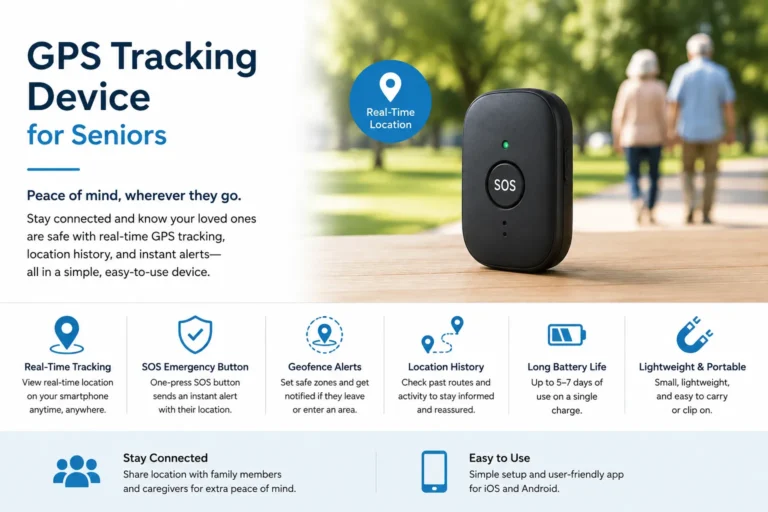
Tracking devices for seniors are wearable or portable technologies designed to help locate an older person or provide additional safety features while they are at home or away from home. Depending on the product, an elderly tracking device may use GPS to calculate location and cellular connectivity to send that information to a caregiver’s smartphone. Some devices add emergency SOS buttons, two-way voice communication, geofencing, fall detection, or connections to professional monitoring services. Others are deliberately simple and focus primarily on location rather than offering a large collection of health or communication features.
The distinction matters because “tracking” does not automatically mean “emergency response.” A basic GPS tracker may tell a family member where the device is located but provide no way to speak with the wearer or contact emergency responders. A medical alert device, by comparison, is generally built around requesting assistance, sometimes with professional monitoring and additional safety functions. Some modern products combine both approaches, offering GPS location tracking alongside emergency alerts and fall detection.
How Senior Tracking Devices Work
Most GPS tracking systems follow a relatively simple chain. The device determines its approximate position using satellite-based positioning and then uses a communication method, commonly a cellular connection, to transmit information to a smartphone app, caregiver platform, or monitoring center. The caregiver can then see the reported location or receive an alert when a particular event occurs. Some systems also use Wi-Fi or Bluetooth to improve location awareness in situations where GPS alone may not provide the best result.
Battery life is therefore a major part of the equation. A device that offers frequent location updates, cellular communication, a bright display, and other active features may require more frequent charging than a simple tracker. Families should also remember that a GPS device is only useful when it is charged, carried or worn, and connected to an appropriate network. No technology can guarantee that an accident will be detected or that help will always arrive.
7 Types of Tracking Devices for Seniors
There are several categories of senior safety devices, and the best option depends heavily on the person’s lifestyle, mobility, comfort with technology, and reason for needing a tracker. Someone who regularly walks around the neighborhood may benefit from a very different device than someone who mainly stays at home. The table below provides a quick comparison before we examine each category in more detail.
| Device type | Main features | Advantages | Potential limitations |
|---|---|---|---|
| GPS Smartwatch | GPS, calls, alerts, apps, sometimes fall detection | Familiar wearable format and multiple functions | Can be complicated and require frequent charging |
| GPS Medical Alert Device | GPS, SOS, emergency response, sometimes two-way voice | Designed around personal safety | May involve monthly monitoring fees |
| Wearable GPS Tracker | Compact GPS and location sharing | Small and relatively discreet | Features vary widely between devices |
| GPS Tracker With Fall Detection | GPS, motion sensors, fall alerts | Combines location with an additional safety feature | Fall detection is not perfect |
| GPS Pendant | GPS, SOS button, voice communication on some models | Simple, easy to wear | Some seniors may forget or refuse to wear it |
| Mobile GPS Tracker | Portable GPS, cellular connection, alerts | Useful for active seniors outside the home | Requires charging and cellular service |
| Smart Home Safety Devices | Sensors, cameras, smart speakers, automation | Complements personal tracking | Usually does not replace an outdoor GPS tracker |
1. GPS Smartwatches
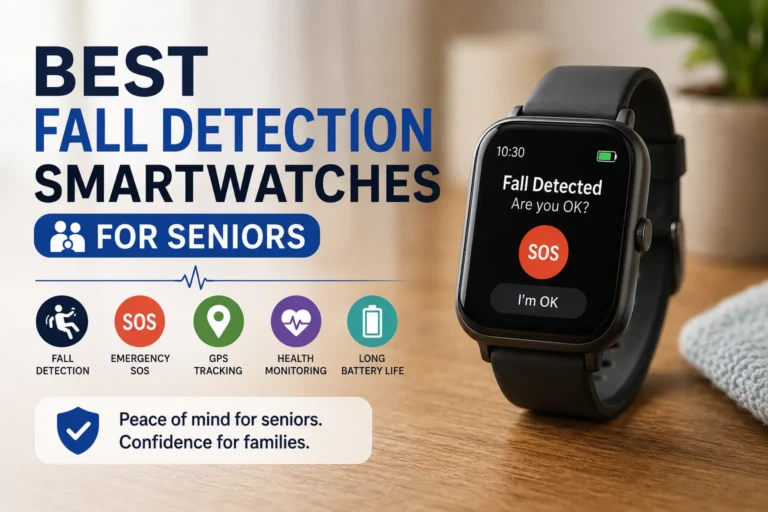
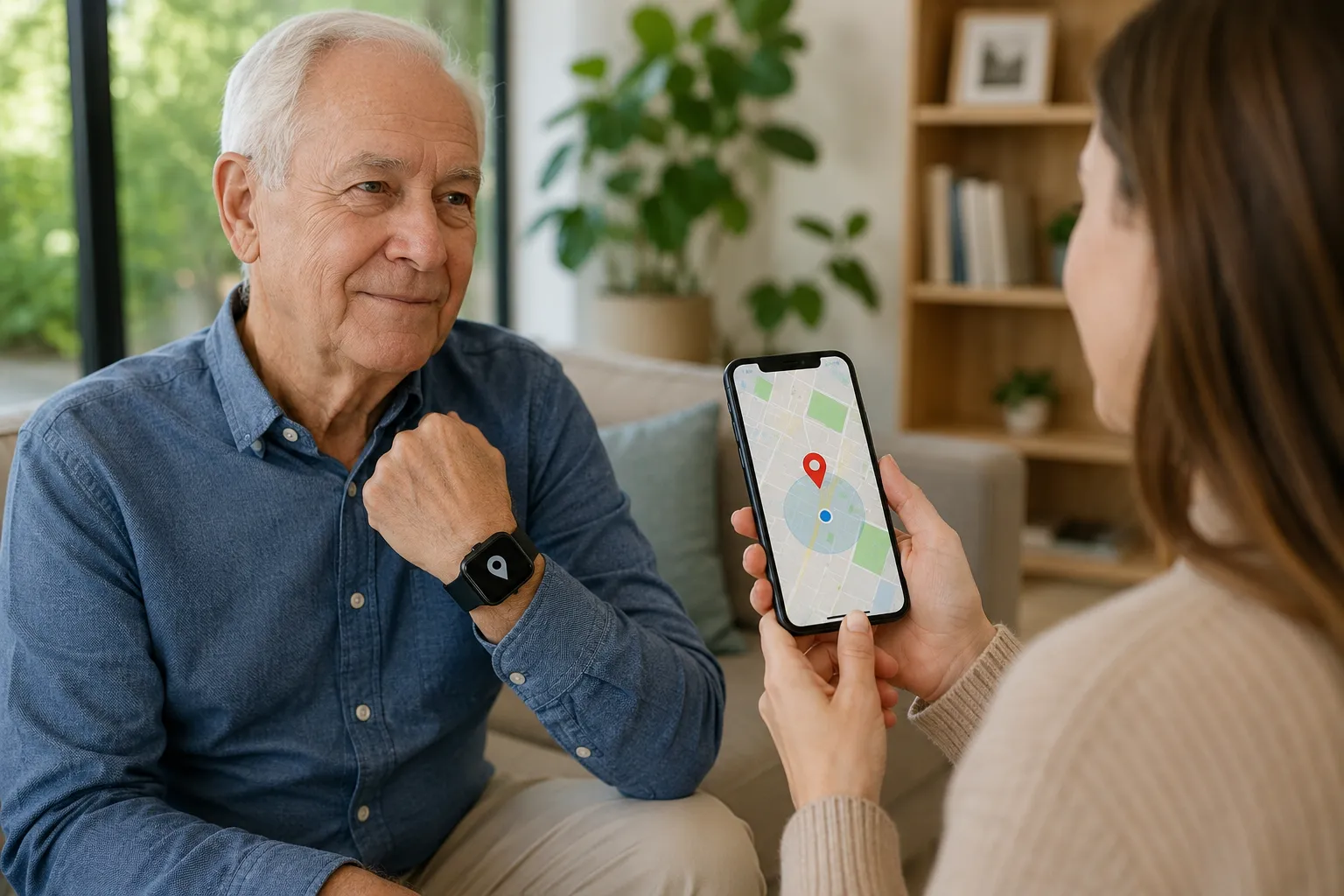
GPS smartwatches are among the most recognizable GPS tracking devices for seniors because they combine location technology with features people may already associate with modern watches. Depending on the model, a smartwatch can provide GPS positioning, cellular connectivity, phone calls, messaging, emergency contacts, activity information, and sometimes fall detection. This makes the category particularly interesting for seniors who are comfortable using touchscreens and charging electronic devices.
The biggest advantage is versatility. Instead of wearing a device that exists solely for safety, the senior can use a watch for everyday activities as well. That can make it feel less like a medical device and more like a normal piece of technology. The downside is complexity: a senior who struggles with small screens, menus, notifications, or charging routines may find a sophisticated smartwatch frustrating.
Battery requirements also deserve attention. Some users report that smartwatches with cellular and safety features can require frequent charging, which means families need a practical charging routine rather than assuming the device will always be available. Community discussions about senior tracking watches often emphasize the same trade-off: feature-rich watches can be useful, but simplicity and whether the senior will actually wear the device may matter more than having every available function.
2. GPS Medical Alert Devices
A GPS medical alert device is designed more specifically around personal safety than general-purpose smart technology. These devices commonly include an emergency button and may connect the user with caregivers, emergency contacts, or a professional monitoring center. Some mobile systems combine GPS location tracking, two-way communication, and automatic fall detection, allowing a monitoring service to know where the device is when an alert is received.
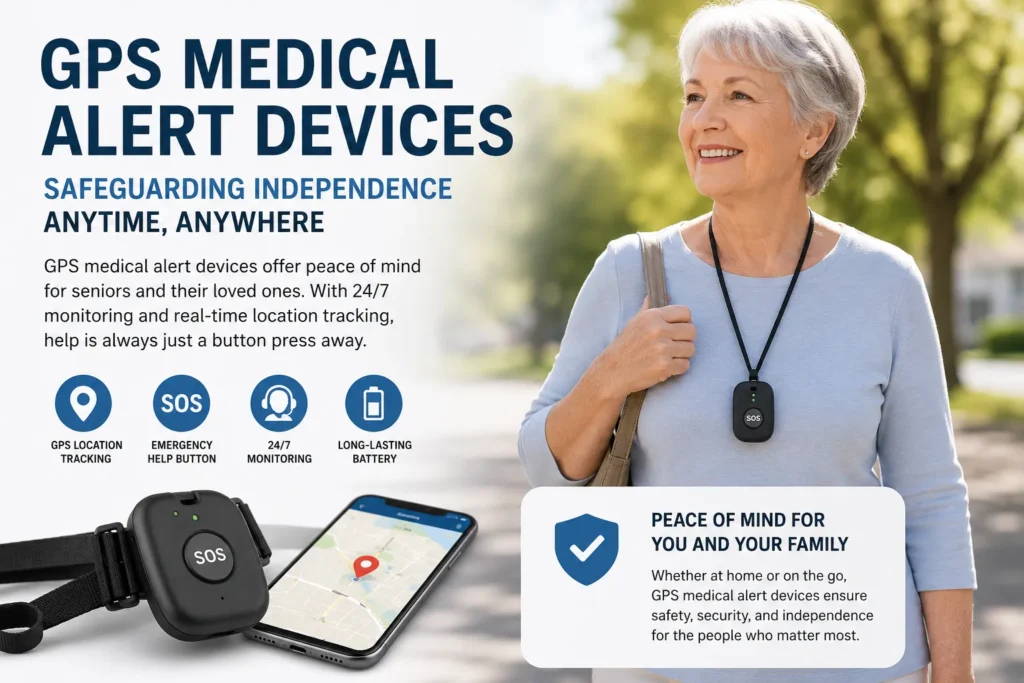
- Interested in this product? Check the link below for more details, or search for the product name directly on Amazon.
This category can be particularly useful for seniors who want a straightforward way to request assistance while away from home. Instead of navigating a touchscreen, the user may only need to press one prominent button. Some services also offer monitoring subscriptions, so families should calculate the total cost rather than looking only at the initial device price.
The major consideration is the service behind the hardware. A family should determine who receives an emergency alert, whether professional monitoring is included, how communication works, what cellular networks are supported, and what happens if the device loses connectivity. These details can make a much bigger difference than the appearance of the device itself.
3. Wearable GPS Trackers
Wearable GPS trackers are smaller devices designed primarily to provide location information without necessarily looking like a traditional smartwatch. They may attach to clothing, a wristband, a bag, or another convenient location. Their simpler design can be appealing when the senior does not want a large watch or complicated interface.
The main advantage is simplicity. A small tracker may allow caregivers to check location through an application while requiring little interaction from the wearer. This can be useful for seniors who are comfortable carrying a device but do not need a screen, apps, or extensive communication functions.
The trade-off is that features differ significantly. One tracker might provide live location updates and geofencing, while another may depend heavily on nearby phones or networks. Before buying, check exactly how location is determined and transmitted, what happens when the device leaves cellular coverage, and how long the battery is expected to last under normal usage.
4. GPS Trackers With Fall Detection
Combining GPS with fall detection creates a more safety-oriented GPS tracker for seniors. The idea is straightforward: the device monitors movement using sensors and attempts to identify a sudden event that resembles a fall. If the system detects a possible fall, it may ask the user whether assistance is needed or automatically send an alert, depending on the device and service.
This combination can be valuable because location and emergency information are connected. If an alert is generated while the senior is away from home, a caregiver or monitoring center may have access to the reported location. Some commercial services specifically combine automatic fall detection with GPS and emergency response.
However, families should never treat fall detection as infallible. Sensors can fail to identify some falls, and they can potentially interpret certain movements incorrectly. That is why an accessible manual SOS button remains important, especially when the senior is capable of pressing it. Fall detection should be considered an additional safety layer rather than a guarantee that every accident will be detected.
5. GPS Pendants for Seniors
GPS pendants are designed to be worn around the neck or attached in another convenient position. Their appeal is largely practical: many use a simple button-based design, making them easier to understand than a smartwatch. Depending on the model, a pendant may include GPS, cellular communication, emergency calling, two-way voice communication, and caregiver notifications.
For seniors who dislike watches or have difficulty interacting with small screens, this can be an attractive solution. A pendant can also be worn continuously during daily activities, provided its design and water resistance are appropriate for the user’s routine. Comfort is critical because the most sophisticated tracking device for elderly users is useless if it spends most of its time sitting in a drawer.
The family should also consider whether the senior will remember to wear it. A device that requires deliberate action can be less effective if the person regularly removes it. Choosing something comfortable, lightweight, and easy to recharge can improve the chances that it becomes part of the person’s everyday routine.
6. Mobile GPS Tracking Devices
Mobile GPS tracking devices are designed for seniors who spend significant time outside their homes. They can be useful for walking, shopping, traveling, visiting friends, or other activities where family members want an additional way to know where the person is. Many use cellular connectivity so the device can communicate location without requiring the senior to carry a smartphone.
This category can be especially useful for someone who wants independence but whose family still wants a safety connection. A compact device can travel in a pocket or attach to clothing, while a caregiver uses an app or web platform to check its reported position.
The important question is connectivity. A GPS receiver may know where the device is, but the tracker still needs a communication path to transmit that information. Cellular coverage, network compatibility, building density, battery level, and the device’s software can all affect the experience.
7. Smart Home Tracking and Safety Devices
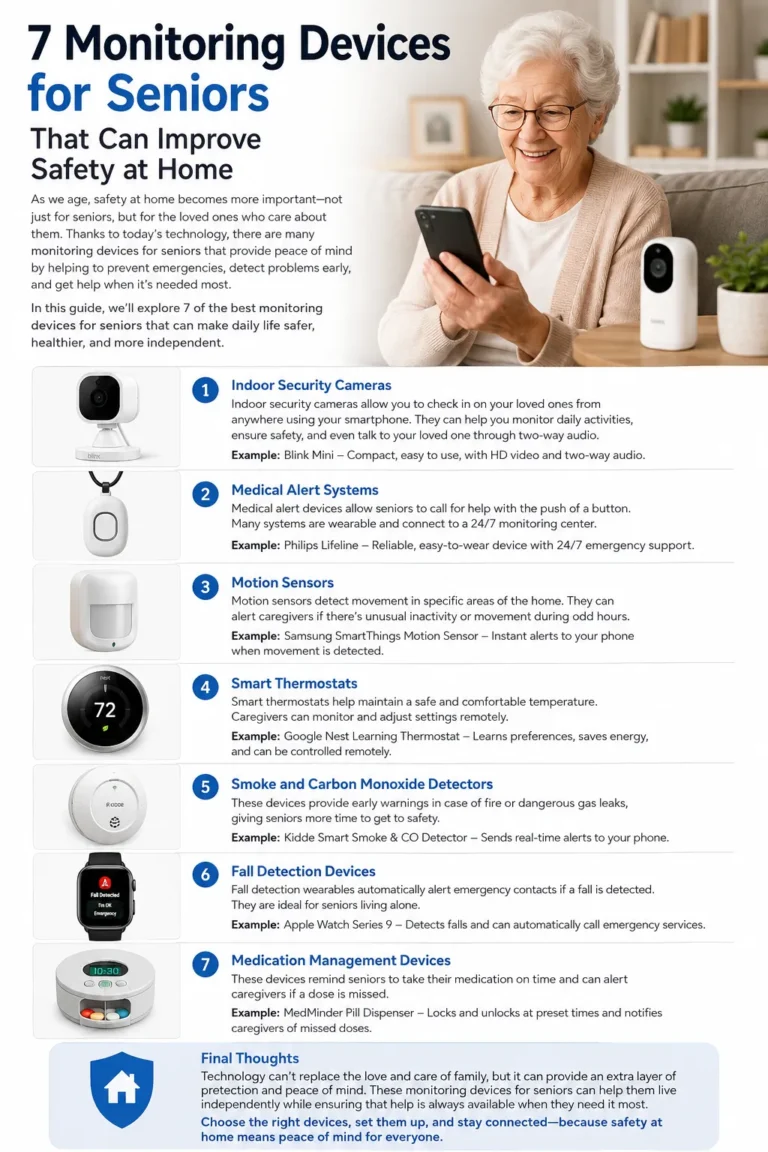
Smart home technology is not always a direct replacement for a senior GPS tracker, but it can complement one. Motion sensors, door sensors, smart speakers, connected lighting, cameras, and other home devices can help families understand activity patterns or receive notifications about certain events. For example, a door sensor might notify a caregiver when an exterior door opens, while automated lighting can make nighttime movement easier.
The advantage is that these devices can provide context that an outdoor tracker cannot. A GPS tracker may show that a senior has left home, while a smart home system may provide additional information about activity inside the house. Used together, they can create a broader safety system.
Privacy deserves particular attention here because home technology can generate highly personal information. Families should understand what data is collected, where it is stored, who can access it, and whether third parties receive it. The FTC has taken recent enforcement action concerning sensitive location information, reinforcing the importance of informed consent and transparency when location data is collected or shared.
Key Features to Look For in a Senior Tracking Device
Choosing between senior tracking devices should involve more than comparing the number of features listed on a product page. Start with the senior’s actual needs. Does the person regularly walk alone? Do they need emergency communication? Are they likely to remember to charge a watch? Would a large SOS button be easier than a touchscreen? These practical questions often narrow the choices faster than technical specifications.
Connectivity, Battery Life, and Location Accuracy
GPS accuracy is important, but it should never be treated as a fixed number that applies in every environment. GPS and other satellite positioning systems can behave differently outdoors, indoors, near tall buildings, or in areas with obstructions. Research has found that environmental conditions can significantly affect GNSS accuracy, with indoor and dense urban environments presenting particular challenges.
Cellular connectivity is equally important for a device that needs to transmit its location. A tracker can calculate a position but may not be able to send it to a caregiver if it cannot connect to its network. Check which cellular technology and networks the device supports in the country where it will be used.
Battery life should be evaluated according to actual usage rather than the manufacturer’s headline claim alone. Frequent live location updates, calls, fall detection, and other active functions can influence how quickly the battery drains. A charging routine that fits naturally into the senior’s day is often more valuable than an impressive feature list.
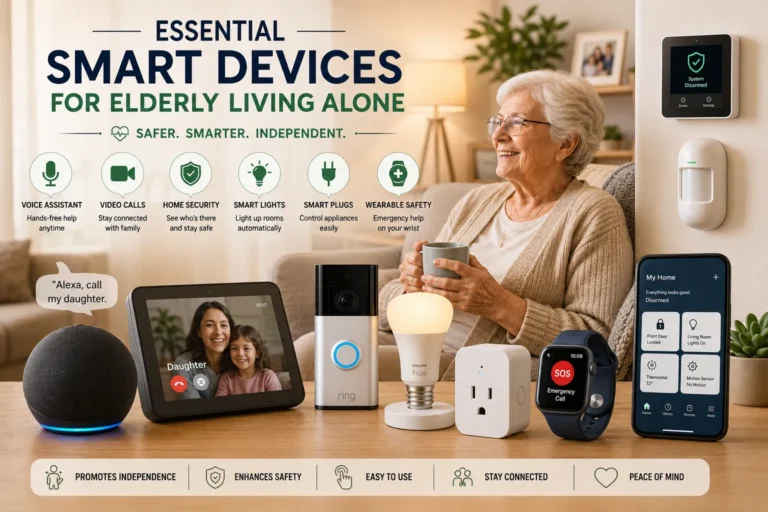
Other features to evaluate include:
- Real-time location tracking: Useful when caregivers need current location information rather than an occasional update.
- Geofencing: Can create a predefined area and notify a caregiver when the device leaves it.
- Emergency SOS: A prominent physical button can be easier to use during stressful situations.
- Fall detection: Helpful as an additional safety layer, but not guaranteed to detect every fall.
- Two-way communication: Allows the senior and caregiver or monitoring center to speak through the device.
- Water resistance: Important if the senior may wear the device in rain, during bathing, or around water, depending on the manufacturer’s stated rating.
- Ease of use: Large buttons, clear controls, and simple charging can be more important than advanced software.
- Subscription fees: Some GPS and medical alert services require recurring payments for cellular connectivity, monitoring, location services, or premium features.
How to Choose the Right Tracking Device for a Senior
The best choice starts with lifestyle rather than technology. For an active senior who regularly leaves home, a GPS tracker for seniors with cellular connectivity, geofencing, and two-way communication may be more useful than a home-only alert system. Someone who rarely goes outside but wants a simple way to request assistance may benefit more from a medical alert pendant or similar device. A technology-friendly senior might enjoy a smartwatch, while someone who wants simplicity may prefer a dedicated button-based tracker.
Budget is another important factor. Do not compare only the purchase price. Calculate the device cost, monthly subscription, cellular service, monitoring fees, replacement accessories, and any other recurring expenses. A device that appears inexpensive initially can become significantly more expensive over several years if important features require a subscription.
Then consider usability. Ask the senior to participate in the decision whenever possible. If they dislike wearing watches, do not choose a smartwatch simply because it has the longest feature list. If they struggle with touchscreens, prioritize large physical buttons. The goal is not to build the most sophisticated system imaginable; it is to choose something the senior will actually use consistently.
Privacy should be part of the conversation too. Tracking should generally be done openly and respectfully, with the senior’s knowledge and consent whenever appropriate. Families should review the company’s privacy policy and understand who can access location information, how long information is retained, and whether it is shared with third parties. Recent FTC enforcement actions involving precise location data show why these questions are not merely theoretical.
GPS Tracking Devices vs. Medical Alert Devices
Although the two categories overlap, they serve different primary purposes. A GPS tracking device is primarily designed to help determine where a person or device is located. A medical alert device focuses more directly on requesting assistance during an emergency. Some products combine both capabilities, which is why product descriptions can sometimes make the categories seem interchangeable.
| Feature | GPS Tracking Device | Medical Alert Device |
| Primary purpose | Location awareness | Emergency assistance |
| GPS | Common in mobile models | Common in mobile models |
| SOS button | Sometimes | Usually central to the design |
| Professional monitoring | Depends on service | Common with monitored systems |
| Fall detection | Available on some models | Available on many safety-focused models |
| Two-way voice | Depends on model | Common on many systems |
| Geofencing | Common in some trackers | Less central |
| Subscription | May be required | Often required for monitoring |
A senior who sometimes becomes disoriented while outside might prioritize location tracking and geofencing. Someone who is primarily concerned about being able to call for help after an emergency may prioritize a medical alert system. A person with both needs could consider a combined solution.
There is no universal winner. The right choice depends on the risk the family is trying to address and how comfortable the senior is with the device. Think of the distinction as the difference between a location tool and an emergency-response tool: sometimes you need one, sometimes the other, and sometimes having both together makes sense.
Frequently Asked Questions
Are GPS tracking devices for seniors accurate?
GPS-based devices can provide useful location information, but accuracy varies with the device, satellite reception, surrounding buildings, indoor conditions, network connectivity, and other environmental factors. Dense urban areas and indoor environments can reduce positioning performance. Families should therefore treat a reported location as useful information rather than an absolutely precise guarantee.
Do senior tracking devices require a monthly subscription?
Some do and some do not. A subscription may cover cellular connectivity, live location services, professional emergency monitoring, cloud storage, or advanced app features. Always check the complete ongoing cost before purchasing rather than assuming the advertised device price represents the total cost.
Can a GPS tracker detect when a senior falls?
Some devices include fall-detection sensors that attempt to identify movements consistent with a fall. However, detection is not perfect, so users should not rely exclusively on automatic detection. A manual SOS button and an appropriate emergency plan can provide an additional layer of protection.
What is the easiest tracking device for an elderly person?
For someone who dislikes technology, a simple pendant or button-based GPS medical alert device may be easier than a smartwatch. The right choice depends on the person’s preferences, mobility, hearing, vision, and comfort with technology. The easiest device is ultimately the one the senior understands and is willing to wear or carry consistently.
Can family members track a senior without their knowledge?
Technology can make location monitoring technically possible, but tracking another person raises important privacy and consent concerns. Whenever appropriate, families should discuss the purpose of tracking with the senior and obtain their knowledge and consent. Location data can be highly sensitive, and regulators have recently taken action against companies over the collection and sharing of precise location information without adequate consent.
Is a senior GPS tracker better than a smartphone?
Not necessarily. A smartphone can already provide location sharing, communication, and emergency features, but some seniors may not consistently carry, charge, or operate one. A dedicated GPS device can be simpler and more focused on safety. The better option is the one that fits the senior’s habits and provides the functions the family actually needs.
Final Thoughts
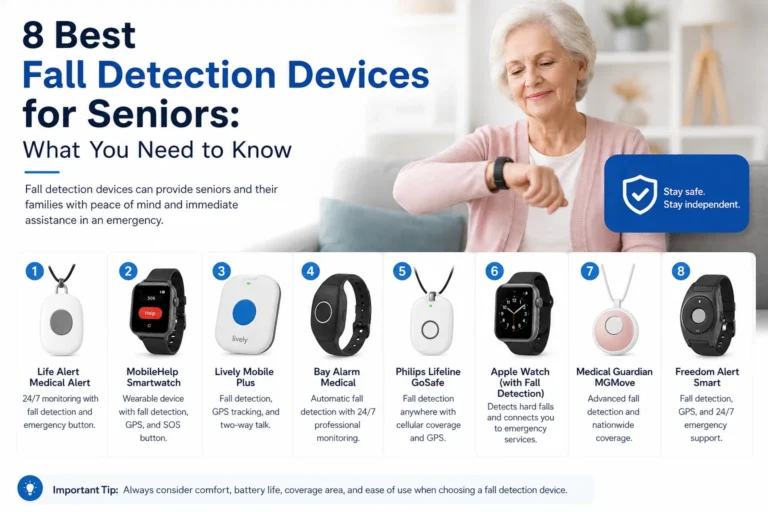
Choosing among tracking devices for seniors is less about finding the device with the longest feature list and more about matching technology to a person’s real life. GPS smartwatches can work well for technology-friendly seniors who want multiple functions, while GPS medical alert devices can be more appropriate for people who prioritize emergency assistance. Wearable trackers, GPS pendants, mobile units, fall-detection devices, and smart home technology each solve different parts of the safety puzzle.
Before buying, focus on the fundamentals: location accuracy, cellular coverage, battery life, SOS functionality, ease of use, fall detection, two-way communication, water resistance, subscription costs, and privacy. Remember that GPS accuracy can vary depending on the environment, and no fall-detection or tracking system should be treated as a guarantee that an accident will be detected or prevented. A device is only useful when it is charged, connected, accessible, and actually used.
Most importantly, include the senior in the decision. Independence and safety do not have to be opposites. The right tracking devices for seniors can provide an additional layer of reassurance while allowing older adults to continue living their daily lives with dignity and as much independence as possible.
SEO Title
7 Tracking Devices for Seniors: How to Choose the Right One
Meta Description
Compare 7 tracking devices for seniors, including GPS smartwatches, medical alerts, GPS pendants, fall detection, and mobile trackers. Learn how to choose.
URL Slug
/tracking-devices-for-seniors/
Featured Image Alt Text
Tracking devices for seniors including GPS smartwatch, medical alert pendant, and wearable GPS tracker
Frequently Asked Questions
What should I look for in a GPS tracker for seniors?
Prioritize reliable connectivity, practical battery life, easy controls, accurate location reporting, SOS functionality, and features that match the senior’s daily routine. If the person regularly travels outside the home, cellular connectivity and geofencing can be particularly useful.
Do all GPS trackers for seniors work without a smartphone?
No. Some devices communicate directly through cellular networks and have their own tracking platform, while others rely partly on a smartphone or companion application. Check the manufacturer’s requirements before buying.
Are senior tracking devices waterproof?
Not all of them are. Water resistance varies between products, so check the manufacturer’s stated rating and intended use. Do not assume that a device can safely be worn in the shower simply because it is described as water resistant.
How often does a senior GPS tracker need charging?
It depends on the device and how it is used. Frequent GPS updates, cellular communication, calls, and other active features can increase battery consumption. The safest approach is to choose a charging routine that fits naturally into the senior’s daily schedule.
Can GPS tracking replace a medical alert system?
Usually, it should not be assumed to replace one. A basic GPS tracker may provide location information without offering professional emergency monitoring or two-way communication. If emergency response is a major concern, compare dedicated medical alert systems as well as GPS trackers.
Should a senior know they are being tracked?
Whenever appropriate, yes. Tracking involves sensitive location information, so families should approach it transparently and respectfully. The goal should be to support safety and independence rather than create unnecessary surveillance.
Learn more. Choose smarter . For more information, click here