8 Best Fall Detection Devices for Seniors: What You Need to Know
Finding the best fall detection devices for seniors is not simply about buying the gadget with the longest list of features. The right choice depends on where a senior spends time, whether they live alone, how comfortable they are wearing technology, whether they regularly leave home, and what kind of help they would want after a fall. Falls deserve serious attention because the CDC reports that more than one in four adults aged 65 and older fall each year, and falls are the leading cause of injury among older adults. A fall detection system cannot guarantee that an injury will be avoided, but it can potentially shorten the time between an incident and an alert when the technology works as intended.
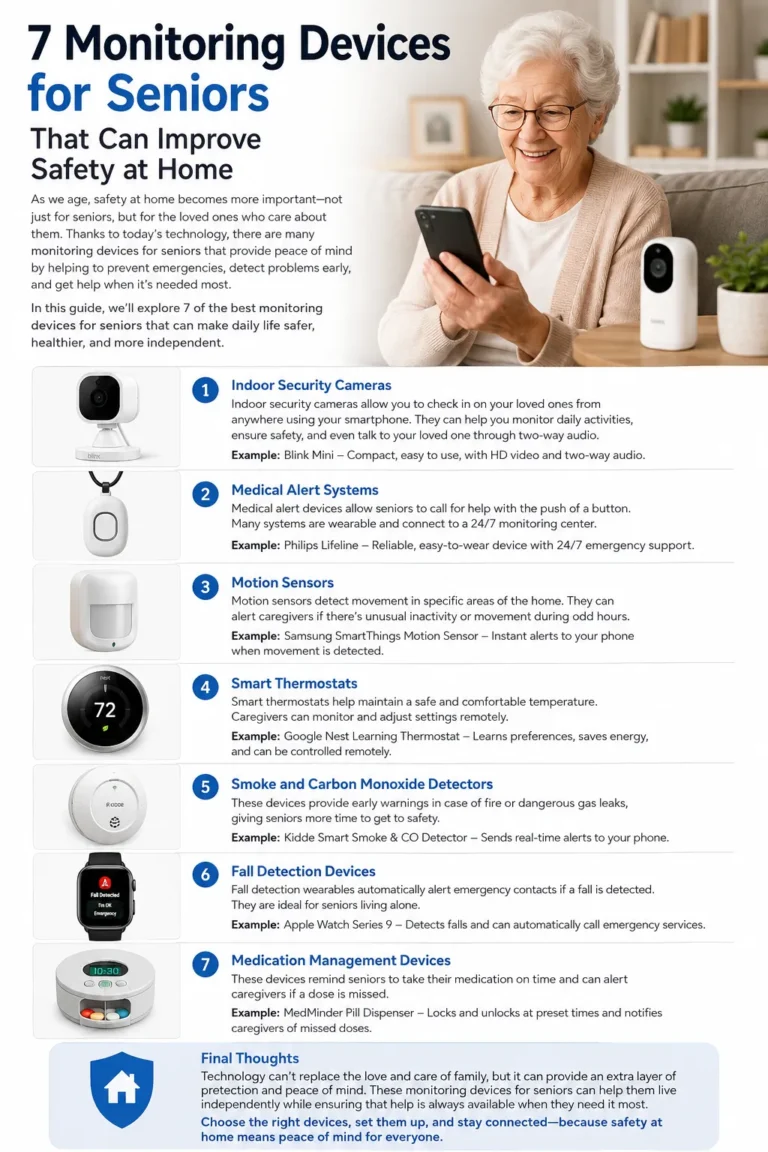
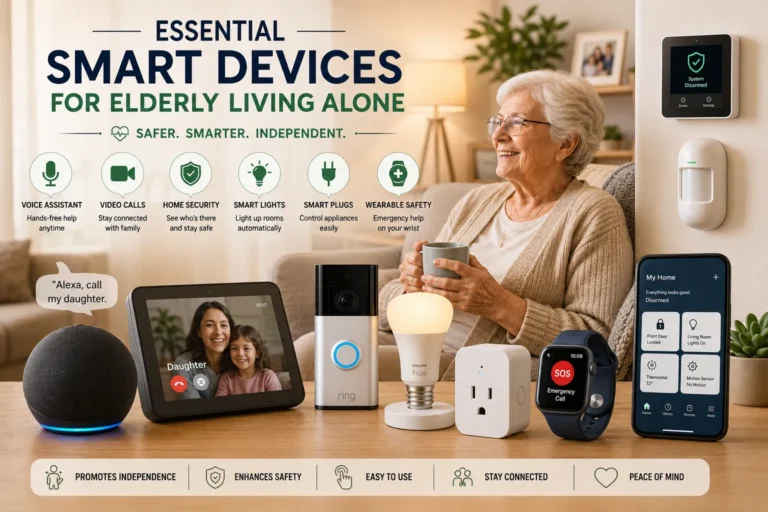
Today, fall detection devices for seniors come in many forms. Some look like traditional medical alert pendants, while others resemble smartwatches or small GPS trackers. There are also systems designed to stay inside the home, including newer smart-home technologies that monitor movement without requiring the senior to wear a device. This variety is useful, but it can also make shopping confusing. A device that works beautifully for an active senior who takes daily walks may be unnecessary for someone who rarely leaves the house, while a home-only system may not provide enough protection for someone who spends significant time outdoors.
The goal of this guide is to make the decision easier. Instead of declaring one product universally “best,” we’ll look at eight major types of senior fall detection technology, explain how each works, and highlight the situations where each approach makes the most sense. Keep in mind that features, cellular networks, subscription requirements, battery life, emergency response services, and fall-detection performance vary considerably between products. Most importantly, automatic detection is not perfect: a system can sometimes miss a fall or generate a false alert, so users should still press the emergency button or call for help whenever they are able to do so.
What Are Fall Detection Devices for Seniors?
A fall detection device is technology designed to recognize movement patterns associated with a fall and, depending on the system, send an alert to the wearer, a caregiver, an emergency contact, or a professional monitoring center. The device may be worn on the wrist, around the neck, clipped to clothing, carried in a pocket, or installed around the home. Some systems combine fall detection with emergency calling, GPS location tracking, two-way voice communication, or caregiver notifications.
The important distinction is between manual emergency alerts and automatic fall detection. A traditional medical alert button requires the user to press a button when help is needed. Automatic fall detection attempts to recognize a possible fall without requiring that button press. That difference can matter if a person is confused, injured, unconscious, or physically unable to reach the device after falling. At the same time, automatic detection should be viewed as an additional safety layer rather than a replacement for manually requesting help.
How Automatic Fall Detection Works
Many wearable systems use motion sensors such as accelerometers and gyroscopes to measure movement. When the device detects a sudden change in motion, orientation, or acceleration that resembles a fall, its software evaluates the event before triggering an alert. Depending on the product, the wearer may hear an alarm and have an opportunity to cancel it if the event was not actually a fall.
This process sounds simple, but real-world movement is complicated. Sitting down quickly, dropping the device, stumbling without hitting the ground, or making certain athletic movements can create sensor patterns that are difficult to interpret. That’s one reason manufacturers cannot promise that every fall will be detected. Some systems may also require the device to be worn correctly and remain sufficiently charged and connected for the detection and alert process to work.
Who Can Benefit From Fall Detection Technology?
A fall detection device for elderly users can be especially useful for someone who lives alone, has previously experienced a fall, spends time walking independently, or wants an additional way to request assistance. It can also provide reassurance to family members who cannot be physically present throughout the day. However, technology should complement broader safety measures rather than replace them.
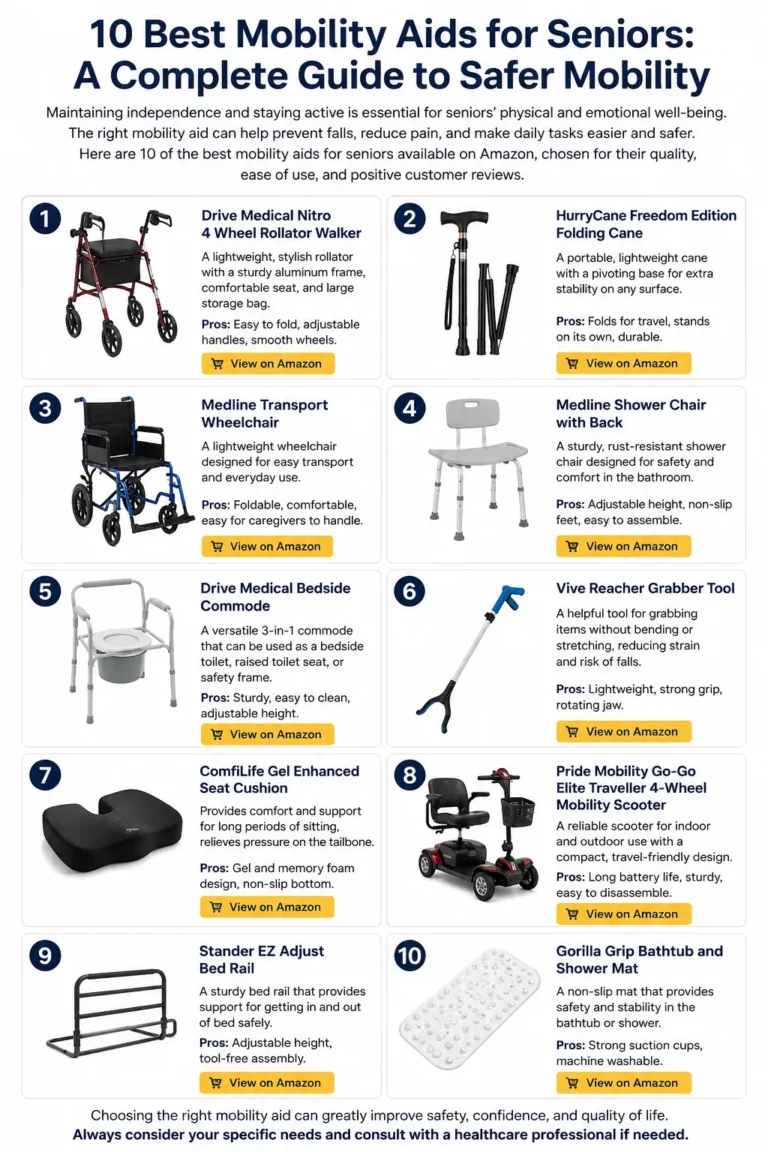
The National Institute on Aging recommends practical home-safety steps such as improving lighting, securing rugs, adding grab bars where appropriate, and reducing slipping and tripping hazards. In other words, the strongest approach is usually layered: reduce avoidable hazards, support safe mobility, and add an alert system that matches the senior’s daily routine.
8 Best Fall Detection Devices for Seniors
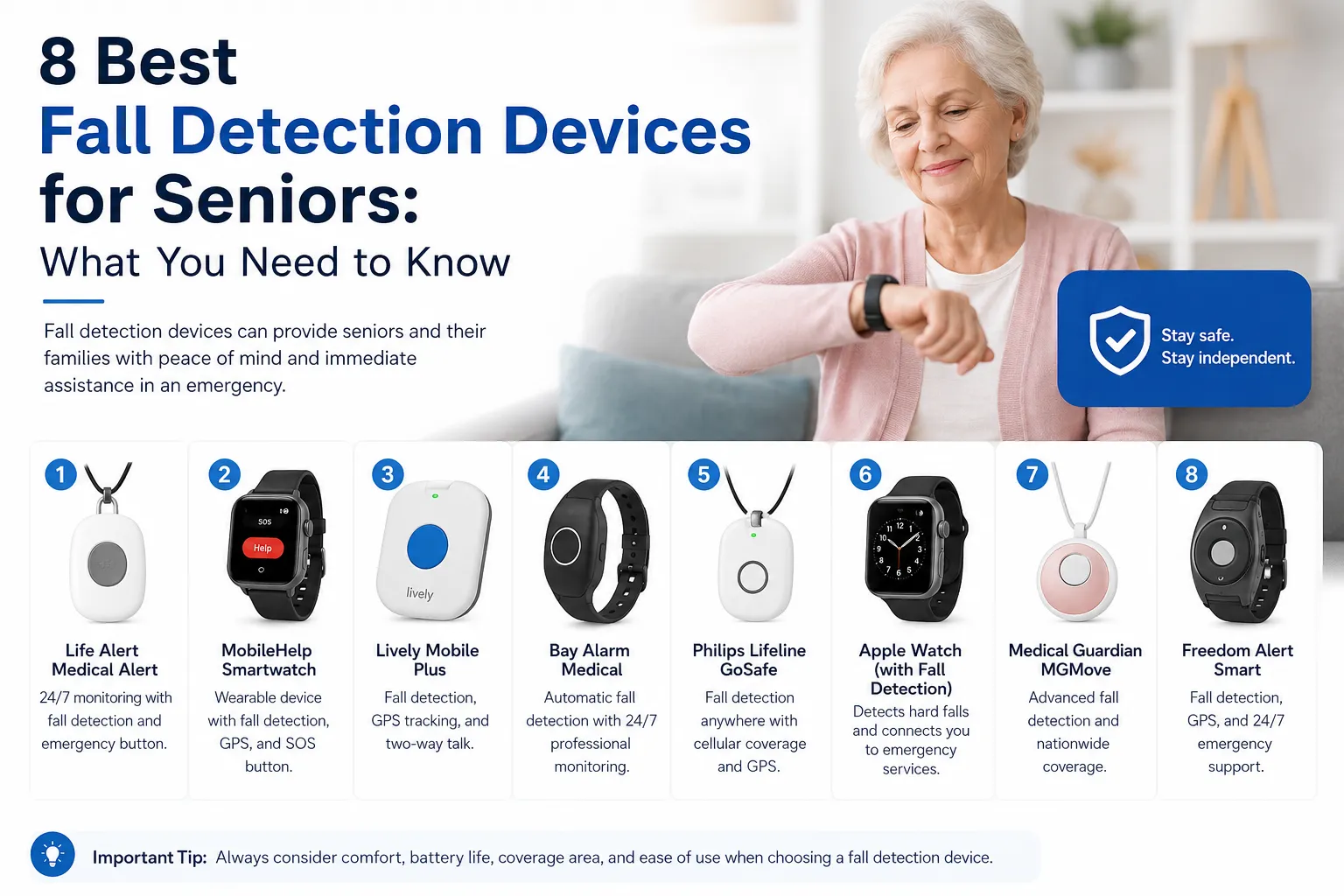
There is no single device that is the best for every person. The eight categories below represent different approaches to fall detection devices for seniors, from wearable medical alerts to smart-home monitoring. Think of them as eight different tools in a toolbox rather than eight identical products competing for first place.
1. Medical Alert Watches With Fall Detection
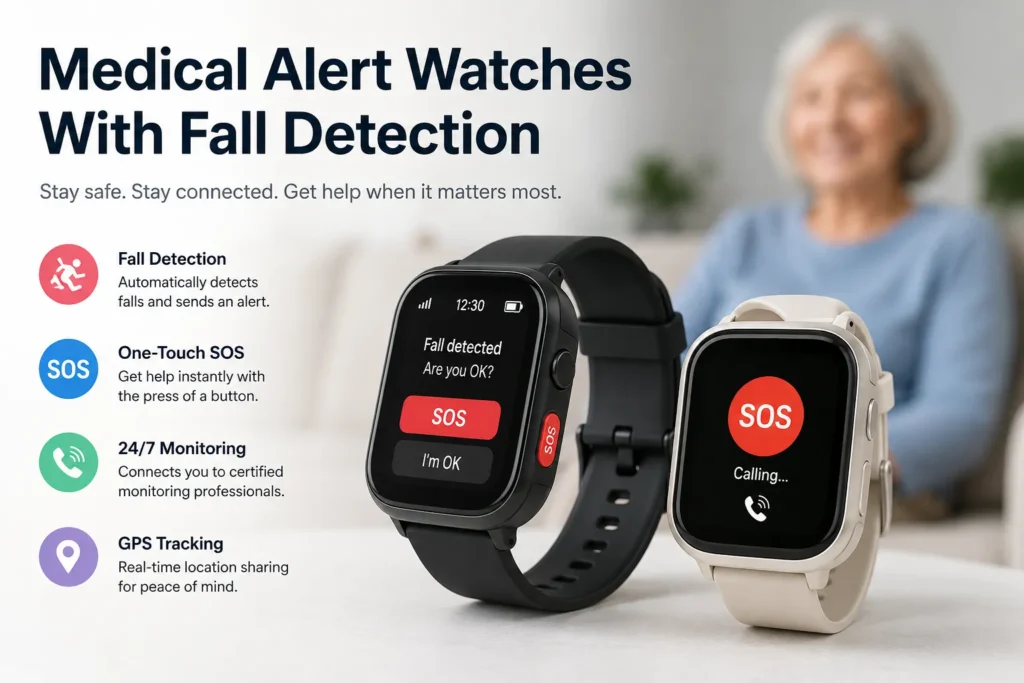
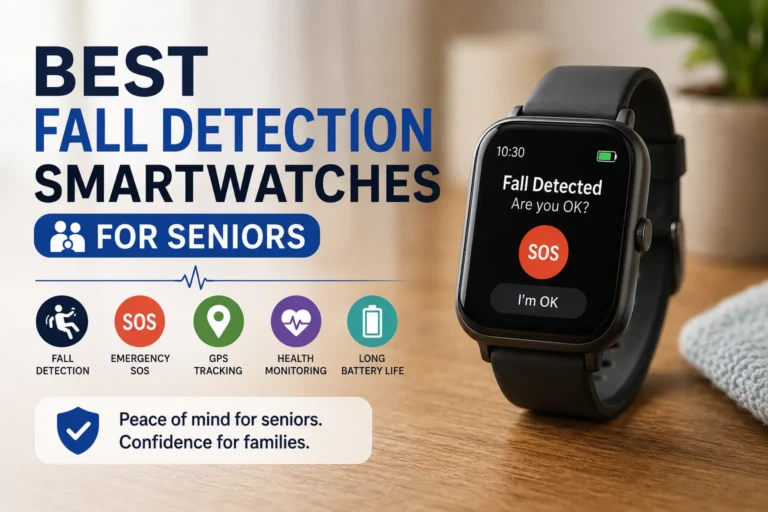
A medical alert watch with fall detection combines the familiar shape of a wristwatch with safety-oriented functions. Instead of wearing a conventional pendant around the neck, the senior keeps the device on the wrist, where an emergency button and other controls are generally easy to reach. Depending on the product, the watch may include automatic fall detection, two-way voice communication, GPS, cellular connectivity, and access to a professional monitoring service.
The biggest advantage is convenience. A senior who dislikes traditional pendants may be more willing to wear something that resembles a normal watch. The wrist position can also make manual emergency activation straightforward. Some models are designed for use both at home and away from home, which can be valuable for seniors who remain active.
The limitations are equally important. Watches require regular charging, and a senior may forget to put the device back on after charging. Some models can also be more complicated than a traditional pendant, especially when they include numerous smart features. A medical alert watch may therefore suit an independent senior who is comfortable with wearable technology and wants protection without looking like they are wearing a traditional alert system.
- Interested in this product? Check the link below for more details, or search for the product name directly on Amazon.
2. Medical Alert Pendants With Fall Detection
A medical alert pendant is one of the most straightforward medical alert devices for seniors. The device is normally worn around the neck and provides a physical button that can be pressed when help is needed. Models with automatic fall detection add sensors that attempt to recognize a fall even when the wearer cannot manually activate the button.
Simplicity is the main attraction. Seniors who don’t want to learn how to use a smartwatch may find a pendant easier to understand. Many medical alert systems also offer water-resistant or water-safe options because falls can occur in bathrooms and other wet areas. Depending on the service, a pendant may connect to a home base station or use cellular connectivity for protection away from home.
The major limitation is that traditional home pendants may have limited range away from their base unit. Other models may work nationwide or wherever their cellular service is available, but those features vary by provider. A pendant can be a strong choice for someone who wants simple emergency access and does not need the appearance or additional functions of a smartwatch.
3. Fall Detection Smartwatches
A fall detection smartwatch is a broader category than a dedicated medical alert watch. These devices may combine fall detection with health, communication, activity, navigation, or smartphone-related features. The result can feel more like an everyday piece of technology than a specialized senior safety device.
This can be particularly appealing to active seniors. A smartwatch may allow the wearer to stay connected with family, use location services, communicate with others, and access emergency functions from the same device. Because the device can be useful even when there is no emergency, the wearer may be more likely to keep it on.
The trade-off is complexity. A general-purpose smartwatch may require a compatible phone, specific cellular service, an account, or more frequent interaction with menus and settings. Emergency workflows can also differ significantly from dedicated medical alert services. Before choosing one, check exactly what happens after a detected fall and who receives the alert rather than assuming every smartwatch provides the same response.
4. GPS-Enabled Fall Detection Devices
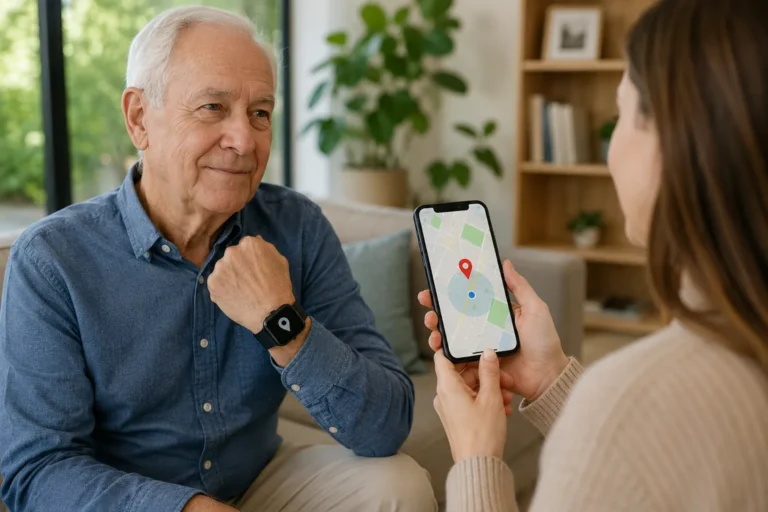
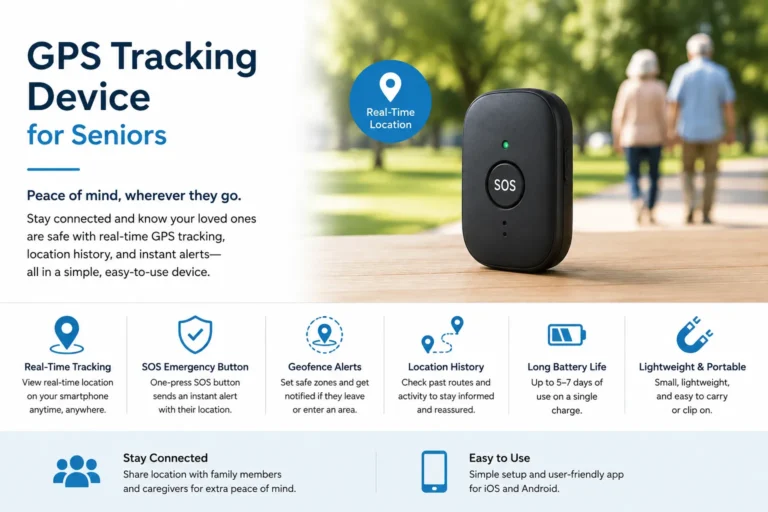
GPS-enabled devices are designed for seniors who spend meaningful amounts of time outside the home. In addition to fall detection, these devices can use satellite positioning and cellular communication to help determine the wearer’s location. This can be useful during walks, shopping trips, travel, or other activities where a home-based alert system would not provide the same coverage.
The major benefit is mobility. If a senior falls in an unfamiliar location, location information can potentially make it easier for responders or designated contacts to identify where assistance is needed. Some products also include two-way communication, allowing the user to speak with a monitoring center or contact.
However, GPS is not magic. Location accuracy can vary with environmental conditions, device design, satellite visibility, and other factors. Cellular coverage also matters because GPS information still needs a communication pathway to reach the relevant service or contact. This category is usually most suitable for independent, active seniors who want senior fall detection beyond the home.
5. Wearable Fall Detection Sensors
Wearable fall detection sensors focus primarily on movement detection. They can be incorporated into pendants, watches, clips, belts, or other wearable formats. Their sensors monitor motion and orientation, looking for patterns that could indicate a fall.
The advantage is flexibility. A senior can choose a form factor that fits their routine rather than being forced into a particular style. Wearable sensors can also serve as the foundation for different alert systems, depending on the product. Some are designed specifically for fall detection, while others combine detection with emergency communication.
The limitation is that sensor-based detection has inherent uncertainty. Not every fall looks the same, and not every sudden movement is a fall. Research into smart-home and wearable fall detection continues to explore ways to improve real-world performance, but consumers should not interpret laboratory results as a guarantee that a commercial product will detect every incident. For that reason, a wearable sensor works best as one part of a broader safety plan.
6. In-Home Fall Detection Systems
In-home fall detection systems are designed primarily for people who spend most of their time inside the house. Instead of relying exclusively on something worn by the senior, an in-home system can use a base station, sensors, room devices, motion detection, or other technologies to monitor activity and identify possible emergencies.
One advantage is that the senior may not need to remember to wear a pendant everywhere inside the house. This can be attractive for people who frequently remove wearable devices or forget to put them back on. An in-home system can also be useful when the main concern is safety during everyday activities around the home.
Its biggest limitation is obvious: coverage may stop when the senior leaves the monitored environment. Installation and room coverage can also vary from one system to another. Before buying, determine exactly which rooms and situations are covered and what happens when the system identifies a possible fall.
7. Smart Home Fall Detection Devices
Smart-home fall detection takes the idea of home monitoring a step further. Depending on the technology, systems can use environmental sensors, motion information, radar-like sensing, thermal sensing, cameras, or other methods to identify unusual movement patterns without requiring a wearable device.
This approach can be attractive to seniors who strongly dislike wearing technology. It can also reduce the problem of forgetting to charge or put on a pendant. Research into smart-home technology for older adults continues to examine its ability to detect and respond to falls in residential environments.
Privacy is an important consideration, particularly with camera-based systems. Families should understand what information is collected, where it is processed, who can access it, and whether recordings are stored. Smart-home systems may be a good option when continuous environmental monitoring is more acceptable than wearing a device, but they require careful evaluation of privacy, installation, connectivity, and coverage.
8. Mobile Fall Detection Devices for Active Seniors
Mobile fall detection devices are built around the needs of seniors who spend a lot of time away from home. They may combine fall detection with GPS, cellular communication, emergency calling, and caregiver notifications in a compact wearable or portable device.
For an active senior, mobility can be more important than having the most advanced home monitoring system. A mobile device can travel with the person instead of being tied to a base station. This makes the category worth considering for seniors who walk, exercise, shop independently, visit friends, or travel locally.
The limitation is that mobile protection depends heavily on connectivity and battery management. A device may be unable to communicate effectively where cellular coverage is weak, and a depleted battery can undermine its usefulness. It is therefore important to examine the actual coverage area, charging routine, emergency response process, and expected battery life before choosing a mobile system.
Key Features to Look For in a Fall Detection Device
The most important features depend on the senior, but several deserve attention when comparing fall detection devices for seniors. Don’t simply count how many features appear on a product page. Ask whether each feature solves a real problem for the person who will actually use the device.
| Feature | Why It Matters | Questions to Ask |
|---|---|---|
| Automatic fall detection | Can initiate an alert when the wearer may be unable to press a button | How does it work and what are its limitations? |
| Emergency SOS | Gives the wearer manual control when help is needed | Is the button easy to find and press? |
| Two-way communication | Allows the user to speak with a responder or contact | Does the device have a built-in speaker and microphone? |
| GPS location tracking | Helps identify location away from home | Does it require cellular service or a subscription? |
| Battery life | Determines how consistently the device can be worn | How often does it need charging? |
| Cellular connectivity | Enables communication outside a home base station | Which network does it use and where is service available? |
| Water resistance | Helps support use around showers and wet areas | What level of water protection does the manufacturer specify? |
| Ease of use | Affects whether the senior will actually use it | Can the wearer operate it without assistance? |
Automatic Fall Detection
Automatic detection is often the feature people focus on first, but it should not be treated as infallible. A device may detect some falls more reliably than others, and unusual movements can sometimes cause false alarms. Look for clear information about what happens after detection, including whether the user receives a warning before an alert is sent and who receives the alert.
Emergency SOS
A physical SOS button remains extremely valuable. If a senior feels dizzy, becomes unwell, or experiences another emergency that does not involve a fall, they may still need immediate assistance. The best system for a particular person should make manual activation simple enough to use under stress.
Two-Way Communication
Two-way communication can make an emergency response more practical because the senior may be able to explain what happened. Check whether communication occurs directly through the wearable or through a separate base station. Also consider speaker volume, microphone placement, and whether the senior can hear the responder clearly.
GPS Location Tracking
GPS becomes particularly important when the senior spends time outside the home. It can help communicate location information during an emergency, but buyers should check whether the device requires cellular service and whether the service works in the locations where the senior normally travels.
Battery Life
A device that stays in a drawer because it needs frequent charging is not very useful. Consider the senior’s routine and ability to remember charging tasks. A longer battery interval may be preferable for someone who finds charging difficult, while a watch that requires more frequent charging may still be appropriate for a tech-comfortable user.
Cellular Connectivity
Cellular connectivity determines whether many mobile systems can communicate without a nearby smartphone or home base. Coverage depends on the network and location, so check the provider’s current coverage information before purchasing. A subscription may also be required.
Water Resistance
Falls can happen in bathrooms, making water protection an important practical feature. Don’t assume that “water-resistant” means the same thing across products. Follow the manufacturer’s stated limitations for showering, swimming, submersion, and cleaning.
Ease of Use
This may be the most underrated feature. A technically impressive system is not a good choice if the senior finds it confusing, uncomfortable, or embarrassing to wear. The ideal device should fit naturally into the person’s daily life and require as little unnecessary interaction as possible.
How to Choose the Right Fall Detection Device for a Senior
Start with the person’s lifestyle rather than the device. Does the senior live alone? Do they spend most of their time at home? Do they regularly walk outside? Are they comfortable with a smartwatch? Do they remember to charge electronics? Can they hear a small speaker clearly? These questions often narrow the options faster than comparing dozens of technical specifications.
Next, consider what should happen after a possible fall. Some systems contact a professional monitoring center, while others may alert family members, emergency contacts, or emergency services depending on their design. Those are very different response models, so read the details carefully. A system that simply sends a notification to a family member may be appropriate for one household but insufficient for another.
Finally, think about reliability in everyday use. Check battery requirements, cellular coverage, water protection, subscription terms, device size, charging method, and whether the senior will actually wear it. The best fall detection devices for seniors are not necessarily the ones with the longest feature list; they are the ones that fit the user’s routine and provide a practical way to request or initiate assistance.
Fall Detection Devices vs. Medical Alert Systems
Fall detection and medical alert systems overlap, but they are not identical concepts. A fall detection feature attempts to recognize a fall automatically, while a medical alert system generally provides a way for the user to request assistance manually and may connect that request to a professional response center.
Many modern medical alert devices combine both. A senior might wear a pendant that has an emergency button plus automatic fall detection, for example. This combination creates two pathways: the wearer can request help manually when able, while the system may attempt to detect a fall when the wearer cannot press the button.
The key is understanding what you are actually paying for. Some services include professional monitoring, while others primarily provide device-based alerts to designated contacts. Some systems work only in the home, while others use cellular connectivity and GPS. Compare the complete service rather than judging a device by its fall-detection label alone.
Frequently Asked Questions
Are fall detection devices for seniors always accurate?
No. Automatic fall detection is not perfect, and devices can sometimes miss a fall or generate a false alert. Detection performance can depend on the type of fall, how the device is worn, sensor technology, connectivity, and the specific product. A senior should still manually request help whenever possible.
What is the best fall detection device for an elderly person living alone?
There is no universal best option. A person living alone may benefit from a medical alert pendant, medical alert watch, GPS-enabled device, or another system depending on whether they stay home or regularly go outside. The most important factors are ease of use, emergency communication, coverage, battery management, and the response process.
Does a fall detection watch for seniors need a smartphone?
It depends on the device. Some smartwatches are designed to work with a smartphone for certain features, while cellular-enabled models can provide communication independently. Always check the manufacturer’s requirements before buying.
Can fall detection devices work outside the home?
Some can. Mobile and GPS-enabled systems are specifically designed for use away from home, but coverage varies. Cellular connectivity, GPS availability, battery level, and subscription requirements can all affect performance.
Do fall detection devices prevent falls?
No. A fall detection device is designed to identify a possible fall and/or provide a way to request assistance after an emergency. It does not physically prevent someone from falling. Home modifications, appropriate footwear, safe mobility practices, good lighting, and other fall-prevention strategies remain important.
Is automatic fall detection better than pressing an emergency button?
Neither should automatically be considered better. Automatic detection can be valuable when a person cannot press a button, while a manual SOS button can be useful for emergencies that are not falls. Having both options can provide a more flexible safety setup, provided the senior can use the device and the service works in their environment.
Final Thoughts
Choosing among the best fall detection devices for seniors is really about matching technology to a person’s everyday life. A traditional medical alert pendant may be ideal for someone who values simplicity, while an active senior may prefer a GPS-enabled watch or mobile device. Someone who dislikes wearables might consider an in-home or smart-home approach, provided they are comfortable with the installation, coverage, and privacy considerations.
The most useful device is the one the senior will consistently wear or keep active, understand, charge, and use when necessary. Automatic fall detection can add an important layer of support, but it should never be treated as a guarantee that every fall will be detected or that an injury will be prevented. Features, cellular coverage, battery life, subscriptions, emergency response options, and detection performance vary by product, so verify the current specifications before making a purchase.
For families and caregivers, the best approach is to think beyond the device itself. Combine appropriate senior safety devices with practical home-safety improvements and a clear emergency plan. The result is not a promise of perfect protection; it is a more thoughtful safety net designed around the senior’s actual needs, habits, and level of independence.
Learn more. Choose smarter . For more information, click here