Best Fall Detection Smartwatches for Seniors
Why Fall Detection Matters for Seniors
- Affiliate Disclosure: This post contains affiliate links. If you click through and make a purchase, we may earn a small commission at no extra cost to you. Thank you for supporting Khamova.com!
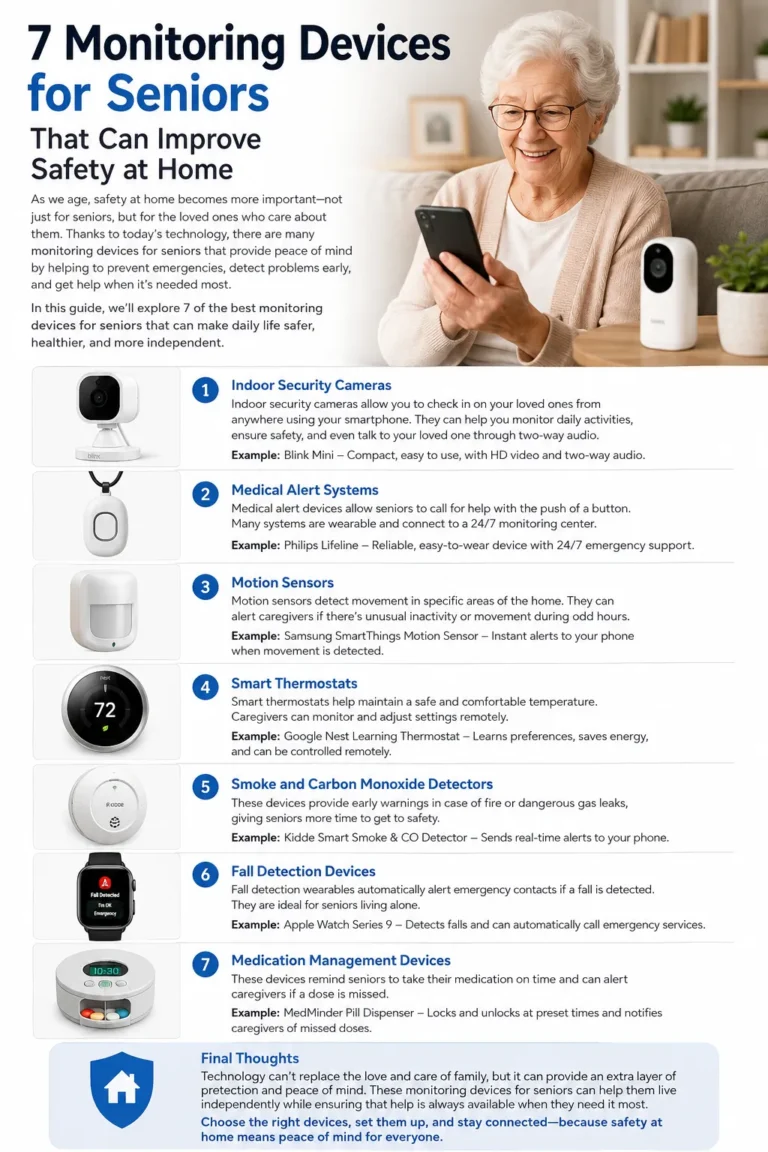
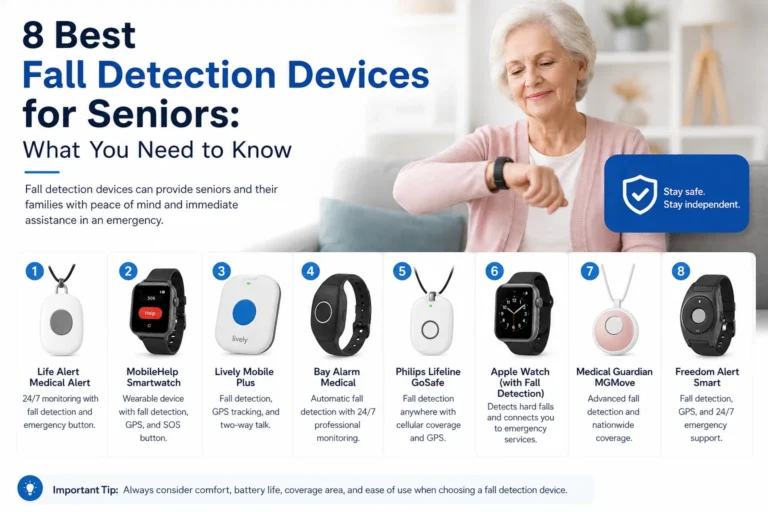
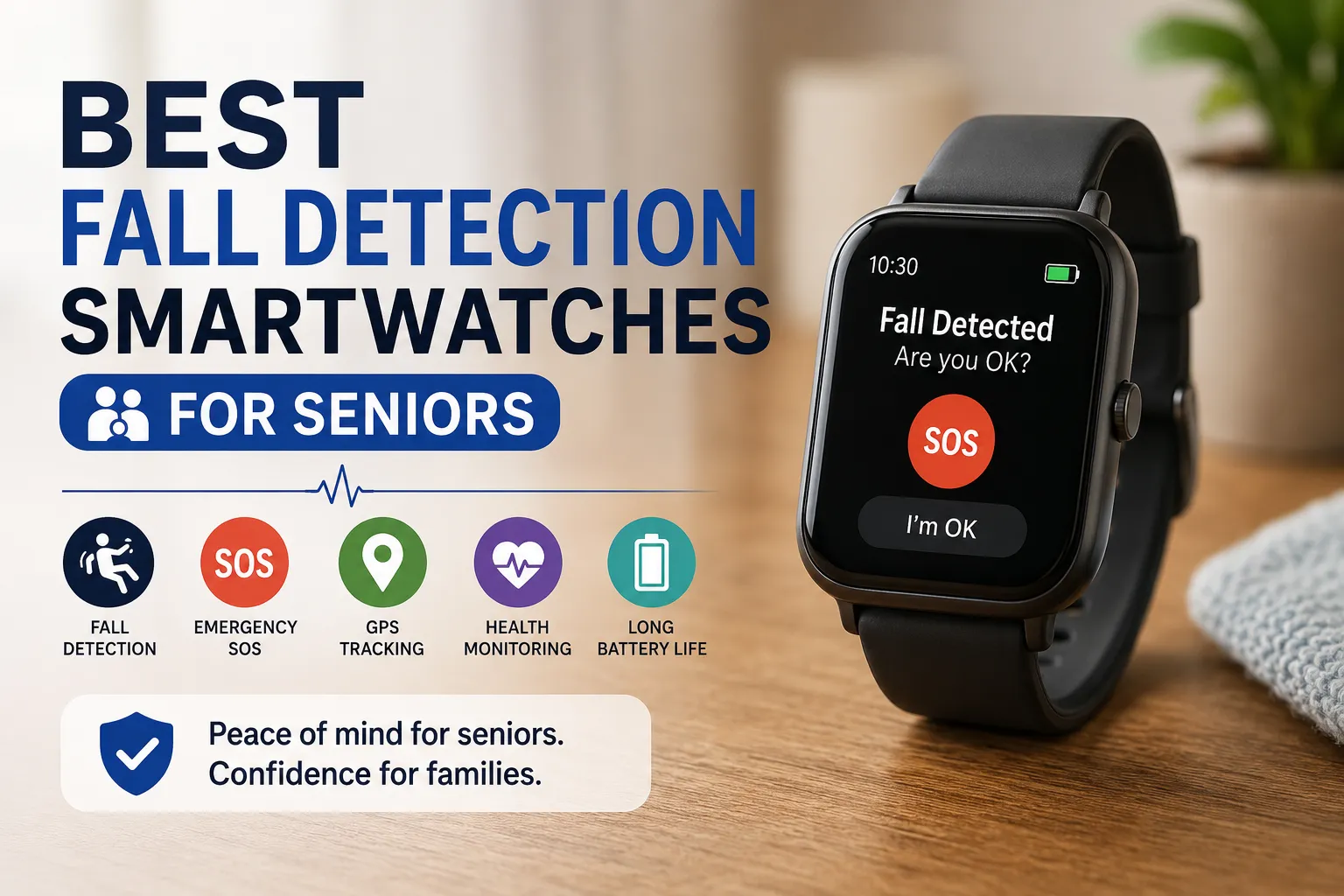
A fall can happen in a split second, but its consequences can last for hours or even days. For an older adult living alone, the most frightening part is not necessarily the fall itself; it is the possibility of being unable to reach a phone or call for assistance afterward. This is where fall detection smartwatches for seniors can provide an important extra layer of protection. Instead of requiring someone to find a smartphone, unlock it, open an app, and make a call, a compatible smartwatch can detect certain hard falls, display an alert, and in supported situations help contact emergency services or designated contacts. Apple, for example, says compatible Apple Watch models can detect a hard fall and, when the wearer remains immobile for about a minute, automatically begin the emergency-call process.
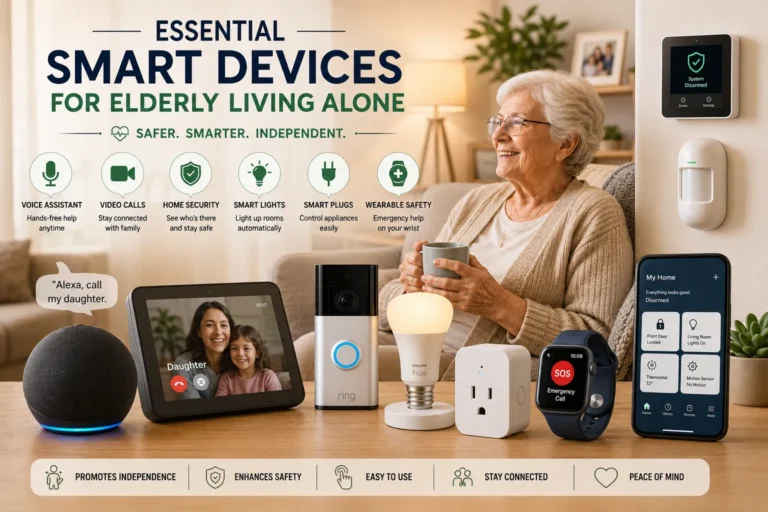
The technology should not be viewed as a replacement for professional medical alert equipment or emergency services. It is better understood as a safety net that travels on the wrist throughout the day. A senior might forget a phone in another room, leave it charging, or simply not be physically able to reach it after an accident. A smartwatch is much harder to forget because it is worn like an ordinary watch. The best fall detection smartwatches for seniors combine fall detection with emergency SOS, GPS or location sharing, comfortable design, readable displays, dependable connectivity, and controls that do not require a technical expert to operate.
How Fall Detection Technology Works
Fall detection generally relies on sensors such as an accelerometer and gyroscope to recognize sudden changes in movement, impact, orientation, and subsequent inactivity. The watch does not simply ask, “Did this person fall?” Instead, its software analyzes a combination of signals and attempts to distinguish a serious fall from normal activities such as sitting down quickly or dropping the wrist. That distinction matters because no consumer smartwatch can promise perfect detection. Apple explicitly warns that Apple Watch cannot detect every fall and that high-impact activities can sometimes trigger the feature.
After a suspected fall, the response depends on the device. Some watches display an alert and give the wearer an opportunity to cancel it. Others can notify emergency contacts or initiate an emergency call when certain conditions are met. This is why shoppers should look beyond the words “fall detection” on a product page. A watch may advertise a sensor-based fall alert but require a smartphone, Bluetooth connection, mobile data, or a particular app before a family member actually receives a notification. For seniors, understanding this entire chain—from impact detection to the arrival of an alert—is much more important than simply choosing the watch with the longest feature list.
What to Look for in a Senior Smartwatch
Choosing among fall detection smartwatches for seniors is not exactly the same as choosing an ordinary fitness tracker. A runner may care most about training metrics, while a senior and their family may care much more about whether the device is comfortable, understandable, charged every morning, and capable of sending an emergency message when needed. The ideal watch should fit naturally into everyday life rather than becoming another complicated gadget that sits unused in a drawer. Before buying, think about the senior’s eyesight, hearing, dexterity, smartphone experience, mobility, daily routine, and whether they usually carry a phone.
Another important point is that “smartwatch” and “medical alert device” are not interchangeable terms. A smartwatch can offer excellent safety features, but it may still depend on a paired smartphone or cellular service. Some dedicated medical-alert watches are designed around emergency response rather than apps and fitness. The right choice therefore depends on the person’s lifestyle. For an active senior already using an iPhone, Apple Watch may be extremely practical; for someone using a Samsung phone, Galaxy Watch may make more sense; and for someone who spends considerable time walking outdoors, Garmin’s safety features may be particularly useful.
Battery Life and Charging
Battery life is easy to underestimate until you imagine an emergency occurring when the watch is at 2%. A sophisticated smartwatch with excellent sensors provides little protection if it regularly runs out of power. Apple lists the Series 9 at up to 18 hours of normal use and up to 36 hours in Low Power Mode, although actual battery life depends on how the watch is used.
For a senior, charging should become part of an uncomplicated daily routine. A large charging dock placed beside the bed can be easier than a tiny cable hidden behind a desk. Families should also check whether the senior remembers to charge devices independently. If not, a longer-lasting watch—or a routine where the watch is charged while showering or during breakfast—may be more practical than choosing a model solely for its advanced features.
Ease of Use and Comfort
A safety device has to be worn consistently to be useful. A watch that feels heavy, uncomfortable, complicated, or irritating may eventually be removed. Look for a lightweight design, a strap that does not pinch, a bright display, clear icons, and controls that can be understood without consulting a manual every time.
The interface matters just as much. Large text and simple emergency controls can make a meaningful difference for someone with reduced vision or limited dexterity. It is also worth setting up the device together with the senior instead of handing it over in the box. Configure emergency contacts, notifications, medical information where supported, and fall detection before expecting the watch to provide meaningful protection.
Accuracy and Emergency Response
Accuracy should be treated realistically. A smartwatch is not a magic detector that recognizes every fall in every environment. Different types of falls can produce different sensor patterns, and some falls may not generate enough movement or impact for the device to identify them.
Emergency response is equally important. Ask what happens after the watch detects a suspected fall. Does it simply display an alert? Does it contact an emergency number? Does it notify family members? Does it need a nearby smartphone? Does it require cellular service? These questions can reveal major differences between products that appear similar in an online listing.
Connectivity and GPS
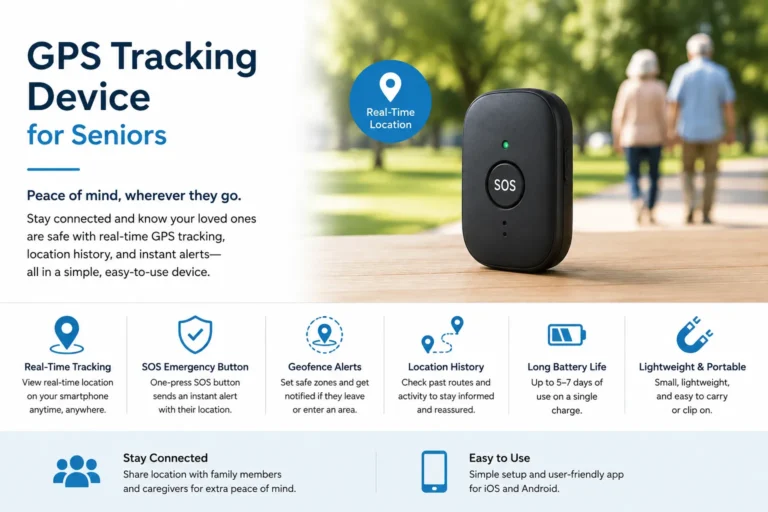
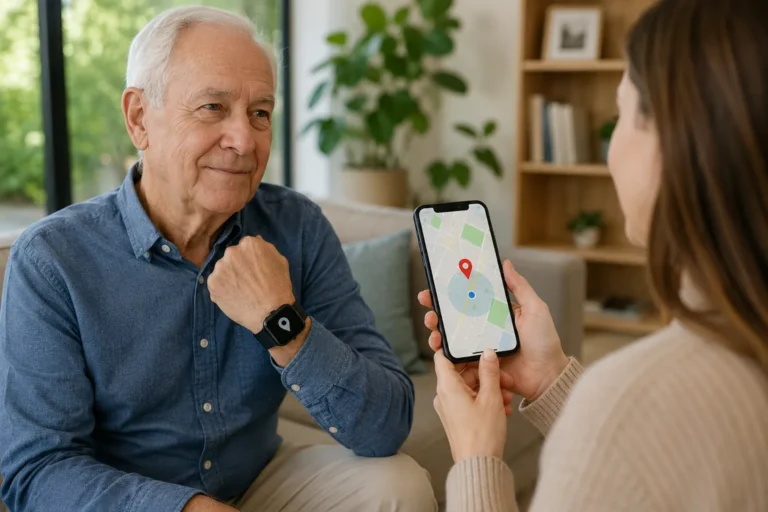
Connectivity can determine whether a safety feature works outside the home. Some watches use a paired smartphone for communication, while cellular-enabled models can communicate more independently. GPS can also be valuable when a senior is walking outside and needs their location shared with a family member.
Garmin’s Forerunner 955, for example, can use incident detection to send a message containing the user’s name and GPS location to emergency contacts when the watch is connected appropriately. Garmin also emphasizes that its safety features are supplemental and should not be treated as a primary emergency-response system.
Apple Watch Series 9
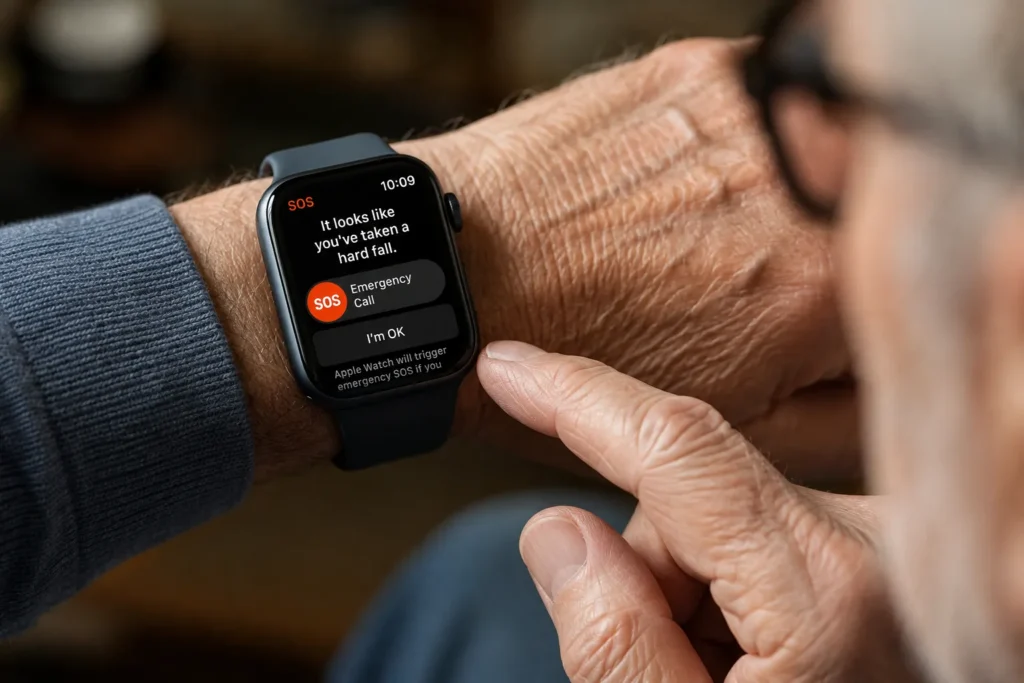
For seniors who already use an iPhone, the Apple Watch Series 9 is one of the strongest all-around choices to consider. Its fall-detection system is considerably more than a marketing label: Apple explains that when the watch detects a hard fall, it can tap the wrist, sound an alarm, and show an alert. If the wearer is able to respond, they can indicate that everything is fine or request assistance. If the watch detects that the wearer remains immobile for approximately one minute, it can begin a countdown and then automatically attempt to contact emergency services if the situation is not canceled.
The Series 9 also combines safety with everyday smartwatch functions, including activity tracking, GPS, notifications, and health-related features. Its official specifications list Fall Detection, Emergency SOS, GPS/GNSS, Bluetooth, Wi-Fi, and optional cellular connectivity depending on configuration. The biggest limitation is the Apple ecosystem: this is not the obvious choice for someone who uses an Android phone. Battery life also requires regular attention, with Apple rating it for up to 18 hours of normal use.
Apple Watch Series 9 Pros and Cons
Pros
- Strong fall-detection and emergency features.
- Can automatically contact emergency services in supported circumstances.
- GPS and optional cellular connectivity.
- Bright, responsive display.
- Extensive health and activity features.
- Excellent choice for seniors already using an iPhone.
Cons
- Requires regular charging.
- Best suited to the Apple ecosystem.
- More complicated than a dedicated medical-alert watch.
- Cellular and emergency functionality can depend on network and regional availability.
- Apple warns that not every fall will be detected.
Samsung Galaxy Watch 6
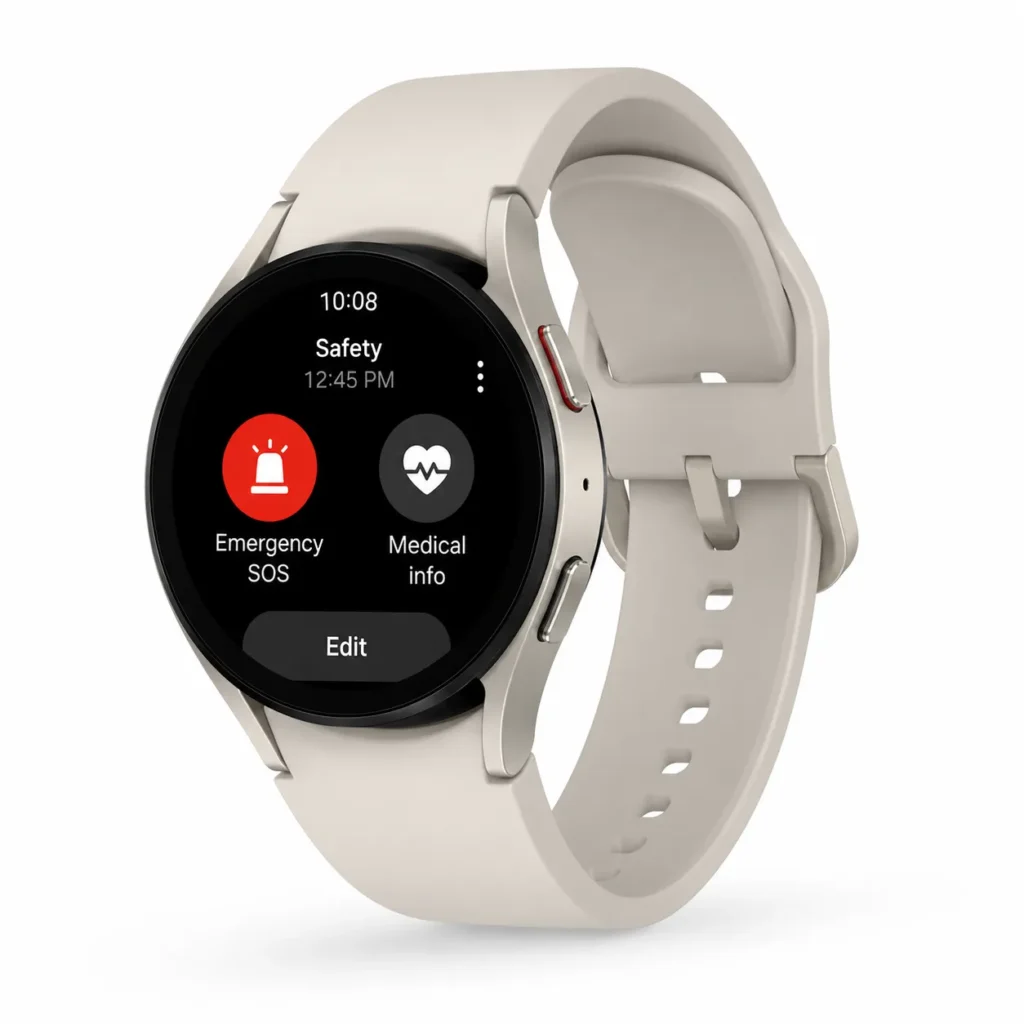
The Samsung Galaxy Watch 6 is another compelling option, particularly for seniors who use Android smartphones. Samsung provides a dedicated Hard Fall Detection feature for Galaxy Watch5 and Watch6 series devices. The company explains that users can configure when fall detection operates, choose emergency contacts, configure an emergency number, and adjust whether an alert or warning sound is used.
This flexibility is useful because different seniors have different routines. Someone who walks outdoors every morning may want fall detection configured around activity, while another person may prefer broader protection throughout the day. The Galaxy Watch also works as a conventional smartwatch, so it can handle notifications, health tracking, exercise monitoring, and other daily functions instead of feeling like a medical device.
One important consideration is connectivity. Samsung notes that emergency calling can depend on LTE activation when the watch is expected to operate without a connected phone. Families should therefore verify the exact model and mobile-service requirements before purchase. A watch with an impressive emergency feature is only useful if its communication method actually works in the senior’s home and local network environment.
Samsung Galaxy Watch 6 Pros and Cons
Pros
- Hard fall detection is supported.
- Flexible emergency settings.
- Strong Android integration.
- Modern display and smartwatch features.
- Suitable for seniors who want both safety and everyday functionality.
Cons
- Best experience is within the Android/Samsung ecosystem.
- Some emergency functions depend on connectivity.
- Regular charging is required.
- More features can mean a steeper learning curve for some seniors.
Garmin Forerunner 955
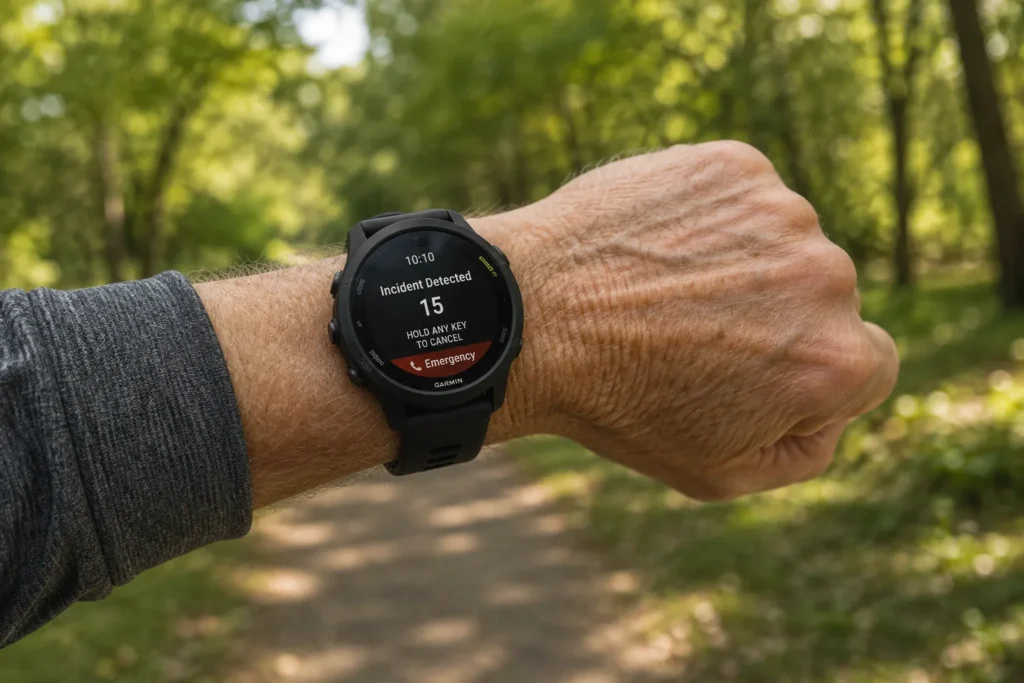
The Garmin Forerunner 955 is a slightly unusual recommendation because it is primarily designed as a high-end sports and running watch rather than a dedicated senior medical-alert smartwatch. However, it includes useful safety functions that can make it interesting for active seniors who walk, hike, cycle, or spend a lot of time outdoors. Garmin says Incident Detection can send an automated message, the user’s name, a LiveTrack link, and GPS location to emergency contacts during supported activities.
There is an important distinction here. Garmin’s incident detection is activity-dependent rather than a universal “every fall at every moment” system. The Forerunner 955 manual states that incident detection is available only for certain outdoor activities and requires the watch to be appropriately connected to a phone with data coverage. That makes it potentially useful for an active senior but less suitable as the sole safety solution for someone who primarily wants automatic fall detection around the home.
For a senior who enjoys walking or hiking, however, its GPS and safety functions can provide valuable peace of mind. Garmin also offers an Assistance function that lets the wearer manually request help, while the device can share location information with emergency contacts under supported conditions.
Garmin Forerunner 955 Pros and Cons
Pros
- Strong GPS capabilities.
- Incident detection and assistance features.
- Excellent for walking, hiking, and outdoor activities.
- Strong battery performance compared with many traditional smartwatches.
- Useful location-sharing capabilities.
Cons
- Primarily designed for athletes.
- Incident detection is limited to supported activities.
- Phone/data connectivity requirements can apply.
- Not a dedicated medical-alert device.
- Interface may be unnecessarily advanced for a senior who wants simplicity.
X7 Pro Smartwatch
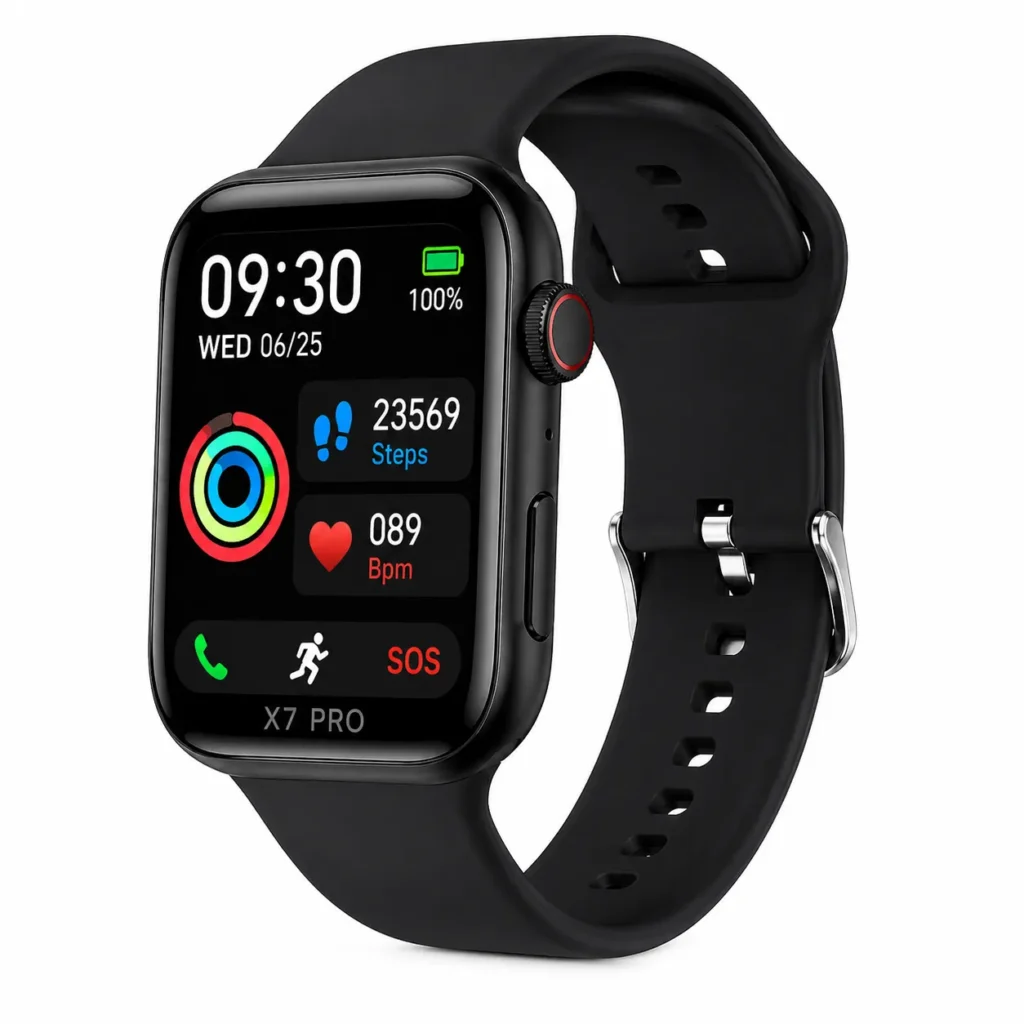
The X7 Pro Smartwatch represents a different category from Apple, Samsung, and Garmin. It is commonly found through budget-focused online marketplaces and is often marketed with features such as health monitoring, activity tracking, Bluetooth calling, and various safety-related functions. Its low purchase price can make it attractive when a family wants to experiment with smartwatch technology without spending the amount required for a premium brand.
However, buyers should be especially careful with claims surrounding fall detection smartwatches for seniors in this price range. A product listing may use phrases such as “SOS,” “health monitoring,” or “elderly care,” but that does not automatically mean the watch provides the same type of automatic fall detection and emergency-service communication offered by established manufacturers. Specifications can also vary between sellers and versions of similarly named devices.
For that reason, the X7 Pro should be considered only after verifying the exact listing, supported network technology, emergency functions, app compatibility, battery specifications, and independent customer feedback. If the listing cannot clearly explain what happens after a fall, that uncertainty should be treated as a serious disadvantage rather than a minor detail.
X7 Pro Smartwatch Pros and Cons
Pros
- Generally positioned as a budget-friendly smartwatch.
- May include multiple everyday smartwatch functions.
- Can be attractive for basic monitoring and notifications.
- Potentially useful for buyers who want an inexpensive wearable.
Cons
- Safety and fall-detection claims should be independently verified.
- Specifications can vary between sellers.
- App and connectivity quality may differ.
- Emergency-response capabilities may be less comprehensive than premium brands.
- Not the first choice when dependable emergency response is the primary requirement.
Y95 Elderly SOS GPS Watch
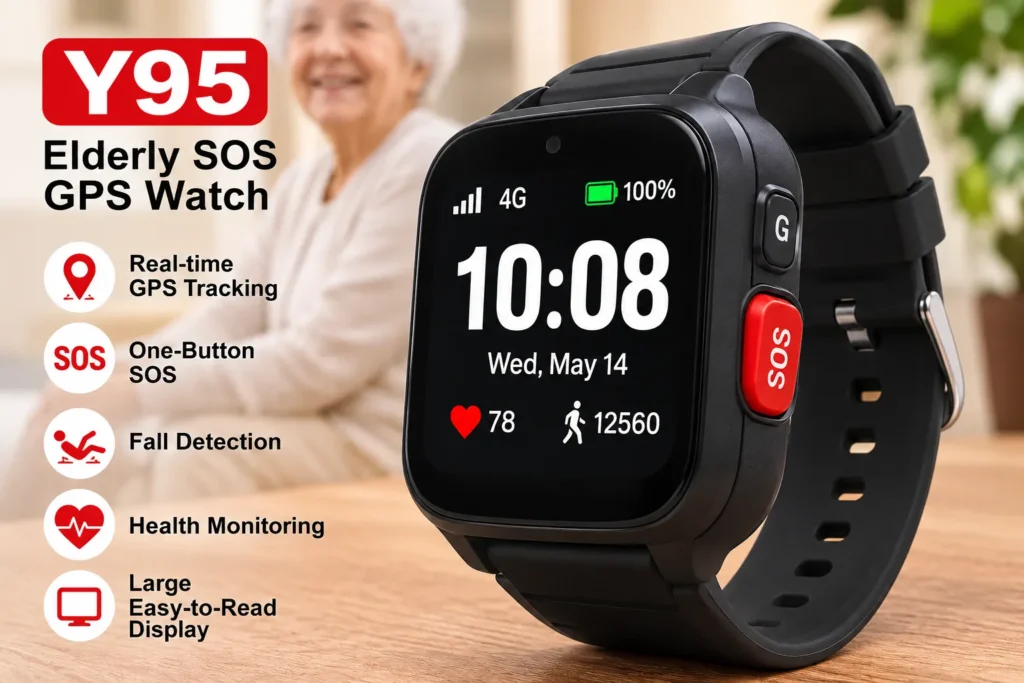
The Y95 Elderly SOS GPS Watch is another marketplace-style option aimed more directly at older adults and family caregivers. Devices in this category commonly focus on features such as SOS calling, GPS/location functions, communication, and simplified controls. That basic concept can be appealing: instead of buying an expensive fitness watch packed with sports functions, a family can look for a device centered on communication and safety.
The critical word is verification. Product names used on large marketplaces can represent different manufacturers, revisions, or seller-specific configurations. Before publishing an affiliate recommendation or buying one for an elderly family member, check the current product page carefully and verify whether the exact version provides automatic fall detection, manual SOS only, GPS tracking, SIM-card support, 4G connectivity, two-way calling, and compatibility with the networks used in your country.
A manual SOS button and automatic fall detection are not the same thing. A manual SOS feature requires the wearer to recognize that they need assistance and press the button. Automatic fall detection attempts to recognize the event without requiring the wearer to initiate the alert. For someone who may become unconscious or physically unable to reach the button, that distinction is extremely important.
Y95 Elderly SOS GPS Watch Pros and Cons
Pros
- Designed with elderly users and caregivers in mind.
- SOS and location-focused concept.
- Potentially simpler than a full-featured fitness smartwatch.
- May offer a lower-cost alternative.
Cons
- Exact specifications can vary by seller.
- Automatic fall detection should be verified before purchase.
- SIM/network compatibility requires careful checking.
- Software and app support may not match major brands.
- Emergency reliability should not be assumed from marketing claims alone.
How to Choose the Right Watch
The best fall detection smartwatches for seniors are not necessarily the watches with the most features. The right device is the one that the senior will actually wear, understand, charge, and keep connected. Start with the smartphone already used by the person. If they have an iPhone, Apple Watch becomes much easier to consider. If they use Android, Samsung or another compatible platform may be more practical.
Next, identify the actual safety requirement. If the senior lives independently and is worried about being unable to reach a phone after a serious fall, automatic fall detection and emergency communication should be high priorities. If they mainly want family members to know where they are while walking outside, GPS and location sharing may matter more. If they frequently hike or exercise outdoors, Garmin’s activity-based incident detection could be useful, while a simpler SOS-focused watch may suit someone who rarely exercises.
Connectivity deserves special attention. A watch connected to a smartphone through Bluetooth is not equivalent to a cellular watch that can communicate independently. Ask whether the device needs a phone nearby, whether a SIM or cellular plan is required, whether GPS works independently, and whether the emergency feature functions in the country where the senior lives.
Finally, test the system before trusting it. Configure emergency contacts, make sure permissions are enabled, verify the watch can communicate with the phone or network, and learn how the fall alert behaves. A five-minute test today can prevent a lot of confusion later.
Frequently Asked Questions
Are fall detection smartwatches for seniors completely reliable?
No smartwatch should be considered completely reliable for detecting every fall. Apple explicitly states that Apple Watch cannot detect all falls and may sometimes interpret high-impact activity as a fall. The safest approach is to treat fall detection as an additional layer of protection rather than the only emergency plan. Seniors with significant medical or mobility concerns may benefit from a dedicated medical-alert system in addition to a smartwatch.
Does a senior need a smartphone to use fall detection?
It depends on the model and connectivity configuration. Some watches can use a paired smartphone for data communication, while cellular versions may provide more independent communication. Garmin’s Forerunner 955, for example, requires an appropriate connection to a phone and data network for its incident-detection messaging. Always check the exact model rather than assuming every smartwatch works independently.
Which is better for seniors, Apple Watch or Samsung Galaxy Watch?
The answer depends largely on the phone the senior already uses. Apple Watch is particularly attractive for iPhone users because its fall detection and emergency ecosystem integrate closely with Apple devices. Samsung’s Galaxy Watch6 is a strong option for compatible Android users and provides configurable Hard Fall Detection and emergency settings. Compatibility and simplicity should matter more than brand loyalty.
Can a smartwatch automatically call emergency services after a fall?
Some models can do this under specific circumstances. Apple explains that when a compatible Apple Watch detects a hard fall and the wearer remains immobile for about a minute, the watch begins a countdown and can automatically attempt to contact emergency services if the alert is not canceled. However, cellular, Wi-Fi, regional, configuration, and connectivity requirements can affect how emergency calling works.
Should seniors buy a smartwatch or a dedicated medical-alert watch?
That depends on the user’s needs. A smartwatch is attractive when the senior wants health tracking, notifications, GPS, communication, and safety features in one device. A dedicated medical-alert watch may be preferable when simplicity and emergency assistance are more important than fitness or smartwatch features. The most important thing is not buying the device with the longest specification sheet; it is choosing a system the senior understands and will consistently wear.
Conclusion
Choosing among fall detection smartwatches for seniors is ultimately about balancing technology with real life. Apple Watch Series 9 offers a strong combination of fall detection, emergency features, connectivity, and everyday smartwatch capabilities for iPhone users. Samsung Galaxy Watch6 provides a similarly compelling approach for compatible Android users, including configurable Hard Fall Detection and emergency settings. Garmin Forerunner 955 is better suited to active seniors who spend time walking, hiking, or cycling and can benefit from GPS-based incident detection, while lower-cost X7 Pro and Y95-style marketplace watches require much more careful verification of their actual safety capabilities.
The most important lesson is simple: do not buy a smartwatch solely because the product page says “fall detection.” Check exactly what the feature detects, what happens afterward, whether the watch needs a phone, whether cellular service is required, how emergency contacts are notified, and whether the senior can comfortably operate the device. A smartwatch should be treated as one part of a broader safety plan, not as a guarantee that help will always arrive.
If you are choosing a watch for a parent, grandparent, or another older adult, think about their daily routine before thinking about technical specifications. Would they remember to charge it? Can they read the screen comfortably? Do they carry a smartphone? Do they walk outside alone? Would they know what to do when an alert appears? Those practical questions often matter more than an impressive list of sensors.
Have you used a fall detection smartwatch for a senior? Share your experience in the comments below. Tell readers which model you chose, what you liked about it, and what you wish you had known before buying. Your experience could help another family choose a safer and more practical wearable for someone they care about.
- For more information click here