How to Start a Smart Home on a Budget
Affiliate Disclosure: This article contains affiliate links. If you purchase a product through one of the links, this website may earn a small commission at no additional cost to you. Recommendations are based on usefulness, compatibility, and value—not simply on the possibility of earning a commission. Prices, availability, shipping times, and promotions can change, so always check the retailer’s current listing before buying.
How to Start a Smart Home Without Spending a Fortune
If you think a smart home requires thousands of dollars, a professional installer, and a house full of futuristic gadgets, there is good news: you don’t need any of that. Learning how to start a smart home can actually begin with less than $50 if you focus on a few useful devices instead of trying to automate everything at once.
The smartest approach to how to start a smart home is to build it in layers. Start with one affordable device that acts as the “brain,” add a couple of smart plugs or bulbs, and then expand into sensors and switches when you know what you actually need. Amazon’s Alexa ecosystem supports compatible lights, plugs, switches, cameras, thermostats, and other smart-home products, making it possible to build a system gradually rather than purchasing everything at once.
The goal of this guide is simple: show you how to start a smart home on a realistic budget while avoiding unnecessary purchases. We’ll divide the process into three pillars:
- The Brain — an affordable smart speaker.
- Automation Essentials — smart plugs and bulbs.
- System Expansion — sensors and switches.
We’ll also compare buying trusted core devices from Amazon with buying ultra-budget components from AliExpress, and we’ll put together a simple Starter Kit Bundle designed around a budget of roughly $35, before taxes, shipping, and any current promotions.
Amazon vs. AliExpress: Where Should You Buy Smart Home Devices?
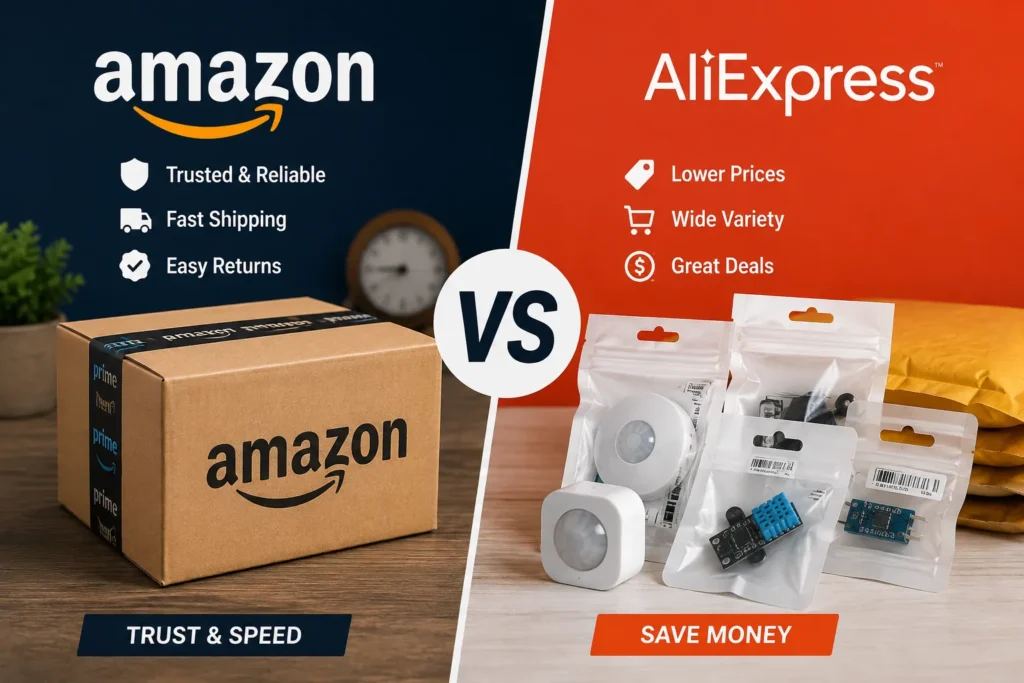
Before learning how to start a smart home, it helps to understand where your first devices should come from. Amazon is usually the easier choice for core devices where reliability, straightforward returns, and fast delivery matter. AliExpress can become attractive when you are expanding the system and looking for inexpensive sensors, LED strips, switches, and other components.
| Category | Best/Fastest: Amazon | Lowest Price: AliExpress |
|---|---|---|
| Smart speaker | Amazon Echo / Echo Dot | Limited selection |
| Smart plugs | TP-Link Kasa and similar brands | Generic Wi-Fi/Tuya options |
| Smart bulbs | Recognized brands | Budget Tuya-compatible bulbs |
| Motion sensors | Branded options | Tuya Zigbee sensors |
| Door sensors | Branded options | Budget Zigbee sensors |
| LED strips | Branded kits | Low-cost RGB/Tuya strips |
| Smart switches | Established brands | Tuya/Sonoff options |
| Main advantage | Convenience, established brands, easy returns | Lower component prices |
| Best strategy | Buy your core devices | Expand selectively |
For the first stage of how to start a smart home, Amazon is generally the easier place to buy the central device that everything else depends on. Amazon’s current Alexa documentation shows that compatible devices can be connected through several standards, including Matter, Zigbee, Bluetooth, and cloud-based integrations.
AliExpress becomes more interesting once you understand compatibility. Buying a $5 sensor that does not work with your hub or ecosystem isn’t a bargain—it is a $5 lesson.
Check Price on Amazon: Amazon Echo Smart Speakers
Get Lowest Price on AliExpress: Tuya Smart Home Devices
How to Start a Smart Home: The Three-Pillar Strategy
The easiest way to understand how to start a smart home is to stop thinking about individual gadgets and start thinking about a system.
Your smart home needs something to control devices, devices that perform useful actions, and eventually sensors that tell the system what is happening.
Think of it like a human body. The Brain makes decisions, Automation Essentials perform actions, and Sensors provide information. Once those three parts work together, your smart home becomes considerably more useful.
Pillar 1: The Brain — Start With an Affordable Smart Speaker
The first step in how to start a smart home is choosing a central control device. For beginners, an affordable Alexa-enabled speaker is one of the easiest ways to enter the smart-home ecosystem.
Amazon Echo and Echo Dot
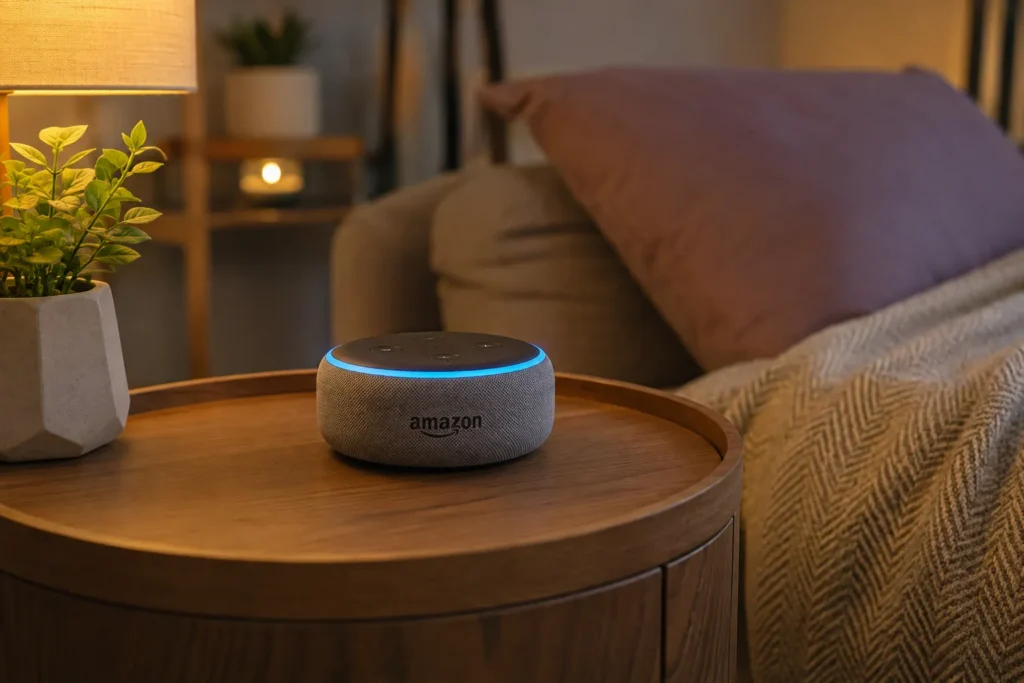
An Amazon Echo or compatible Echo speaker can function as the voice-control center for compatible smart-home devices. You can ask Alexa to turn lights on and off, control compatible plugs, run routines, and perform other supported actions.
Amazon’s current smart-home documentation confirms that Alexa can connect to compatible lighting, plugs, switches, thermostats, cameras, locks, and other products.
That makes an Echo particularly useful when learning how to start a smart home because you don’t necessarily need to buy a dedicated smart-home hub immediately.
For example, imagine saying:
“Alexa, turn off the living room lights.”
Instead of walking around the house switching individual lights, one voice command can handle the task.
You can also create routines. A “Good Night” routine, for example, could turn off compatible lights and plugs simultaneously. Amazon describes Alexa routines as a way to automate experiences based on triggers such as time of day.
Why Start With Amazon?
When figuring out how to start a smart home, your first purchase should ideally be dependable. If your central speaker constantly disconnects or requires complicated troubleshooting, the entire project can become frustrating.
Amazon’s Alexa ecosystem also has broad compatibility. Amazon says its smart-home platform supports a large range of connected products, while Matter compatibility can allow supported devices from different manufacturers to work together locally.
That doesn’t mean every smart device works with every Echo. Always check compatibility before purchasing.
Pillar 2: Automation Essentials — Smart Plugs and Bulbs
Once you have your “brain,” the next step in how to start a smart home is adding devices that actually perform actions.
This is where smart plugs and smart bulbs become incredibly useful.
Smart Plugs: The Cheapest Way to Automate Existing Devices
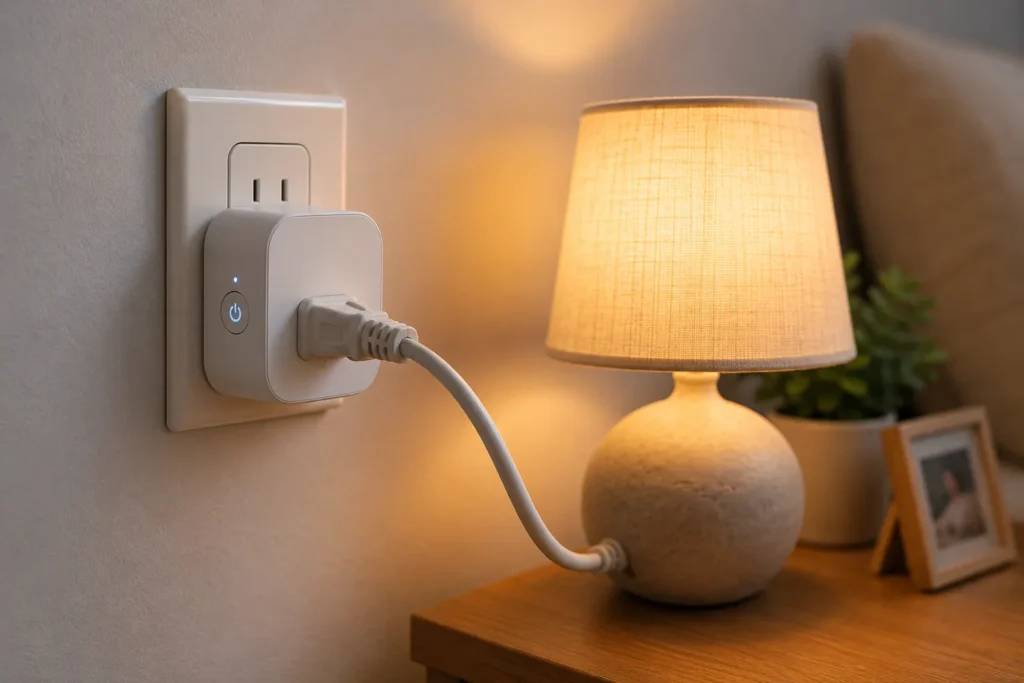
A smart plug is essentially a small computer-controlled switch that sits between an outlet and a compatible appliance.
Instead of replacing your lamp, for example, you can connect the lamp to a smart plug and control its power through an app or compatible voice assistant.
One established option is the TP-Link Kasa Smart Plug. Amazon’s Alexa documentation specifically lists TP-Link Kasa among smart-home lighting and switch products that can work with Alexa.
Amazon recommendation: TP-Link Kasa Smart Plug
Check Price on Amazon: Shop TP-Link Kasa Smart Plugs
This is one of the reasons smart plugs are so useful when learning how to start a smart home. You don’t have to replace every appliance with a “smart” version.
You can potentially automate:
- Lamps
- Fans
- Certain electronics
- Holiday lighting
- Compatible coffee makers
- Other suitable devices with a safe power-switch design
However, don’t blindly connect high-power heating appliances or other equipment to a smart plug. Always check the plug’s electrical rating and the appliance manufacturer’s requirements.
Smart Bulbs: Your First Real Smart Lighting Upgrade
Smart bulbs are another easy entry point.
Instead of installing a completely new lighting system, you can replace a compatible conventional bulb with a smart bulb. Depending on the model, you may gain remote control, scheduling, dimming, color adjustment, or voice control.
Amazon’s Alexa smart-home documentation lists Philips Hue and other connected lighting products as examples of devices that can integrate with Alexa.
Amazon recommendation: Philips Hue or another compatible smart bulb
Check Price on Amazon: Shop Smart Bulbs
For the cheapest expansion, AliExpress can offer numerous Tuya-compatible bulbs and LED products.
Get Lowest Price on AliExpress: Shop Tuya Smart Bulbs
The important lesson in how to start a smart home is to automate rooms you actually use.
You don’t need 20 smart bulbs on day one.
Start with the bedroom, living room, or entryway. Once you understand how the system works, expand.
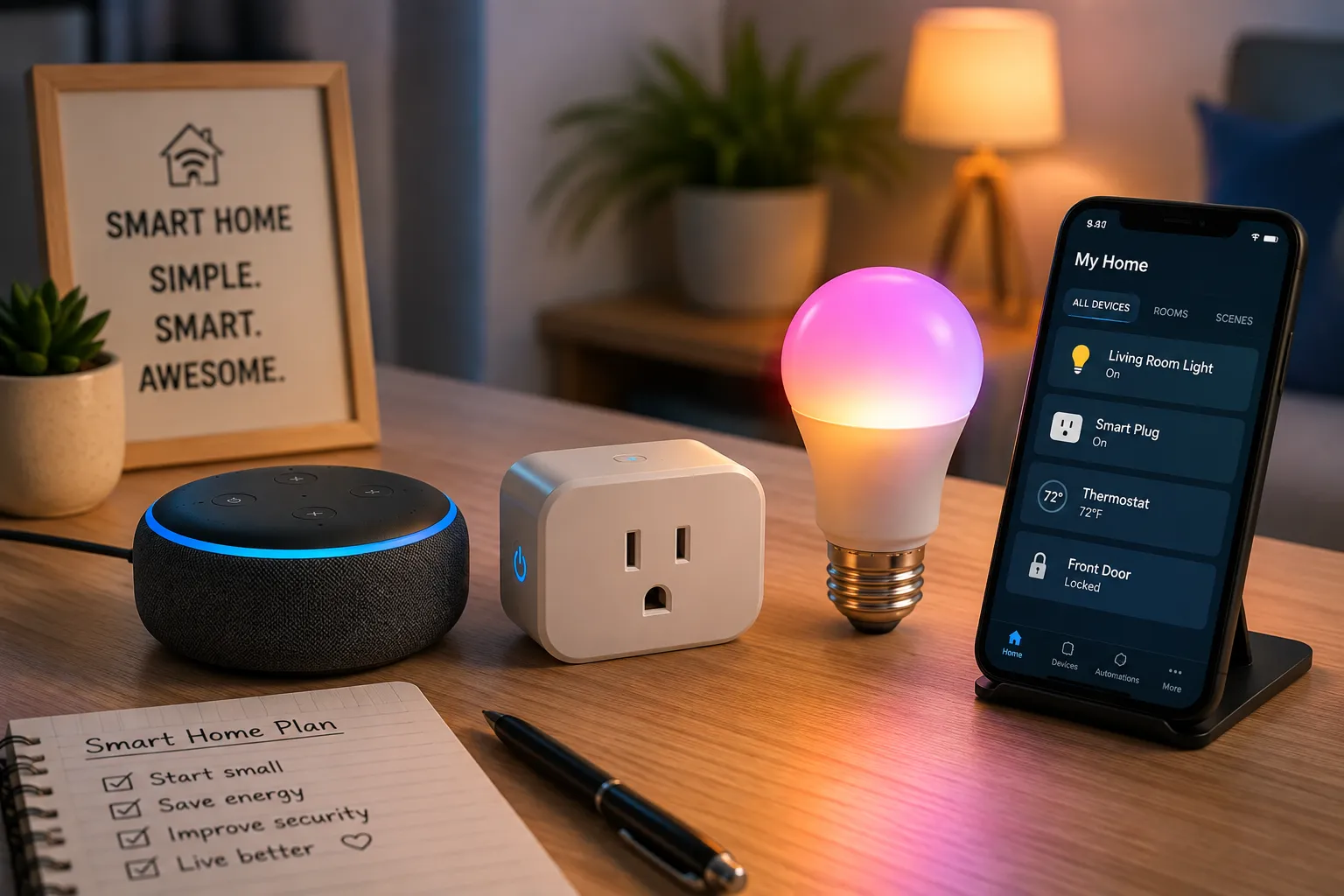
The $35 Smart Home Starter Kit
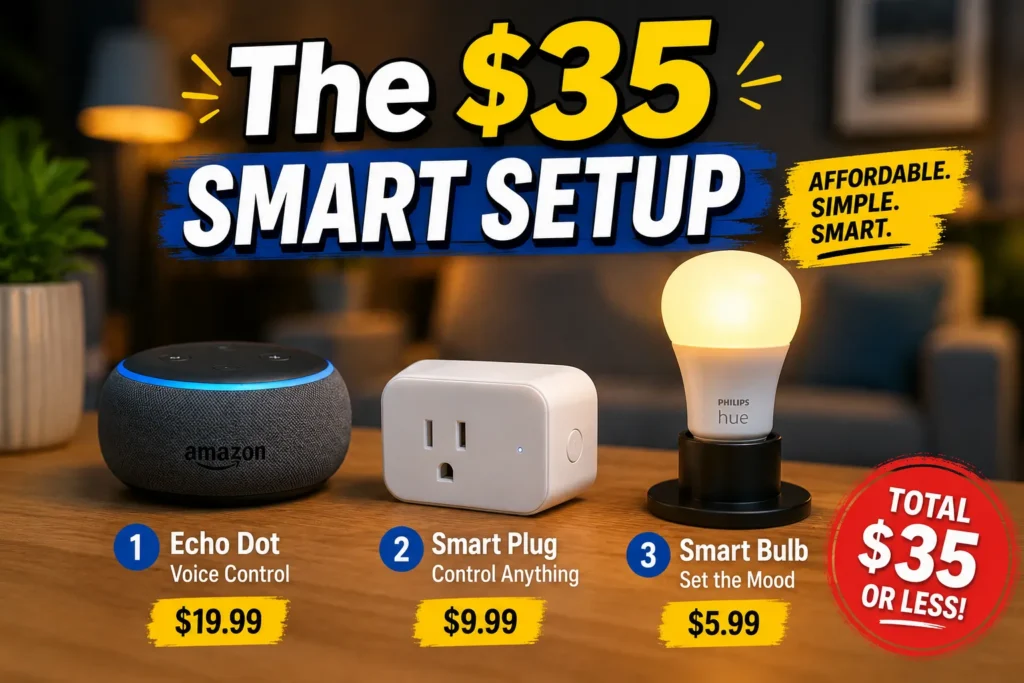
If someone asks, “What’s the simplest answer to how to start a smart home?” this is where I’d begin.
Instead of purchasing ten devices, start with three.
Starter Kit Bundle
| Item | Suggested source | Purpose |
| Affordable Echo / Echo Dot | Amazon | Smart-home brain |
| Kasa Smart Plug | Amazon | Appliance/lamp automation |
| Tuya Smart Bulb | AliExpress | Smart lighting |
A carefully selected combination of discounted entry-level products can sometimes bring a basic setup close to the $35 range, but prices fluctuate significantly by model, seller, country, promotions, taxes, and shipping. Treat $35 as a target rather than a guaranteed checkout price.
1. Echo / Echo Dot
This gives you the voice-control foundation.
Check Price on Amazon: Find Current Echo Prices
2. Kasa Smart Plug
Use this to make an existing compatible lamp or appliance controllable through your smart-home ecosystem.
Check Price on Amazon: Find Current Kasa Plug Prices
3. Tuya-Compatible Smart Bulb
Use the bulb for basic smart lighting and automation.
Get Lowest Price on AliExpress: Find Tuya Smart Bulbs
This three-device approach is an excellent introduction to how to start a smart home because each device demonstrates a different part of the system.
You get voice control, automation, and smart lighting without turning the project into a major renovation.
Pillar 3: System Expansion — Sensors and Switches
After your first few devices are working properly, the next stage in how to start a smart home is adding sensors.
Sensors are what make a smart home feel genuinely smart.
A light controlled by an app is convenient.
A light that turns on automatically when you enter the room is much more interesting.
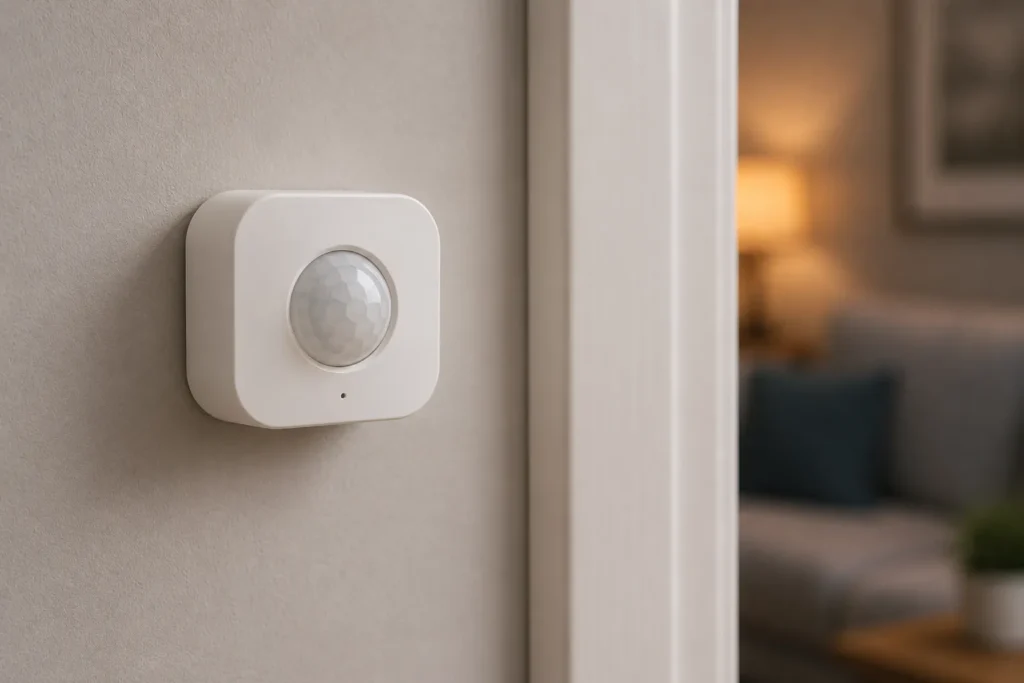
Motion Sensors
A motion sensor detects movement and can trigger an automation.
For example:
Motion detected → hallway light turns on.
After a certain period:
No motion → hallway light turns off.
This can be especially useful at night.
AliExpress has a large selection of inexpensive Tuya Zigbee motion sensors. Zigbee is a low-power wireless standard used for smart-home devices, and Amazon notes that certain Echo devices include built-in Zigbee hubs capable of connecting supported Zigbee devices.
Get Lowest Price on AliExpress: Shop Tuya Zigbee Motion Sensors
But there is an important compatibility warning.
Do not assume that every Zigbee sensor works with every hub.
Check the exact Echo model, hub, Zigbee version, and device compatibility before ordering.
Door and Window Sensors
Door sensors are another inexpensive way to expand your system.
A typical sensor has two parts. When the door is closed, the two pieces are near each other. When the door opens, they separate and the sensor reports the change.
This can trigger an automation or notification.
For example:
Front door opens → hallway light turns on.
Or:
Back door opens after midnight → send notification.
These simple automations are where how to start a smart home becomes how to make your home work for you.
Get Lowest Price on AliExpress: Shop Tuya Zigbee Door Sensors
Smart Switches
Smart switches can replace traditional wall switches and provide a cleaner, more permanent smart-home installation.
Brands such as Sonoff offer smart switches and Zigbee products that can be useful for expanding a system.
Get Lowest Price on AliExpress: Shop Sonoff Smart Switches
However, smart switches require more care than smart bulbs.
Some require a neutral wire, while others are designed for different electrical configurations. Electrical work can also involve safety risks, so if you are unsure about the wiring, use a qualified electrician instead of experimenting.
Why AliExpress Can Be Useful for Smart Home Expansion
When learning how to start a smart home, it is tempting to buy everything from the same retailer.
You don’t have to.
A better strategy can be to buy important core devices from established brands and use AliExpress selectively for inexpensive expansion components.
AliExpress can be attractive for products such as:
- Tuya Zigbee sensors
- Sonoff components
- LED strips
- Smart switches
- Door sensors
- Motion sensors
- Temperature sensors
- Low-cost accessories
Get Lowest Price on AliExpress: Explore Smart Home Components
The catch is that low price can come with trade-offs.
Shipping may take longer, seller quality varies, product documentation may be less polished, and compatibility requires more research.
That’s why I would not necessarily recommend buying your first smart speaker or central controller from an unknown marketplace seller.
Your first experience with how to start a smart home should be as painless as possible.
Amazon vs. AliExpress: My Budget Strategy
A simple strategy is:
Buy the brain from Amazon.
Buy expansion components from whichever marketplace offers the best combination of price, compatibility, and reliability.
Amazon is particularly attractive for the first devices because product selection, delivery, customer service, and returns can make the learning curve easier.
AliExpress can become more valuable once you understand the ecosystem and know exactly what you need.
For example, buying a $6 Zigbee motion sensor might make sense after you have confirmed that it works with your hub.
Buying ten different $6 sensors before checking compatibility does not.
This distinction is one of the most important lessons in how to start a smart home on a budget.
The cheapest product is not always the cheapest solution.
How to Avoid the Most Expensive Smart Home Mistake
The biggest mistake beginners make isn’t buying an expensive product.
It is buying incompatible products.
Imagine purchasing a collection of Wi-Fi, Zigbee, Matter, Bluetooth, and proprietary devices without checking how they communicate.
You could end up with five different apps, multiple hubs, complicated automations, and devices that refuse to cooperate.
That’s the opposite of what you want.
When researching how to start a smart home, choose your ecosystem first.
If you choose Alexa as your primary interface, look for products that clearly state compatibility with Alexa.
If you want Matter, check whether the device is Matter-certified and whether your controller supports the specific device category.
Amazon’s current Matter documentation explains that supported Echo devices can connect compatible Matter products locally, including smart plugs, lights, sensors, thermostats, and other categories.
Matter, Zigbee, or Wi-Fi: Which Should a Beginner Choose?
Understanding connectivity is another part of how to start a smart home.
Wi-Fi
Wi-Fi devices are often easy to understand because they connect directly to your home network.
The downside is that filling a home with dozens of Wi-Fi devices can increase network complexity.
Zigbee
Zigbee is designed for low-power smart-home communication and is commonly used by sensors, lights, switches, and plugs. Amazon says compatible Echo devices can act as Zigbee hubs, eliminating the need for a separate hub for supported devices.
Matter
Matter is designed to improve interoperability between smart-home ecosystems. Amazon describes Matter as an IP-based connectivity protocol that allows supported devices to connect locally to Alexa without necessarily requiring a separate hub or proprietary smart-home skill.
For someone researching how to start a smart home, Matter is particularly interesting because interoperability is one of the major problems the smart-home industry has historically faced.
Still, don’t buy something merely because it says “Matter.”
Check that the device type, controller, and features you need are actually supported.
Build Smart Home Routines Instead of Buying More Gadgets
Here’s a secret about how to start a smart home: you often don’t need more devices—you need better automations.
Suppose you have:
- One Echo
- One smart bulb
- One smart plug
- One motion sensor
You could create several useful routines.
Good Morning
At a specific time:
Smart bulb → On
Smart plug → On
Alexa → Weather information
Movie Time
Say:
“Alexa, movie time.”
Then:
Living-room light → Dim
Lamp → On
Good Night
Say:
“Alexa, good night.”
Then:
Lights → Off
Selected plugs → Off
Night Hallway
Motion detected:
Hallway light → On
After a suitable delay:
Hallway light → Off
This is where your investment starts becoming more valuable.
The goal of how to start a smart home is not to accumulate gadgets. It is to create useful interactions between them.
Amazon’s Alexa platform supports routines and smart-home groups, allowing compatible devices to be controlled together rather than individually.
A $50-to-$150 Smart Home Expansion Roadmap
Once you understand how to start a smart home, don’t rush to spend hundreds of dollars.
Use a staged approach.
Stage 1: Around $35–$50
Start with:
- Affordable Echo/Echo Dot
- One smart plug
- One smart bulb
Goal: learn voice control and basic automation.
Stage 2: Around $50–$100
Add:
- Motion sensor
- Door sensor
- Another smart plug
- Additional smart bulb
Goal: introduce automation triggered by movement and events.
Stage 3: Around $100–$150+
Add:
- More sensors
- Smart switches
- LED strips
- Smart thermostat
- Security devices
- Additional automation
Goal: create a more complete smart-home ecosystem.
These are planning ranges, not guaranteed retail prices. Actual prices can change with sales, bundles, shipping, taxes, and region.
7 Budget Smart Home Ideas You Can Try
Once you understand how to start a smart home, you can create useful automations without buying expensive equipment.
1. Automatic Night Light
Motion sensor + smart bulb.
Walk into the hallway → light turns on.
2. Automatic Morning Lighting
Smart bulb + schedule.
At your chosen wake-up time → bedroom light gradually or automatically turns on, if the bulb supports the desired feature.
3. Remote Lamp Control
Smart plug + lamp.
Forgot to turn the lamp off? Use the compatible app or voice assistant.
4. Door Notification
Door sensor + compatible smart-home platform.
Door opens → receive an alert or trigger an automation where supported.
5. Movie Routine
Echo + smart lights.
Say one command → several compatible lights change together.
6. Vacation Lighting
Smart bulb + schedule.
Create a routine that turns lights on and off at selected times while you’re away.
7. Energy-Saving Routine
Smart plugs + schedules.
Turn selected compatible electronics off during periods when they aren’t needed.
The beauty of how to start a smart home is that you can implement these ideas one at a time.
Smart Home Budget Mistakes to Avoid
Learning how to start a smart home also means learning what not to buy.
Don’t Automate Everything
You don’t need a smart refrigerator, smart coffee maker, smart toaster, and smart trash can.
Ask one question:
Does this device solve a real problem?
If the answer is no, keep your money.
Don’t Ignore Compatibility
A cheap device that requires a separate hub can end up costing more than a slightly more expensive compatible device.
Don’t Buy Ten Devices at Once
Buy one or two.
Test them.
Then expand.
This makes troubleshooting much easier.
Don’t Ignore Electrical Safety
Smart switches and plugs are electrical products. Check ratings and installation requirements carefully.
Don’t Assume Every “Smart” Product Is Equal
A product being labeled “smart” doesn’t tell you how reliable it is, what ecosystem it supports, or how well it will integrate with your other devices.
How to Start a Smart Home With Almost No Technical Knowledge
If you’re completely new to smart-home technology, keep the first setup extremely simple.
Step 1: Choose Alexa or another primary ecosystem.
Step 2: Buy one affordable compatible smart speaker.
Step 3: Add one smart plug.
Step 4: Add one smart bulb.
Step 5: Connect everything using the manufacturer’s instructions.
Step 6: Give every device a simple name.
For example:
- Living Room Lamp
- Bedroom Light
- Coffee Lamp
- Hallway Light
Step 7: Create one routine.
That’s it.
You have now learned how to start a smart home without turning your weekend into an electrical-engineering project.
Once the basics work, add sensors.
Best Beginner Shopping Strategy
If I were building a budget smart home from scratch, I would divide the shopping list into two groups.
Buy Core Devices From Amazon
Use Amazon for:
- Echo/Echo Dot
- Established smart plugs
- Branded smart bulbs
- Recognized security products
- Devices where fast delivery and easy returns matter
Check Price on Amazon: Browse Smart Home Devices
Use AliExpress for Budget Expansion
Use AliExpress selectively for:
- Tuya Zigbee sensors
- Sonoff Zigbee devices
- LED strips
- Budget smart switches
- Door/window sensors
- Motion sensors
- Other inexpensive accessories
Get Lowest Price on AliExpress: Browse Budget Smart Home Devices
This two-marketplace approach can make how to start a smart home much more affordable without forcing you to compromise on every component.
Final Thoughts: How to Start a Smart Home Without Overspending
The best answer to how to start a smart home is surprisingly simple: start small, choose one ecosystem, and automate problems—not everything.
You don’t need a $2,000 setup.
You don’t need a professional installer for basic plug-and-play devices.
You don’t need to replace every appliance in your home.
A basic Echo, a smart plug, and a smart bulb can already introduce you to voice control, scheduling, and automation. From there, inexpensive motion sensors, door sensors, LED strips, and smart switches can gradually transform the system into something much more capable.
If you’re shopping on Amazon, prioritize trusted core devices such as Echo and compatible Kasa products. Amazon’s current documentation confirms broad Alexa support across smart lights, plugs, switches, cameras, thermostats, and other compatible devices.
If you’re shopping on AliExpress, look for budget-friendly Tuya and Sonoff components—but check compatibility before buying. Zigbee, Matter, Wi-Fi, and proprietary ecosystems are not interchangeable simply because a product has the word “smart” in its title.
And remember the most important rule of how to start a smart home:
Buy the smallest system that solves your biggest problem.
Then expand when you have a reason.
That’s how you build a smart home that is affordable, useful, and actually enjoyable to live with.
- For more information click here