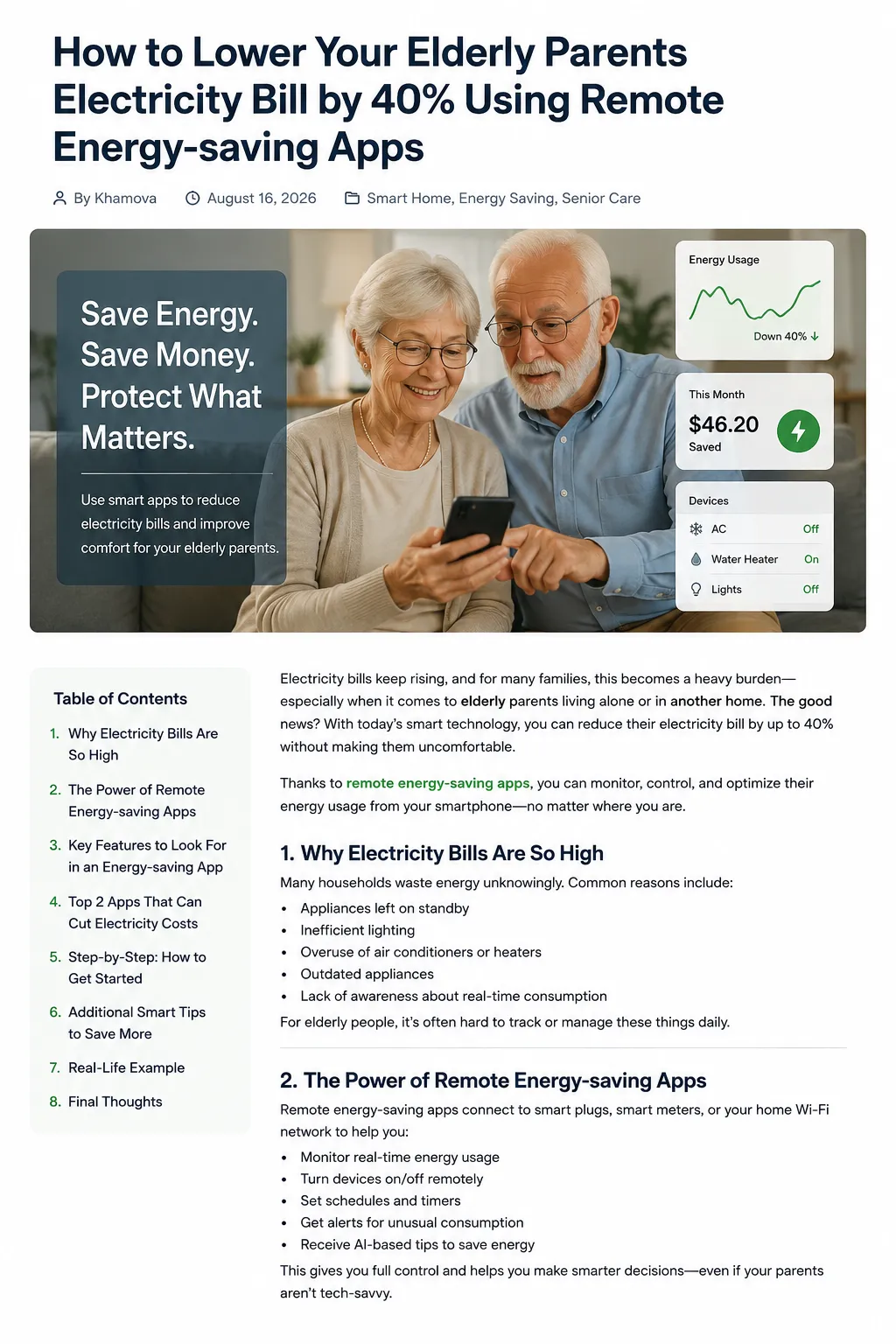
How to Lower Your Eldrely Parents Electricity Bill by 40% Using Remote Energy-saving Apps
Introduction
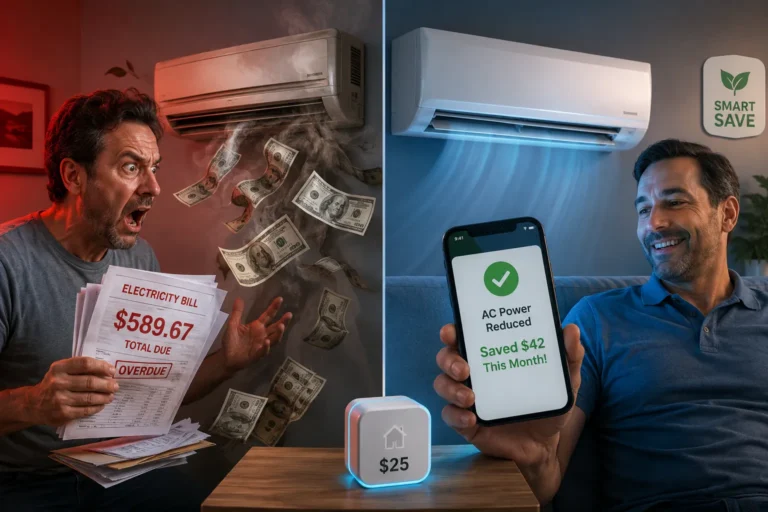
If your elderly parents live alone, you may worry about more than just whether they are safe. You may also wonder whether they are accidentally leaving lights on, running heating or air conditioning for too long, or paying for appliances that quietly consume electricity all day. This is where remote energy-saving apps can become surprisingly useful. Instead of visiting the house every day to check energy consumption, you can use connected energy-monitoring technology to understand how electricity is being used and, with compatible devices, make certain changes remotely.
The idea behind remote energy-saving apps is simple: turn an invisible monthly expense into information you can actually see. An electricity bill tells you how much energy was consumed, but it usually does not explain which appliances caused the increase. Modern energy platforms can provide real-time or near-real-time information, identify usage patterns, and in some cases allow connected devices to be scheduled or controlled remotely. Sense, for example, describes its platform as a way to monitor household electricity use in real time and identify individual appliance patterns.
But there is an important distinction before we start: no app can guarantee a 40% reduction in every household’s electricity bill. The actual result depends on the home’s current consumption, electricity rates, heating and cooling requirements, appliances, climate, insulation, behavior, and the devices connected to the system. A 40% reduction should therefore be treated as an ambitious target rather than a promise. The purpose of remote energy-saving apps is to give families the information and remote-control tools needed to identify realistic opportunities for savings.
Why Remote Energy-Saving Apps Can Help Elderly Parents
When an older adult lives alone, energy consumption can sometimes become difficult to manage. A parent may leave a heater running because they are uncomfortable turning it off, forget about a lamp in another room, keep an old appliance running continuously, or simply have no idea how much electricity a particular device consumes.
This does not mean that the senior is doing anything wrong. Electricity consumption is simply difficult to see. You can look at a light bulb and know that it is switched on, but you cannot easily tell how much money it is costing without measuring it. Remote energy-saving apps solve part of this visibility problem by turning energy use into dashboards, graphs, notifications, and historical reports.
For adult children or caregivers, the remote element can be especially valuable. Instead of physically visiting the house to investigate an unusually high electricity bill, a family member can open an app and examine available energy data. Depending on the system, they may be able to see current consumption, identify unusual patterns, receive alerts, or control compatible smart devices.
Remote Monitoring Without Constant Visits
Imagine that your parent’s electricity consumption suddenly increases on a Tuesday evening. Without an energy-management system, you might only discover the problem when the monthly bill arrives. With compatible remote energy-saving apps, you may be able to see the change much sooner.
This could reveal something as simple as an appliance running longer than usual. Perhaps the air conditioner has been operating continuously, a space heater is being used for several hours, or another high-energy device has become part of the daily routine.
The goal is not to monitor your parent in a controlling way. It is to monitor the home’s energy system and use the information to have a helpful conversation. Privacy and consent should remain central, particularly because connected-home platforms can generate detailed information about household activity.
Can Remote Energy-Saving Apps Really Cut an Electricity Bill by 40%?
A 40% reduction is possible in some households, but it should never be presented as a guaranteed outcome. The starting point matters enormously. A home that already uses efficient appliances, has good insulation, and carefully manages heating and cooling may have much less room for improvement than an inefficient home with significant standby loads.
This is why remote energy-saving apps should be viewed as a management tool rather than a magic button. The app does not create energy savings simply by being installed. Savings happen when the information from the app leads to changes such as reducing unnecessary usage, changing schedules, improving temperature management, or replacing inefficient equipment.
Emporia’s current documentation describes its app as capable of real-time energy monitoring, scheduling compatible devices, managing demand, and automating certain energy-consuming equipment. Emporia says customers typically save 10–20% through automated demand management alone and reports higher potential savings when a home battery is involved, but those are company-reported figures and should not be interpreted as a guaranteed household result.
Where the Savings Can Come From
Think about a typical elderly parent’s home as a collection of energy “leaks.” Some leaks are large, such as inefficient heating or cooling. Others are small, such as electronics that remain powered unnecessarily.
Remote energy-saving apps can help identify those leaks and prioritize them. Instead of trying to reduce every little source of electricity consumption, families can focus on the largest opportunities first.
For example, a household might discover that heating and cooling represent the biggest opportunity. Another might discover that an old refrigerator or freezer is responsible for a surprising amount of consumption. A third household may find that many devices remain on standby throughout the day.
The important point is that the 40% target should come from several smaller improvements added together, not from expecting one application to cut the bill by 40%.
7 Ways Remote Energy-Saving Apps Can Reduce Energy Costs
1. Monitor Electricity Consumption in Real Time
The first step toward saving money is understanding where the money is going. Remote energy-saving apps can provide a much clearer picture of household electricity consumption than a traditional monthly bill.
Sense, for example, provides real-time energy information through its mobile app and can analyze electrical patterns to identify individual appliances over time. The platform can show users which devices are operating, how frequently they run, and how long they remain active.
For an elderly parent’s home, this information can be especially useful. Instead of asking, “Why was the electricity bill so high this month?” you can ask a much more useful question: “Which part of the house is using the most electricity?”
That change in perspective is powerful.
If the data shows unusually high consumption during the afternoon, you can investigate cooling. If usage remains elevated overnight, you can look for heating, refrigeration, pumps, or always-on electronics. If consumption spikes during particular hours, you can examine which devices are operating at those times.
Remote energy-saving apps essentially turn the electricity bill into a detective story where the energy data provides the clues.
2. Identify Energy-Hungry Appliances
Not every appliance deserves equal attention. A small LED lamp and a large heating system may both use electricity, but their impact on the bill can be dramatically different.
This is one of the biggest advantages of remote energy-saving apps that provide appliance-level information or support compatible energy monitors. Sense says its system learns electrical signatures over time and can identify devices such as refrigerators, ovens, and dryers.
This allows families to focus their efforts where they are most likely to matter.
Suppose your parent’s house has an older appliance that runs for long periods. Instead of guessing whether it is expensive to operate, energy data can help establish how much electricity it is actually consuming. Once you know the biggest energy users, you can decide whether changing the schedule, reducing use, replacing the appliance, or adjusting the surrounding conditions makes sense.
This is a much smarter strategy than telling an elderly parent to “use less electricity” without explaining where the savings can realistically come from.
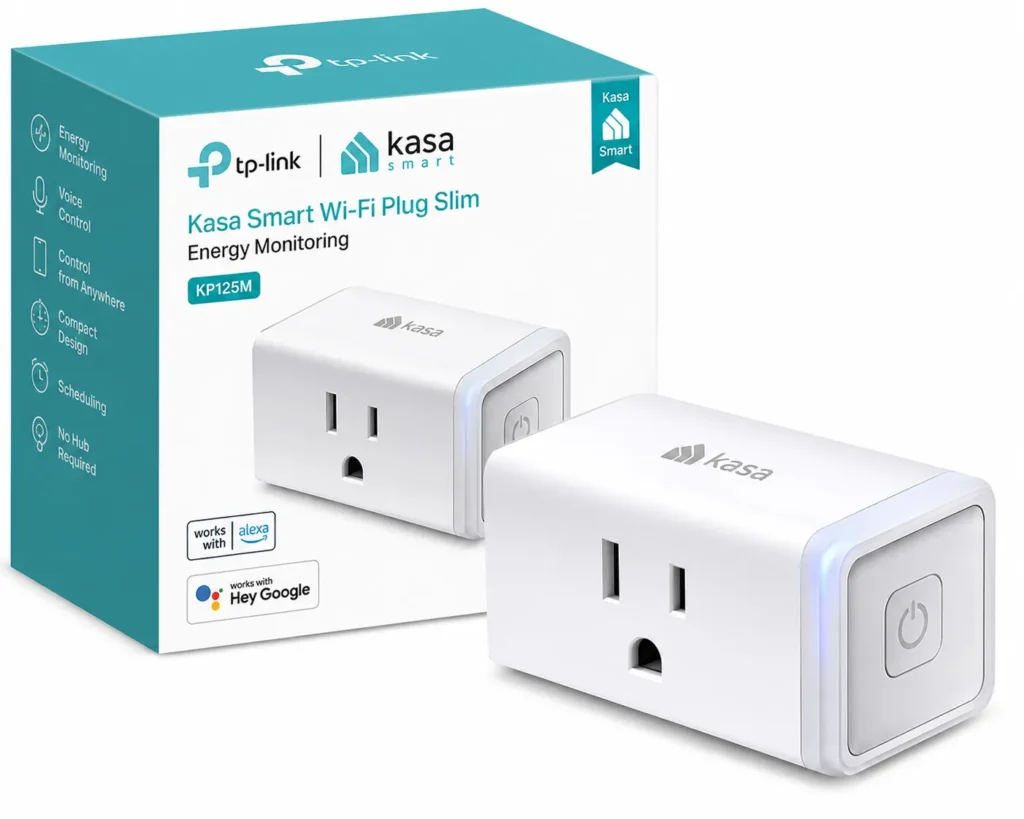
3. Automate Smart Plugs and Devices
One of the most practical features of remote energy-saving apps is automation. When compatible smart plugs, thermostats, chargers, or other devices are connected, families may be able to create schedules that reduce unnecessary operation.
For example, a lamp could be programmed to switch off at a certain time. A compatible appliance could be scheduled to operate during a lower-cost period. Certain devices could also be turned off remotely if they have accidentally been left running.
Emporia’s current app documentation specifically describes automation for smart plugs, thermostats, EV charging, batteries, and other compatible equipment. It also allows users to schedule devices based on electricity pricing where supported.
This is particularly helpful for seniors because the automation happens in the background. Your parent does not need to remember every energy-saving rule. Once a safe routine has been established, the technology can handle repetitive tasks automatically.
However, automation must be used carefully. Never remotely switch off an appliance if doing so could create a safety issue or interfere with an essential medical or household function.
4. Optimize Heating and Cooling
Heating and cooling can be among the most important areas to investigate when attempting to reduce an electricity bill. An elderly person may understandably prioritize comfort, especially during periods of extreme temperatures. The objective should not be to make the home uncomfortably hot or cold just to save money.
Instead, remote energy-saving apps can help identify patterns and make temperature management more deliberate.
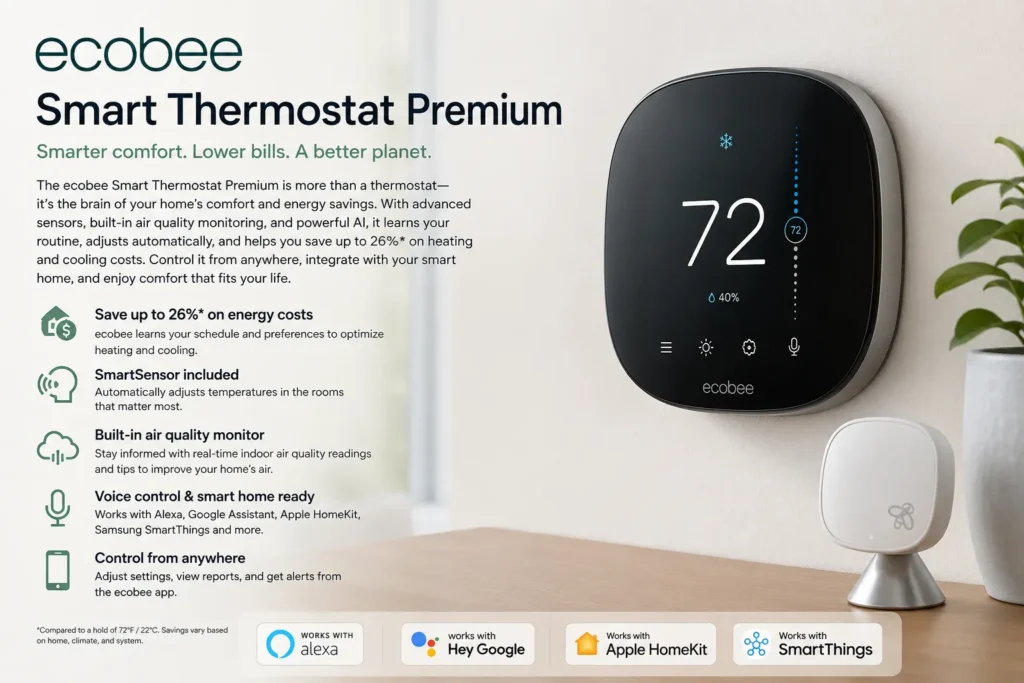
For example, if energy data shows that the HVAC system runs continuously during certain hours, a family member could investigate whether the thermostat settings, insulation, filters, or equipment condition are contributing to the problem. A compatible smart thermostat may also allow remote temperature adjustments and schedules.
Emporia currently supports integrations involving thermostats and describes automation that can pre-heat or pre-cool homes around electricity pricing periods where applicable.
The important principle is simple: save energy without sacrificing appropriate comfort or safety. Older adults can be more vulnerable to extreme temperatures, so energy-saving strategies should always account for their individual needs.
5. Reduce Standby and “Always-On” Energy Use
Many households contain devices that remain powered even when nobody is actively using them. These can include televisions, entertainment systems, chargers, networking equipment, computers, and other electronics.
Individually, these loads may appear insignificant. Collectively, however, they can contribute to unnecessary consumption.
Remote energy-saving apps can help identify persistent energy use. Sense specifically highlights the ability to identify “always-on” loads so users can investigate equipment that continuously draws electricity.
This is where smart plugs can become useful. A compatible device can be scheduled to turn off at appropriate times rather than relying on an elderly parent to remember every night.
Again, caution is essential. Never put critical equipment on a smart plug without verifying that remote power cycling is safe and appropriate.
6. Shift Usage to Lower-Cost Hours
Some electricity providers use time-based pricing, meaning electricity can cost different amounts at different times. If your parent’s electricity plan has time-of-use pricing, changing when certain devices operate can sometimes reduce the bill without dramatically reducing the amount of energy consumed.
This is another area where remote energy-saving apps can be valuable. Emporia’s app can use utility-rate information to help schedule compatible devices when electricity costs less.
For example, a compatible appliance might be scheduled to operate during a lower-cost period rather than during a more expensive peak period.
But families should first confirm that the parent’s electricity provider actually uses time-based pricing. If every kilowatt-hour costs the same throughout the day, changing the timing will not necessarily reduce the bill.
7. Receive Remote Energy Alerts
The final piece is ongoing monitoring. Once you have identified normal energy behavior, remote energy-saving apps can help you notice unusual changes.
Suppose your parent’s home normally consumes a predictable amount of electricity overnight but suddenly starts using significantly more. A notification could prompt you to investigate.
Emporia’s current platform includes customizable notifications and alerts for energy usage and device activity.
These alerts can be useful for both savings and practical household awareness. An unusual energy spike could indicate that a high-energy device has been left running, that a routine has changed, or that equipment needs attention.
The alert itself does not explain the cause, though. Treat it as a signal to investigate rather than proof that something is wrong.
Two SaaS Energy Management Systems to Consider
When discussing remote energy-saving apps, it helps to distinguish between simple smart-home applications and broader energy-management platforms. Two useful examples for this type of project are Sense and Emporia Energy.
Both provide software-based dashboards that allow users to access energy information remotely, although their hardware requirements and exact capabilities differ.
Sense Home Energy App
- Interested in this product? Check the link below for more details, or search for the product name directly on Amazon.
Sense is a home energy-management platform that connects its app to a Sense energy monitor or, where supported, a Sense-enabled smart meter. The platform analyzes electrical usage and provides real-time information through its mobile app. Sense says the system can learn individual appliance patterns and help users identify where electricity is being consumed.
For an elderly parent’s home, this can create a useful remote-monitoring workflow. A family member can review energy information from their own phone rather than needing to physically inspect every appliance.
Sense also reports an average savings figure of up to 8% on its website, which is useful as an example of the potential impact of energy intelligence, but it should not be confused with a guaranteed result for every household.
The platform can be particularly interesting when the family’s first question is, “Where is the electricity actually going?”
That makes Sense a strong example of a software-centered energy-management system: data comes into the platform, the software organizes it, and the user can make decisions based on what the dashboard reveals.
Emporia Energy App
- Interested in this product? Check the link below for more details, or search for the product name directly on Amazon.
Emporia Energy takes a broader approach by combining energy monitoring with connected devices and automation. Its current app can show energy costs and device information, while compatible hardware can provide circuit-level monitoring and control. Emporia says the app can schedule smart plugs, manage certain thermostats, optimize charging, and support other energy-management functions.
This can make Emporia particularly interesting when the goal is not simply to observe a parent’s electricity consumption but to manage parts of it remotely.
For example, an adult child could use the platform to review energy consumption, identify an inefficient pattern, and then automate compatible devices to operate at more suitable times. Emporia also offers a web portal, which can be useful for reviewing detailed information on a larger screen.
The platform therefore represents another good example of an energy-management SaaS-style system where cloud software, mobile applications, connected hardware, and automation work together.
Sense vs. Emporia
| Feature | Sense | Emporia Energy |
|---|---|---|
| Real-time energy monitoring | Yes | Yes |
| Mobile app | Yes | Yes |
| Web access | Available | Available |
| Appliance/energy insights | Yes | Yes, depending on hardware |
| Smart device automation | Depends on integrations | Strong automation focus |
| Circuit-level monitoring | With compatible hardware | Available with Vue monitors |
| Remote monitoring | Yes | Yes |
| Energy alerts | Available | Available |
| Subscription/app cost | Depends on current setup | Emporia says its app has no subscription or in-app purchase fee |
| Best suited for | Understanding energy use | Monitoring plus automation |
Emporia states that its app is currently free with no subscriptions or in-app purchases, while some features require compatible Emporia hardware.
The important thing is not to choose based solely on which platform has more features. Choose based on what your parent’s home actually needs.
How to Choose the Right Remote Energy-Saving App
Choosing between remote energy-saving apps should start with the home’s existing infrastructure. Does your parent have a compatible smart meter? Is Wi-Fi reliable? Are there smart plugs or thermostats already installed? Does the electricity provider offer time-of-use pricing?
Compatibility can save you a lot of frustration.
The second factor is simplicity. An adult child might be comfortable with a complex dashboard containing dozens of graphs, but the senior may not need to interact with it at all. In many cases, the family member can manage the energy platform remotely while the parent simply continues using the home normally.
The third factor is cost. Look beyond the app itself. Some systems require monitoring hardware, electrical-panel installation, smart plugs, or other equipment. A platform may have free software while the hardware represents the main investment.
The fourth factor is remote control. Monitoring is useful, but automation can potentially create additional savings. If the goal is to actively manage the home from a distance, choose a system that supports the devices you actually want to control.
The fifth factor is data privacy. Read the privacy policy before connecting a parent’s home to a cloud-based platform. Understand what information is collected, where it is stored, who can access the account, and what permissions are granted to other household members.
A Practical 40% Energy-Saving Plan for Elderly Parents
If the goal is to attempt a 40% reduction, do not start by randomly turning things off. Start with measurement.
Step 1: Establish a Baseline
Use remote energy-saving apps to record the home’s normal electricity consumption for several weeks. Look at daily and weekly patterns rather than relying on one unusual day.
Step 2: Find the Biggest Energy Users
Identify the appliances or systems responsible for the largest portions of consumption. Focus first on heating, cooling, water heating, refrigeration, laundry, and other major loads where relevant.
Step 3: Attack Waste Before Comfort
Look for unnecessary consumption that does not affect your parent’s quality of life. Examples could include lights left on in empty rooms, electronics operating unnecessarily, or devices that remain active when they are not needed.
Step 4: Automate Safe Tasks
Use compatible remote energy-saving apps and smart devices to automate repetitive actions. Lights, selected electronics, smart plugs, thermostats, and other compatible equipment can potentially be scheduled.
Step 5: Improve Heating and Cooling Efficiency
Review thermostat schedules, filters, insulation, drafts, and equipment condition. Do not sacrifice an elderly person’s appropriate comfort simply to reach a percentage target.
Step 6: Review the Electricity Tariff
Determine whether the utility uses time-of-use pricing. If it does, consider moving flexible energy consumption to cheaper periods.
Step 7: Monitor the Results
Continue using remote energy-saving apps to compare energy consumption before and after changes. This is where the system becomes valuable: instead of guessing whether something worked, you can look at the data.
A hypothetical example might look like this:
| Saving opportunity | Example target |
| Heating/cooling optimization | 10% |
| Lighting improvements | 3% |
| Standby-load reduction | 3% |
| Appliance scheduling | 4% |
| Hot-water efficiency | 5% |
| Smart-device automation | 5% |
| Other behavior/efficiency improvements | 5% |
| Illustrative total | 35% |
These figures are illustrative, not guaranteed savings. A household could save substantially less or more depending on its starting point. The purpose of the table is to demonstrate why a large reduction, when achievable, usually comes from multiple changes rather than one application.
The safest way to approach a 40% target is to let the data guide the decisions.
Why Remote Energy-Saving Apps Are Particularly Useful for Long-Distance Families
One of the biggest advantages of remote energy-saving apps is that they can reduce the need for physical troubleshooting.
If an adult child lives in another city or country, visiting an elderly parent’s home every time the electricity bill changes may be unrealistic. A connected energy-management platform can provide a digital window into the home’s energy consumption.
That does not mean the adult child should constantly monitor the parent’s activities. The better approach is to establish reasonable alerts and review energy trends periodically.
For example, you might agree with your parent that you will help manage the energy system remotely. You could review the monthly trend together and discuss whether a particular appliance or routine should change.
This makes technology a collaborative tool rather than a surveillance system.
Important Limitations to Understand
Even the best remote energy-saving apps have limitations. Energy-monitoring software depends on the quality of the underlying data. Internet outages, hardware problems, incompatible devices, incorrect utility-rate settings, or changes in household behavior can affect what the dashboard shows.
Appliance identification is also not always perfect. Sense explains that its system learns appliance patterns over time, meaning recognition develops as the system gathers more information.
There is also a difference between monitoring and saving. An app can tell you that an appliance is consuming electricity, but someone still has to decide what to do about it.
Finally, never assume remote control is always appropriate. Essential medical equipment, refrigeration, heating, cooling, and other important household systems require careful consideration before any automated shutdown or schedule is introduced.
Frequently Asked Questions
Can remote energy-saving apps really reduce an elderly parent’s electricity bill by 40%?
They can contribute to substantial savings in some homes, but 40% is not guaranteed. The result depends on the home’s existing efficiency, heating and cooling requirements, electricity rates, appliance usage, and the changes implemented. Remote energy-saving apps are best viewed as tools that help identify and manage savings opportunities.
What are the best remote energy-saving apps?
Two examples worth researching are Sense and Emporia Energy. Sense focuses heavily on real-time energy intelligence and identifying appliance usage, while Emporia combines monitoring with connected-device controls and automation. Their suitability depends on the home’s hardware and energy-management goals.
Can I monitor my elderly parents’ electricity use from another city?
Yes, compatible cloud-connected energy systems can allow authorized users to access energy information remotely through an app or web portal. Emporia, for example, provides both mobile and web access to its energy data.
Do remote energy-saving apps require smart devices?
Not always, but hardware may be required depending on the platform. Some systems can connect to compatible smart meters, while others require a dedicated energy monitor. Additional smart plugs, thermostats, or other devices may be needed if you want remote control and automation rather than monitoring alone.
Are Sense and Emporia SaaS systems?
They can reasonably be described as cloud-based energy-management platforms because their software services process and present energy data remotely through apps and web interfaces. However, they are not purely software-only products in every configuration because some capabilities depend on connected hardware such as energy monitors or smart meters.
Can these apps turn appliances off remotely?
Some platforms can control compatible connected devices. Emporia, for example, supports smart plugs and other compatible devices through its app. However, remote control should only be used for appliances and equipment where remote switching is safe and supported by the manufacturer.
Should I try to reduce my elderly parent’s electricity consumption as much as possible?
Not necessarily. The objective should be efficient and appropriate energy use, not simply the lowest possible consumption. Older adults may need reliable heating, cooling, refrigeration, lighting, and other essential services. Saving money should never come at the expense of reasonable comfort or safety.
Final Thoughts
Using remote energy-saving apps to help lower an elderly parent’s electricity bill can be a practical combination of technology, automation, and better decision-making. The biggest advantage is visibility: instead of waiting for the monthly bill to reveal that something changed, families can use connected energy platforms to understand consumption patterns much sooner.
The 40% target should be treated carefully. Remote energy-saving apps cannot guarantee a 40% reduction, and no responsible energy platform should be presented as a magic solution. But when a home has significant energy waste, combining real-time monitoring, appliance analysis, smart scheduling, heating and cooling optimization, standby-load reduction, and appropriate automation can create meaningful savings.
Platforms such as Sense and Emporia Energy demonstrate two different approaches. Sense can help families understand where electricity is going through real-time energy intelligence, while Emporia combines energy monitoring with automation and connected-device management.
The smartest strategy is to start with data, identify the largest opportunities, make small changes, and measure the results. If you can make the home more efficient without making your elderly parent uncomfortable or overwhelmed by technology, you have achieved something much more valuable than simply cutting a number on an electricity bill.
In the end, remote energy-saving apps should work quietly in the background. Your parent should be able to live normally, while the technology helps the family understand energy consumption, reduce unnecessary waste, and make the home more efficient from almost anywhere.
- Affiliate Disclosure: This article contains affiliate links. If you purchase through these links, we may earn a commission at no extra cost to you.
- For more information click here