
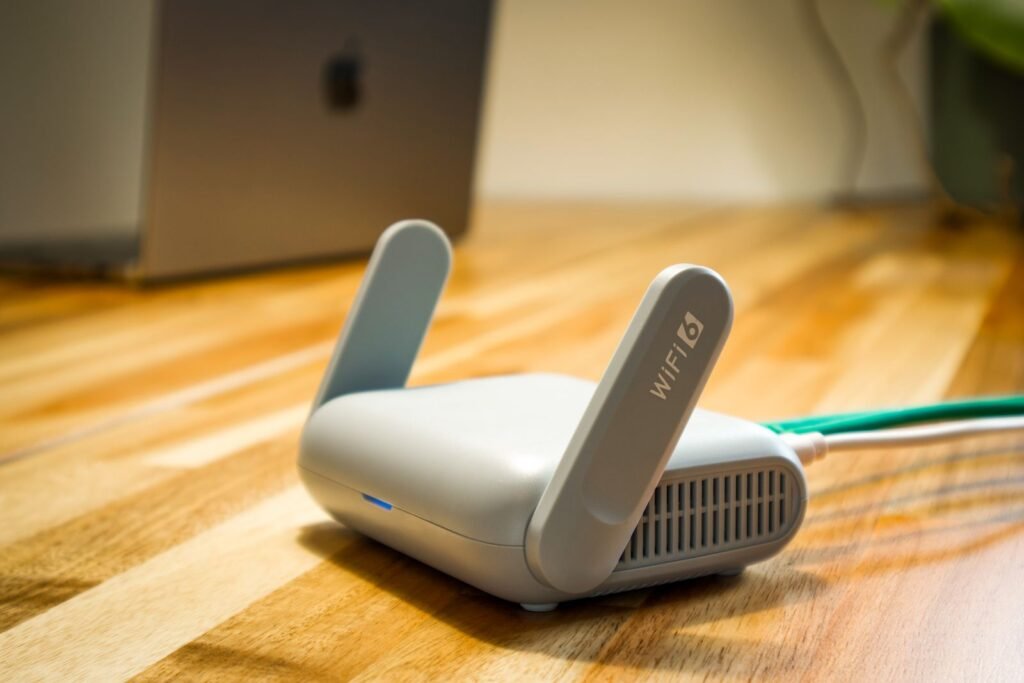
Imagine the power cutting out in the middle of a video call or while your child is finishing homework online. With a UPS power station, the Wi-Fi stays on, the laptop keeps charging and nothing restarts. Many portable power stations now include a UPS or “EPS” mode, but how well it works depends on a few specs most buyers never check. This guide explains them in simple terms.
Quick answer: A UPS power station passes grid power through to your devices and switches to its own battery when the grid fails. Most models switch in about 10 to 30 milliseconds. That is fast enough for routers, laptops, lamps and fridges, but sensitive desktop PCs or servers may need a model rated under 10 ms or a dedicated UPS.
Key takeaways
- Switchover time is the most important spec for any UPS power station.
- Routers, modems, laptops and fridges handle a 20 to 30 ms gap easily.
- Desktop PCs, gaming rigs and NAS drives need the fastest switchover you can get.
- The total load must stay under the station’s pass-through and inverter limits.
- Automatic computer shutdown needs a data connection that only some models offer.
Table of Contents
How a UPS power station works
UPS stands for uninterruptible power supply. When a portable power station runs in UPS mode, it stays plugged into the wall and your devices plug into it. While the grid is working, electricity flows through the station to your devices, and the station keeps its battery charged. When the grid drops, the station’s inverter takes over and powers the same outlets from the battery.
Most portable models work like a standby (offline) UPS: the battery waits in the background and there is a very short gap while the station switches over. Brands use different names for this feature, such as UPS, EPS (emergency power supply) or pass-through charging, so read the manual to see what your model actually does.
Switchover time: why milliseconds matter
Switchover (or transfer) time is how long your devices go without power between the grid failing and the battery taking over. Published figures for portable models usually fall between under 10 ms and about 30 ms. Jackery, for example, says its UPS-capable stations switch in under 20 milliseconds, while some EcoFlow models are listed at under 10 ms and others at up to 30 ms.
Whether a gap matters depends on the device:
- Devices with batteries (laptops, phones, tablets) do not notice at all.
- Routers, modems, lamps and fridges normally ride through a 20 to 30 ms gap without a problem.
- Desktop computers rely on a small energy reserve inside their power supply, often designed to cover roughly 16 to 20 ms at full load. A slower switchover may cause a restart, especially under heavy load.
- Servers, NAS drives and some medical or lab equipment may need a true online UPS with zero transfer time.
The safest way to know is to test: run your setup on the station, unplug the station from the wall and see what happens. Do it once while nothing important is open.
UPS power station vs a traditional UPS
| Feature | UPS power station | Desktop UPS (standby or line-interactive) | Online (double-conversion) UPS |
|---|---|---|---|
| Typical transfer time | About 10–30 ms | About 4–10 ms | 0 ms |
| Battery capacity | Large (hundreds to thousands of Wh) | Small, often minutes of runtime | Small to medium |
| Battery type | Often LiFePO4 | Often lead-acid | Lead-acid or lithium |
| Portable and solar-chargeable | Yes | No | No |
| Automatic PC shutdown | Only on some models | Usually yes, via USB | Usually yes |
| Best for | Routers, laptops, fridges, lights, long outages | Desktop PCs during short blips | Servers and very sensitive equipment |
The big advantage of a UPS power station is capacity: it can keep a router online for a whole day, then recharge from solar panels. A desktop UPS is usually designed only to give you a few minutes to save your work.
Which devices to plug in
Great choices
- Wi-Fi router, modem and ONT box: they usually draw between about 10 and 30 watts together, so even a small station lasts for hours.
- Laptops and phone chargers.
- A fridge or freezer: they tolerate short gaps well. Check the start-up surge against the station’s surge rating, and read our family wattage chart first.
- LED lamps and a small TV for news during storms.
Use with care
- Desktop PCs and gaming computers: choose a station with the fastest switchover and test it.
- Space heaters, kettles and hair dryers: they can exceed the pass-through limit and drain the battery very quickly.
Any UPS power station should have pure sine wave output for motors and sensitive electronics. Learn why in our guide to pure sine wave vs modified sine wave inverters.
How long will it run?
Use this rule of thumb:
Runtime (hours) ≈ battery Wh × 0.85 ÷ total watts
The 0.85 factor allows for inverter losses. Examples for a 1,000 Wh station:
- Router and modem at 20 W: 1,000 × 0.85 ÷ 20 ≈ 42 hours.
- Laptop plus router at 80 W: about 10–11 hours.
- Fridge averaging 60 W over a day: about 14 hours, depending on how often the compressor runs.
If watt-hours still feel abstract, read watts vs watt-hours vs kilowatt-hours.
Three real-life family setups
1. The work-from-home corner
A parent works from home with a laptop, a monitor and the family router. Together they draw about 80 to 100 watts. A 1,000 Wh UPS power station placed next to the desk keeps the whole office running for a full workday during an outage. The laptop does not care about the switchover, and most monitors and routers ride through it without blinking.
2. The kitchen fridge
A family in a storm-prone area keeps its fridge plugged into a larger station all summer. When the grid drops, the fridge keeps cooling and the food stays safe. Here, capacity matters more than switchover speed. A 2,000 Wh class station can keep an efficient fridge going for roughly a day, longer if you avoid opening the door.
3. The gaming or editing desktop
A teenager’s gaming PC draws 300 to 500 watts under load. This is the hardest case for a UPS power station: the switchover must be fast and the inverter must handle the load and its surges. If the computer restarts during your test, use a small dedicated desktop UPS between the station and the PC, or choose a model rated under 10 ms.
Common mistakes to avoid
- Assuming every station has UPS mode. Some only offer simple pass-through charging with a slower switchover. Read the specs.
- Overloading the outlets. When the total load exceeds the limit, the station may shut off at the very moment you need it.
- Hiding it in a cabinet. Heat shortens battery life and can trigger protective shutdowns.
- Never testing. A two-minute test today saves a lost file during a real blackout.
- Using it for life-support equipment. A UPS power station is not a medical-grade backup. Anyone using medical devices should talk to their equipment supplier and doctor about a proper backup plan.
Setup checklist for a UPS power station
- Turn the mode on. On some models UPS behavior must be enabled in the app or settings.
- Check the pass-through limit. Your devices’ total wattage must stay below what the station can pass through from the wall.
- Set a sensible charge limit. Some apps let you keep the battery slightly below 100% for daily standby. Follow the maker’s advice.
- Give it air. Do not place the station in a closed cabinet; fans need space.
- Test the switchover. Unplug the station from the wall while your devices run, and watch for restarts.
- Plan for longer outages. Keep a folding solar panel ready and include the station in your family backup power plan.
If you are shopping, look for a portable power station that lists UPS mode, its switchover time and pure sine wave output clearly on the spec sheet. We list a matching option on our recommended products page.
UPS power station: frequently asked questions
Can I leave a power station plugged in all the time?
Many models are designed for it in UPS mode, but check the manual. Some recommend a charge limit or regular full cycles to keep the battery healthy.
Is 20 ms fast enough for a desktop computer?
Often, but not always. Many PC power supplies ride through about 16 to 20 ms at full load. Test your own setup, or choose a model rated under 10 ms.
Will my computer shut down safely when the battery runs low?
Only if the station offers a data connection, such as a USB port that works with shutdown software. Many portable models do not, so watch the battery level during long outages.
What is the difference between UPS and EPS?
Brands use the terms loosely. Both describe switching to battery when the grid fails; EPS sometimes means a slower switchover. Check the listed transfer time.
Can a UPS power station run my whole house?
No. A portable station powers the devices plugged into it. Whole-home backup needs a larger battery system and a transfer switch installed by an electrician.
Related guides on KHAMOVA
- Pure Sine Wave vs Modified Sine Wave Inverters
- How to Store a Portable Power Station Between Outages
- How to Build a Family Backup Power Plan
- What to Do When the Power Goes Out
- Recommended Home Energy Products
The bottom line
A UPS power station is one of the easiest ways to make everyday outages a non-event. Check three specs before you buy: switchover time, pass-through limit and battery capacity. Plug in the router, laptops and fridge first, test the setup once, and keep a solar panel ready for longer outages. Your family will barely notice the next blackout.