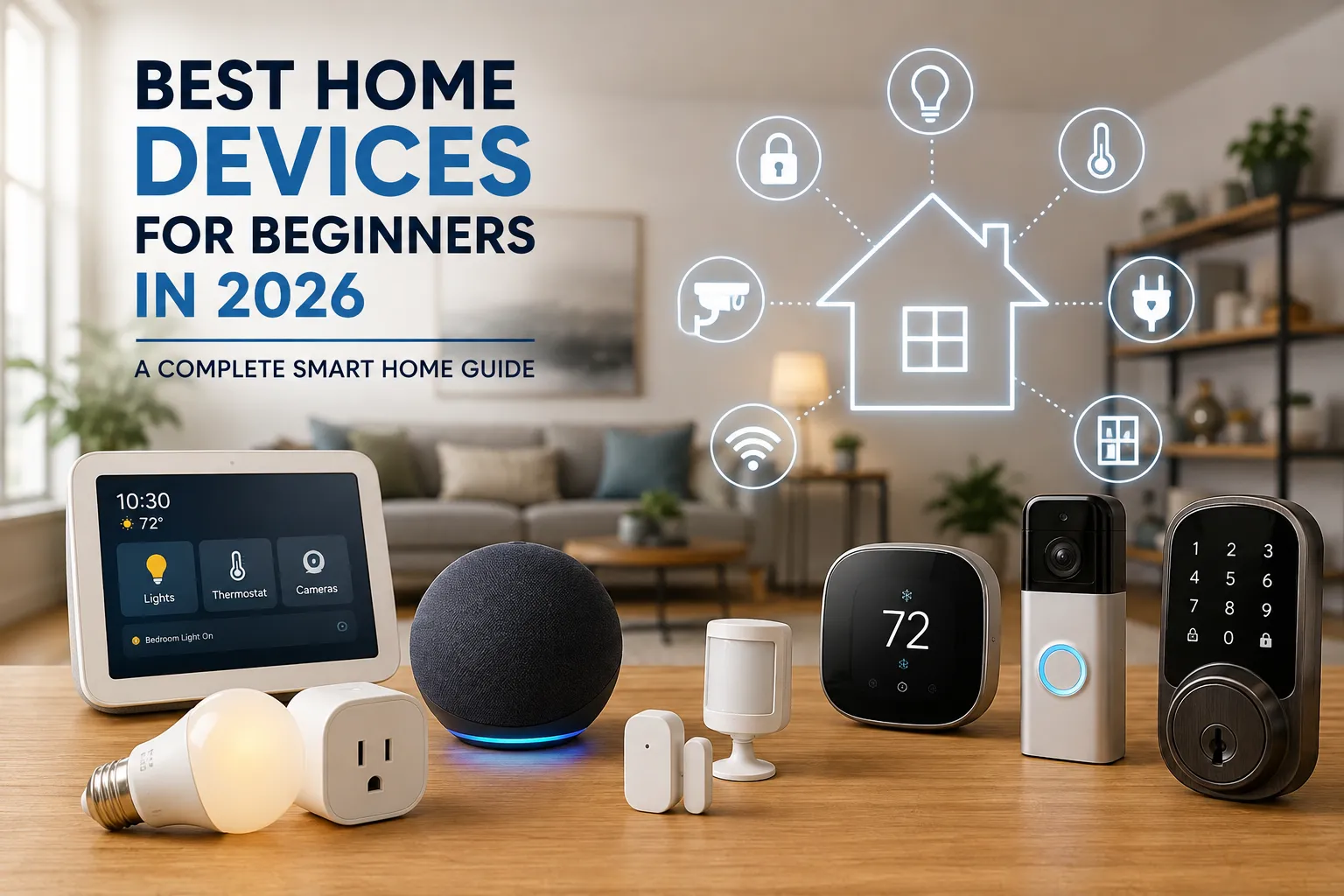
Best Home Devices for Beginners in 2026: A Complete Smart Home Guide
Why 2026 Is a Great Year to Start a Smart Home
If you have ever looked at a smart home and thought, “Where am I even supposed to start?”, you are definitely not alone. There are smart bulbs, plugs, cameras, thermostats, locks, sensors, speakers, displays, doorbells, hubs, and dozens of different apps competing for your attention. The good news is that 2026 is one of the easiest times to build a smart home, because you no longer need to turn your entire house into a complicated technology project. Current beginner guides recommend starting with just one or two simple devices and expanding gradually instead of buying everything at once.
The best approach is to think of your smart home like building a house with Lego. You do not dump 500 pieces onto the floor and hope they magically become a home. You start with a small foundation, make sure the pieces fit, and then add another room when you are ready. The same principle works beautifully with connected home technology. A smart plug can teach you how automation works. A smart bulb can introduce you to schedules and scenes. A smart speaker can become the voice-control center. Once you understand those basics, adding a camera, thermostat, doorbell, lock, or sensor becomes much less intimidating. This gradual approach also prevents you from wasting money on devices you may never actually use.
What Should Beginners Look for in a Smart Home Device?
Before buying any gadget, take a moment to think about compatibility, simplicity, reliability, privacy, and long-term value. A device can have an impressive specification sheet and still be a terrible beginner product if setup takes an entire afternoon or requires three different apps. For someone building a first smart home, ease of use is often more important than having every advanced feature available. You want technology that disappears into your routine rather than technology that creates another chore.
Compatibility is particularly important in 2026. The Matter standard has been designed to make smart home products from different manufacturers communicate more consistently, giving consumers greater flexibility when choosing products and ecosystems. The Connectivity Standards Alliance describes Matter as an industry-unifying standard focused on reliable, secure connectivity and interoperability. When shopping, therefore, looking for a Matter-certified device can be a useful way to reduce compatibility worries, although Matter does not automatically mean every feature works identically across every platform. You should still check whether the product works with the ecosystem you intend to use, such as Amazon Alexa, Google Home, or Apple Home.
Best Smart Home Devices for Beginners: Smart Speakers
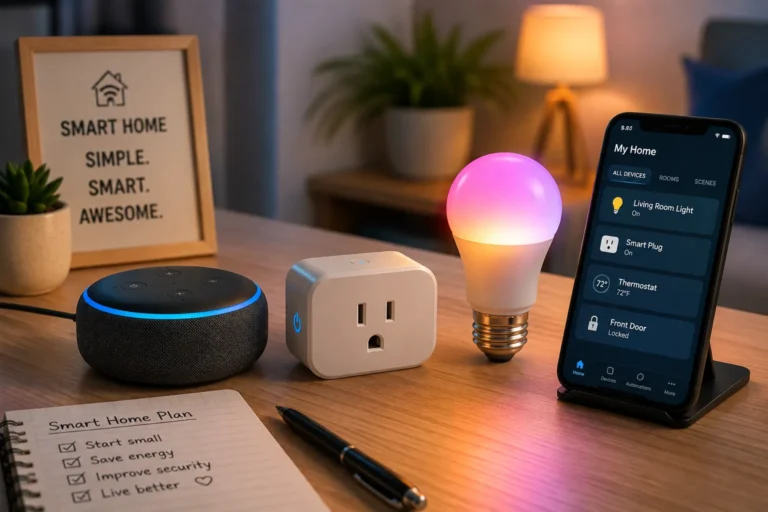
A smart speaker is one of the most useful first purchases because it gives you a simple way to interact with other connected devices. Instead of opening an app to turn off a lamp, for example, you can use a voice command. Depending on the ecosystem and device, you can also create routines such as turning off lights, adjusting compatible thermostats, checking weather information, or controlling entertainment equipment.
Amazon’s Echo family is a particularly obvious choice for beginners who already use Alexa or are interested in building around Amazon’s ecosystem. Current 2026 smart-home guides continue to place Echo devices among the major starter options, while other ecosystems center on Google Home or Apple’s Home platform. The right choice depends heavily on the phone and services you already use. An Android-heavy household may naturally prefer Google Home, while someone deeply invested in Apple’s ecosystem may prefer Apple Home. Alexa can be attractive to beginners because of the enormous range of compatible third-party products.
The important thing is not to obsess over finding the “perfect” speaker. Your first smart speaker should mainly give you reliable voice control and a foundation for future automation. You can always add a larger speaker, display, or dedicated hub later. Starting small keeps the learning curve manageable and makes it easier to discover what you actually want your smart home to do.
Best Smart Home Devices for Beginners: Smart Plugs
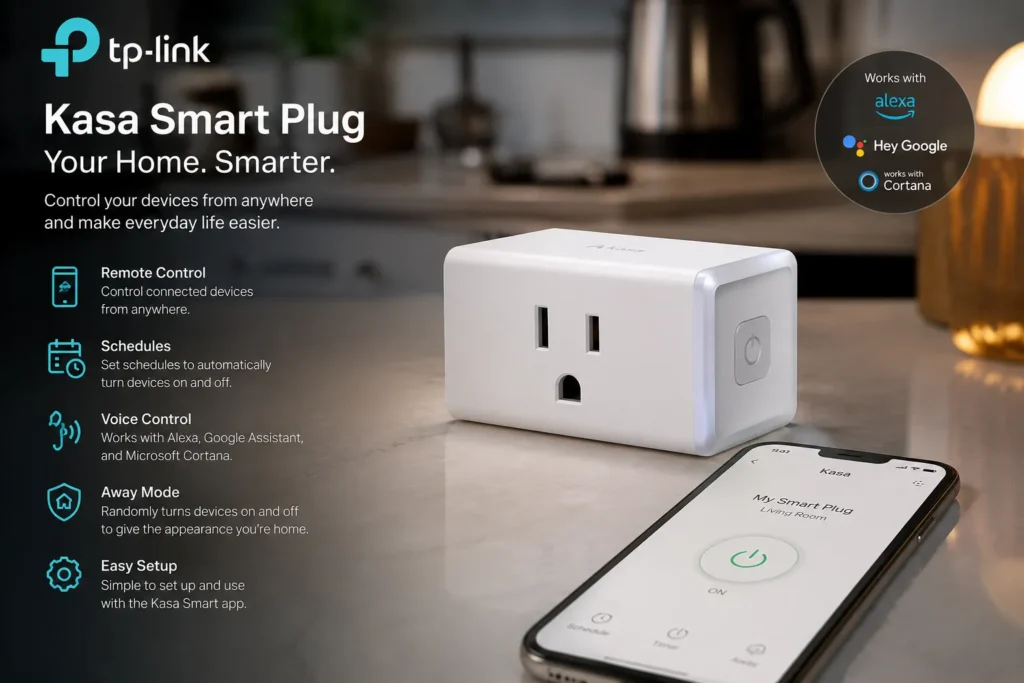
- Interested in this product? Check the link below for more details, or search for the product name directly on Amazon.
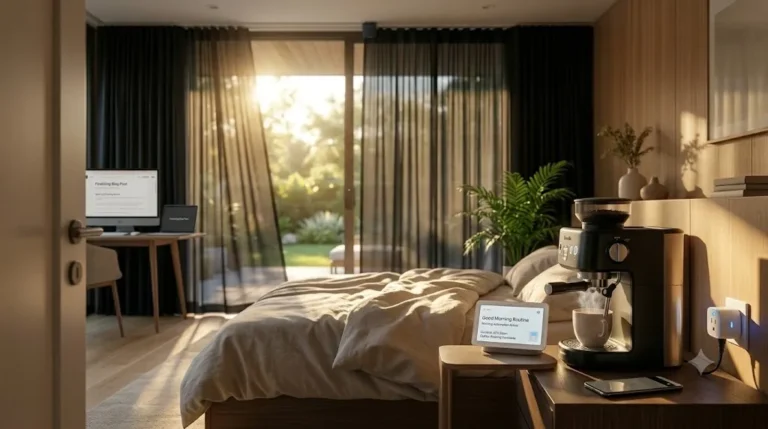
If you asked experienced smart-home users to recommend one inexpensive device for a beginner, a smart plug would probably appear near the top of the list. Why? Because a smart plug transforms an ordinary electrical device into something you can control remotely or automatically without replacing the appliance itself. Plug in a lamp, for example, and you can schedule it to turn on in the evening. Connect a fan and you can automate its operating schedule. Connect another lamp to your bedroom setup and create a “Good Night” routine that switches it off when you go to bed.
That simplicity makes smart plugs excellent teaching tools. You learn how device pairing works, how schedules work, how voice control works, and how routines connect multiple devices together. Current 2026 buying guides continue to recommend smart plugs as an inexpensive first step for beginners.
When shopping for one, check the electrical rating and make sure it is appropriate for the appliance you intend to use. Also look for compatibility with your chosen ecosystem and, when useful, energy-monitoring capabilities. A product such as the TP-Link Kasa Smart Plug Mini is an example of the kind of beginner-friendly product commonly available through Amazon and other retailers. Always verify the exact model, current price, regional compatibility, and safety specifications before purchasing.
Best Smart Home Devices for Beginners: Smart Bulbs
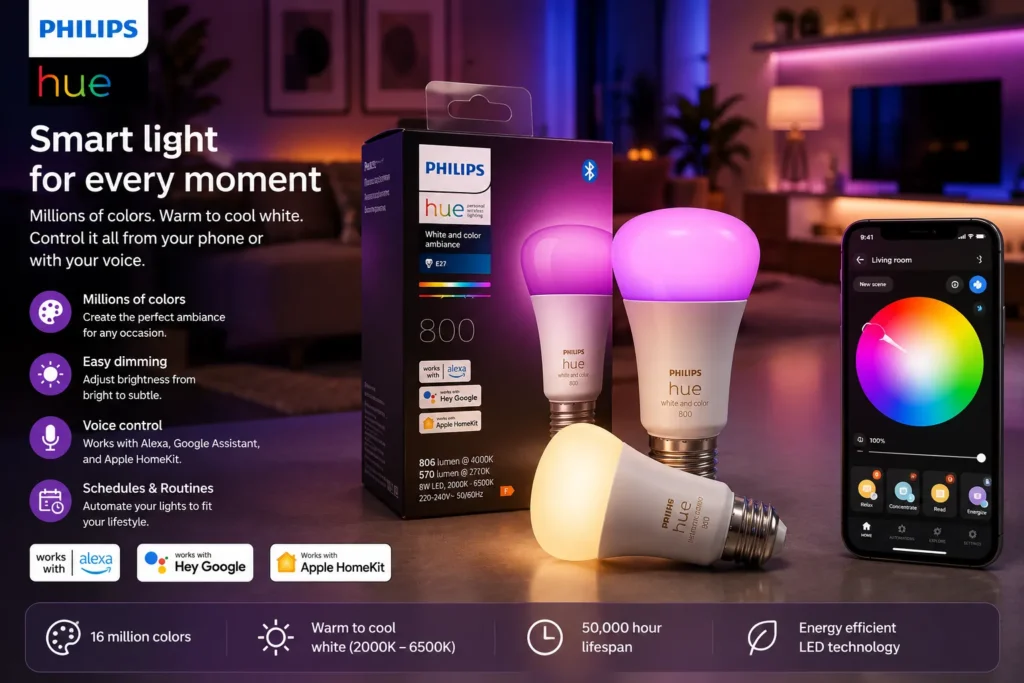
- Check the latest price on Amazon
Smart bulbs are another excellent starting point because the difference between a traditional bulb and a connected bulb is immediately noticeable. Once installed, you can often switch lights on and off from your phone, dim compatible bulbs, create schedules, or connect lighting to routines. Color-capable models can also create different moods for movie nights, relaxing evenings, parties, or waking up in the morning.
The biggest beginner mistake is buying expensive lighting everywhere before deciding what you actually want. Instead, start with one room. Your bedroom, living room, or home office is usually a good choice because you can experiment with schedules and scenes without changing the entire house. If you enjoy the experience, expand gradually.
Philips Hue remains a major name in smart lighting, while brands such as Govee and WiZ provide alternatives across different price points. Current 2026 smart-home roundups continue to highlight smart lighting as one of the easiest ways to experience the benefits of automation. If possible, look for products that support the ecosystem you already selected and consider Matter compatibility when it makes sense for your setup.
Smart Thermostats for Better Comfort and Energy Savings
A smart thermostat is one of the most practical upgrades for homeowners who want their smart home to do more than turn lights on and off. Instead of simply setting a temperature manually, a compatible thermostat can provide scheduling, remote control, and other intelligent features depending on the model and ecosystem. This can make it easier to maintain comfortable temperatures while avoiding unnecessary heating or cooling when nobody needs it.
For a beginner, however, a smart thermostat deserves more planning than a smart plug. First, you need to confirm that your heating and cooling system is compatible. You also need to understand whether professional installation is recommended. Some homes have straightforward wiring, while others have systems that require additional equipment or expertise.
Current 2026 smart-home guides include products such as Google Nest thermostats and ecobee models among leading options, but the best choice depends on your HVAC system and preferred ecosystem. The energy-saving potential also depends on how your household uses heating and cooling, your climate, your existing thermostat settings, and the efficiency of your HVAC equipment. A smart thermostat is therefore best viewed as a control and optimization tool, not a magical device that automatically guarantees a particular amount of savings.
Smart Home Security Cameras for Beginners
Security cameras are among the most popular smart-home devices because they can give homeowners visibility into what is happening around or inside their property. A beginner might use an indoor camera to check on a room while away, or an outdoor model to monitor an entrance, driveway, or other suitable location. Depending on the product, features can include motion notifications, two-way audio, night vision, local storage, cloud storage, and intelligent detection.
This is also one area where privacy deserves serious attention. Before buying a camera, investigate where recordings are stored, whether a subscription is required, what security controls are available, and whether the manufacturer provides regular software updates. You should also consider camera placement carefully. A camera should improve security without unnecessarily recording private spaces or other people’s property.
Amazon-connected products such as Blink and Ring are examples commonly encountered in the smart-home market, while other brands offer their own ecosystems and storage models. Current 2026 guides continue to include indoor and outdoor security cameras among major smart-home categories. For beginners, a single camera covering an important area is usually better than installing several cameras before you understand the system.
Video Doorbells for a Smarter Front Door
A video doorbell combines the familiar function of a traditional doorbell with connected features such as video, notifications, and two-way communication. For many homeowners, it can be a more useful first security product than installing cameras throughout the property because the front entrance is one of the most important areas to monitor.
A beginner-friendly doorbell should have a setup process you can realistically complete, dependable notification performance, suitable video quality, and storage options that fit your budget. Some products offer cloud recording subscriptions, while others support local storage or different recording models. These ongoing costs matter because the purchase price is only part of the total cost of ownership.
Ring and Blink are among the Amazon-oriented brands frequently considered by smart-home buyers, while Arlo, Google Nest, and other manufacturers compete in the category. Current smart-home guides continue to feature video doorbells as core devices for connected home security. Before buying, check whether the doorbell requires existing wiring, whether a battery version is available, and whether your Wi-Fi signal is strong enough at the front door.
Smart Door Locks for Convenient Home Access
Smart locks can make your front door considerably more convenient. Depending on the model, you may be able to unlock the door using a smartphone, keypad, fingerprint reader, voice assistant, or temporary digital access code. This can be especially useful when family members, guests, cleaners, or service providers need access without everyone having a physical key.
For beginners, installation is the first thing to investigate. Some smart locks replace the entire lock mechanism, while others are designed to work with parts of an existing deadbolt. Never assume that a lock will fit your door simply because the product description says it is easy to install. Check the manufacturer’s compatibility requirements carefully.
Security should also be treated as the priority. Convenience is valuable, but the lock protecting your home needs dependable physical construction, secure software, appropriate authentication, and reliable operation. Matter’s supported device categories include door locks, which illustrates how the standard is increasingly relevant to connected access control. For a first smart lock, choose a reputable product with clear support rather than chasing the cheapest listing you can find.
Smart Sensors for Safety and Automation
Smart sensors are small devices that can have a surprisingly large impact on how intelligent your home feels. Motion sensors can trigger lights when someone enters a room. Door and window sensors can notify you when something opens. Temperature sensors can help monitor rooms that are unusually hot or cold. Water-leak sensors can alert you to potential problems before a small leak becomes a much larger repair.
This is where your smart home begins to feel less like a collection of gadgets and more like a responsive environment. Imagine walking into a hallway at night and having a low-level light automatically turn on. Or imagine receiving an alert because a water sensor detects moisture beneath a washing machine. These automations are simple, but they solve real problems.
For beginners, start with one sensor that addresses an actual need. Do not buy ten different sensors simply because they are inexpensive. The most valuable automation is usually the one that removes a repeated annoyance or provides useful protection. As you become comfortable with routines, you can connect sensors with lights, plugs, thermostats, alarms, and other devices.
Smart Displays for a More Visual Smart Home
A smart display is essentially a smart speaker with a screen, although the exact capabilities vary by product. The screen can make a connected home easier to understand because you can see information instead of relying entirely on voice commands. Depending on the platform, you may be able to view cameras, control lights, check timers, display calendars, access recipes, or manage other smart-home devices.
Amazon’s Echo Show family and Google’s Nest Hub products are familiar examples. Current 2026 guides continue to include smart displays among the major categories for connected homes. A display can be especially useful in kitchens, hallways, bedrooms, or common areas where you want quick access to controls.
However, beginners do not necessarily need one. If you already have a smartphone and smart speaker, you can build a perfectly useful smart home without adding a display. Think of it as an optional upgrade rather than a mandatory first purchase.
Smart Smoke and Carbon Monoxide Detectors
Smart smoke and carbon monoxide detectors are less glamorous than colorful bulbs or voice assistants, but they may provide much more important protection. Traditional detectors already perform an essential safety function. Smart versions can add connected notifications and other features that vary by manufacturer.
The major advantage is that you may be able to receive an alert when you are away from home, depending on the product and connectivity. Some systems can also provide information about which detector triggered an alarm. That can be valuable in a larger home.
Safety devices should never be selected purely because they integrate with your favorite smart-home ecosystem. Certification, reliability, correct installation, battery maintenance, and compliance with applicable local requirements should come first. Smart connectivity is an additional benefit, not a replacement for a properly functioning safety alarm.
Smart Home Energy Monitoring Devices
If your goal is to create a more energy-efficient smart home, energy monitoring can be particularly useful. Smart plugs with energy measurement can show how much electricity a connected appliance uses, while more advanced energy monitors can provide broader information about household electricity consumption.
This is especially interesting for homeowners already thinking about solar power, energy independence, or reducing electricity waste. Instead of guessing which appliances consume the most energy, you can use monitoring data to identify patterns and decide where improvements may have the greatest impact.
A smart home should not simply be about adding more connected products. The better goal is to use technology to make your existing home work more intelligently. An inexpensive energy-monitoring plug can sometimes teach you more about your household than another flashy gadget. Once you know where electricity is going, you can make informed decisions about schedules, appliance upgrades, insulation, heating and cooling, and renewable energy.
How Matter Makes Smart Homes Easier in 2026
One of the biggest changes beginners should understand in 2026 is Matter. Matter is not a voice assistant, brand, or separate smart-home app. It is an open connectivity standard designed to allow compatible devices to work across different smart-home ecosystems. The Connectivity Standards Alliance describes it as a common foundation intended to improve simplicity, interoperability, reliability, and security.
For beginners, this can reduce one of the biggest historical frustrations: buying a device and discovering that it does not work with the system you already own. Google explains that Matter-enabled devices can work across multiple certified ecosystems, while Apple also supports Matter through its Home framework.
Why Matter matters for beginners
Think of Matter as a common language. If two devices speak that language, they have a better chance of understanding one another even when they come from different manufacturers. That does not mean every device has identical features across every platform, so you should still check the specific product’s compatibility information. But for someone building a smart home from scratch, choosing Matter-certified products where appropriate can provide useful flexibility.
The standard currently covers categories such as lighting, electrical devices, locks, HVAC controls, media devices, and safety/security sensors, with additional categories evolving over time.
Amazon Smart Home Products Worth Considering
For readers looking specifically for products available through Amazon, the easiest strategy is to search by device category and compatibility, rather than blindly buying the products with the highest review counts. Amazon’s marketplace changes constantly, and prices, bundles, sellers, generations, and regional availability can change. That is particularly important when writing an affiliate-focused article because a product that is excellent today may be replaced by a newer model later.
Here are examples of product categories worth researching on Amazon:
| Device | Example to Research | Best For |
|---|---|---|
| Smart speaker | Amazon Echo Dot / Echo family | Voice control |
| Smart display | Amazon Echo Show family | Visual controls |
| Smart plug | TP-Link Kasa Smart Plug | Beginner automation |
| Smart lighting | Philips Hue / Govee / WiZ | Lighting automation |
| Security camera | Blink / Ring / eufy models | Home monitoring |
| Video doorbell | Ring / Blink / Arlo models | Front-door security |
| Smart thermostat | Amazon Smart Thermostat / ecobee | Comfort and energy management |
| Smart lock | August / Yale / Schlage models | Keyless entry |
| Smart sensors | Aqara / Eve / other compatible sensors | Automation and safety |
Browse smart home products on Amazon
When adding Amazon affiliate links to your article, link readers directly to the relevant product or category and clearly disclose your affiliate relationship according to the rules that apply to your website and audience. Do not promise that a product will save a specific amount of money or guarantee security unless you have reliable evidence supporting that claim.
How to Build a Smart Home on a Beginner Budget
You do not need to spend thousands of dollars to create a useful smart home. A sensible starter setup can begin with a smart speaker, one or two smart plugs, and one or two smart bulbs. Current 2026 beginner guides emphasize exactly this gradual approach, with some starter setups costing around the low hundreds of dollars depending on the products selected.
A simple budget strategy might look like this:
| Budget | Suggested Starting Point | Goal |
| Under $50 | Smart plug + basic smart bulb | Learn automation |
| $50–$100 | Smart speaker + plugs + bulb | Add voice control |
| $100–$200 | Speaker + lighting + sensors | Build one smart room |
| $200–$400 | Add camera, thermostat, or doorbell | Expand functionality |
| $400+ | Multi-room setup and advanced security | Build a broader system |
The key is to spend according to your problems, not according to the size of your wishlist. If your biggest frustration is leaving lights on, buy smart lighting. If your heating bill concerns you, investigate a compatible thermostat. If security is your priority, start with a doorbell or camera. The best smart home devices for beginners are the ones that solve problems you actually have.
Common Smart Home Mistakes Beginners Should Avoid
The first mistake is buying too much too quickly. A giant collection of smart devices may look impressive, but every additional product can introduce another app, account, firmware update, compatibility question, or subscription. Start with a small group of products and learn how they work together.
The second mistake is ignoring Wi-Fi. Many connected devices depend on your home’s wireless network, and poor coverage can create unreliable experiences. Before adding lots of devices, make sure the rooms where you intend to use them have dependable connectivity.
The third mistake is ignoring privacy and security. Use strong, unique passwords, enable multi-factor authentication where available, keep firmware updated, and review the permissions associated with your smart-home apps. Cameras and microphones deserve particular attention because they interact with sensitive parts of your home life.
Another common error is choosing devices without considering the ecosystem. Matter has improved interoperability, but compatibility should still be checked before purchasing. Finally, do not buy a device simply because an influencer says it is “the best.” The best device for you depends on your home, budget, phone, Wi-Fi, existing appliances, and daily habits.
A Simple Step-by-Step Smart Home Setup for 2026
The easiest way to begin is to choose one room and one problem. Perhaps your living room needs better lighting, or your bedroom lamp is annoying to control manually. Start there instead of trying to automate the entire property.
Next, select your ecosystem. Consider whether Amazon Alexa, Google Home, or Apple Home makes the most sense based on the devices and services you already use. Then look for products that work with that platform and, when practical, carry Matter certification.
Install your first smart device and use it for several days. Learn how its app works. Try a schedule. Try a voice command. Create one simple automation. Once you are comfortable, add the next device.
For example, you could begin with a smart speaker and two smart plugs. One plug controls a living-room lamp, while another controls a suitable appliance. Then add a smart bulb and create a “Good Evening” routine. Later, you could add a motion sensor so hallway lighting responds automatically. Finally, you could expand into security, climate control, and energy monitoring.
This method prevents your smart home from becoming a confusing collection of gadgets. Instead, every new device has a purpose and builds on what you already understand.
Conclusion
The best smart home devices for beginners in 2026 are not necessarily the most expensive or technologically advanced products. They are the devices that are easy to install, reliable in everyday use, compatible with your preferred ecosystem, and genuinely useful. Smart plugs, smart bulbs, smart speakers, sensors, thermostats, cameras, doorbells, and locks can each provide meaningful benefits, but you do not need all of them immediately.
Start with one simple problem. Choose one device that solves it. Learn how automation works, and then expand gradually. Matter is also making the connected-home landscape more flexible by providing a common standard for compatible devices across ecosystems.
If you are shopping on Amazon, compare the exact model, generation, compatibility, subscription requirements, warranty, and current price before purchasing. Product availability changes quickly, so it is better to treat Amazon examples as starting points for research rather than permanent recommendations.
Most importantly, remember that a smart home should make your life simpler, not more complicated. The smartest setup is not the house with the most gadgets. It is the home where technology quietly handles repetitive tasks, helps you stay comfortable, improves awareness of energy use, and adds useful layers of convenience and safety.
FAQs About the Best Smart Home Devices for Beginners
1. What are the best smart home devices for beginners in 2026?
The easiest products to start with are usually a smart speaker, smart plug, and smart bulb. These devices are relatively simple to install and teach you the basics of voice control, schedules, and automation. Current 2026 beginner guides similarly recommend starting with a few inexpensive products and expanding gradually.
2. Should I choose Alexa, Google Home, or Apple Home?
Choose the platform that best matches the devices and services you already use. Alexa is a strong choice for people interested in Amazon’s ecosystem and broad third-party compatibility. Google Home can be attractive to Android and Google-service users, while Apple Home is a natural option for households heavily invested in Apple’s ecosystem. Matter can provide additional cross-platform flexibility with compatible products.
3. Are Matter smart home devices better for beginners?
Matter can make purchasing easier because it is designed to improve interoperability between compatible devices and ecosystems. However, Matter does not mean every product offers exactly the same features on every platform. You should still check the manufacturer’s compatibility information before buying.
4. How much does it cost to build a beginner smart home?
You can start with a relatively small budget. A smart speaker, one or two plugs, and a smart bulb can provide a useful introduction without requiring a large investment. As your needs grow, you can add security cameras, thermostats, sensors, locks, and other devices. Some 2026 starter guides describe functional setups in the roughly $100–$200 range, depending on the selected products.
5. What smart home device should I buy first?
For many beginners, a smart plug is one of the safest first purchases because it is inexpensive, easy to understand, and immediately useful. If you want voice control and a foundation for future automation, a smart speaker is another exBest Home Devices for Beginners in 2026: A Complete Smart Home Guide
If you are thinking about turning your house into a smart home, 2026 is a great time to start. The market is no longer limited to expensive systems that require professional installation or advanced technical knowledge. Today, you can begin with one smart plug, a smart bulb, a voice assistant, or a security camera and gradually build a connected home around your daily needs.
The challenge is knowing where to begin.
There are hundreds of products available, and terms such as Matter, Thread, Zigbee, Wi-Fi, Alexa, Google Home, and Apple Home can make the buying process seem much more complicated than it needs to be. The good news is that best smart home devices for beginners are generally simple to install and can provide useful benefits almost immediately.
In this guide, we will look at the best smart home devices for beginners in 2026, explain what each device does, discuss who should buy it, and provide examples of products you can look for on Amazon. Current 2026 smart-home buying guides continue to recommend starting with a few simple devices instead of attempting to automate the entire house at once.
Whether you want better lighting, easier control, improved home security, lower energy waste, or simply a more convenient home, these best smart home devices for beginners can give you a practical starting point.
What Are the Best Smart Home Devices for Beginners?
The best smart home devices for beginners are products that solve an obvious everyday problem without requiring complicated installation or advanced technical knowledge.
A good beginner device should ideally be:
- Easy to install
- Simple to control
- Compatible with your existing phone or smart-home platform
- Reliable enough for everyday use
- Affordable enough to experiment with
- Expandable if you decide to build a larger system
- Compatible with modern standards such as Matter when possible
The best smart home devices for beginners do not necessarily have to be the most technologically advanced products on the market. A simple smart plug can sometimes be more useful to a beginner than an expensive automation hub with dozens of features you may never use.
The smart-home market has also become more flexible. Current 2026 coverage highlights Matter as an increasingly important standard because it is designed to improve interoperability between major smart-home ecosystems.
That means you have more opportunities to mix products from different manufacturers, although compatibility should still be checked carefully before purchasing.
Why 2026 Is a Good Year to Build a Smart Home
Smart-home technology has matured considerably. A few years ago, buying devices from different brands could mean dealing with multiple applications, incompatible ecosystems, and confusing setup processes.
In 2026, best smart home devices for beginners increasingly focus on simpler setup and broader compatibility. Matter-compatible products, for example, can make it easier to use certain devices across supported platforms.
That does not mean compatibility problems have disappeared. They have not.
You should still check whether a device works with Amazon Alexa, Google Home, Apple Home, SmartThings, or another platform before buying it.
Amazon itself supports a wide range of Alexa-connected categories, including lights, switches, plugs, thermostats, cameras, locks, and kitchen devices.
This makes Alexa-based setups particularly attractive for people looking for best smart home devices for beginners, especially if they already use Amazon products.
1. Smart Speakers: The Best Starting Point for Beginners
A smart speaker is one of the best smart home devices for beginners because it can become the voice-control center of your home.
Instead of opening an app every time you want to change something, you can use a voice command.
For example:
“Alexa, turn off the living room lights.”
Or:
“Alexa, turn on the bedroom fan.”
That simple interaction is often the moment when a smart home starts to feel genuinely useful.
Amazon Echo as a Beginner-Friendly Example
For an Alexa-based home, the Amazon Echo family is an obvious place to start. Amazon’s current Alexa ecosystem supports many categories of connected products, including lighting, thermostats, cameras, locks, and plugs.
For beginners, an Echo Dot-class speaker can be a practical starting point because you do not necessarily need a large display to control smart devices.
If you want a screen, an Echo Show can provide another layer of convenience. A display can show timers, calendars, weather information, compatible camera feeds, and other information.
Amazon also documents support for Zigbee-enabled Echo devices, which can communicate directly with certain Zigbee smart-home products without requiring a separate Zigbee hub.
Who Should Buy a Smart Speaker?
A smart speaker is particularly useful if you:
- Want voice control
- Plan to add several smart devices
- Already use Alexa
- Want hands-free control
- Want to create routines
For someone researching the best smart home devices for beginners, a smart speaker is one of the easiest first purchases.
2. Smart Plugs: One of the Best Smart Home Devices for Beginners
If you have never used smart-home technology before, start with a smart plug.
Seriously.
Smart plugs are among the best smart home devices for beginners because they can make ordinary appliances controllable through an app or voice assistant.
Plug a lamp into the smart plug, connect the plug to your Wi-Fi network, and you can potentially control the lamp remotely.
You can also create schedules.
For example:
- Turn a lamp on at sunset.
- Turn a coffee maker off at a certain time.
- Switch a fan off automatically.
- Turn holiday lights on in the evening.
- Schedule a bedside lamp to turn on before you wake up.
Amazon and TP-Link Kasa Examples
TP-Link Kasa smart plugs are a popular example. Amazon has documented Kasa smart plugs’ Alexa integration and simplified setup experience.
Amazon’s Alexa ecosystem also lists smart plugs from multiple manufacturers as compatible connected devices.
A smart plug is especially useful because you do not need to replace the appliance itself.
You can take an ordinary table lamp and make it part of your smart-home system.
Important Safety Tip
Do not assume a smart plug can safely control every appliance.
Check the plug’s electrical rating and the appliance’s power requirements before connecting anything that produces significant heat or has a large electrical load.
For beginners, lamps and other suitable low-power devices are usually easier starting points.
3. Smart Light Bulbs
Smart bulbs are another excellent option when exploring the best smart home devices for beginners.
They are easy to understand because the benefit is immediately visible.
You install the bulb, connect it to the appropriate app or platform, and then you can control the lighting without physically touching the wall switch.
Depending on the product, you may be able to:
- Turn lights on and off remotely
- Dim the brightness
- Change colors
- Create schedules
- Create lighting scenes
- Control lights using voice commands
Philips Hue
Philips Hue is one of the most recognizable smart-lighting ecosystems. Amazon’s Alexa documentation specifically identifies Philips Hue as a connected lighting example and explains that Hue lights can be controlled through Alexa.
For a beginner, you do not necessarily need to automate every bulb in the house.
Start with one room.
The bedroom, living room, or home office can be a good place to experiment.
Budget-Friendly Alternatives
There are also more affordable smart bulbs from brands such as Wyze and other manufacturers. Current Amazon-linked shopping information includes Wyze color bulbs among its smart-home products.
If your goal is to find best smart home devices for beginners without spending too much money, starting with one or two bulbs can be much more sensible than buying an entire lighting system.
4. Smart Security Cameras
Security is another major reason people search for the best smart home devices for beginners.
A smart indoor or outdoor camera can allow you to check what’s happening around your property through a smartphone app.
Depending on the model, features may include:
- Live video
- Motion notifications
- Two-way audio
- Night vision
- Cloud recording
- Local recording
- Person detection
- Integration with smart displays
Wyze Cam as an Example
Wyze offers several relatively accessible smart cameras. Amazon’s Alexa developer documentation lists Wyze Cam as an example of an Alexa-connected camera and notes that compatible cameras can provide live video through devices such as Echo Show.
Current Amazon-related shopping information also lists products such as the Wyze Cam v4 and Wyze Cam OG.
For beginners, a camera can be useful because the benefit is easy to understand.
You can be away from home and check your camera from your phone.
Think About Privacy
Security cameras also introduce privacy considerations.
Before buying, investigate:
- Where video is stored
- Whether cloud storage requires a subscription
- How long recordings are retained
- Whether local storage is supported
- Account security
- Two-factor authentication
- Who can access the camera
The best smart home devices for beginners should make your home more convenient without creating unnecessary privacy problems.
5. Video Doorbells
A video doorbell combines a doorbell with a camera and can be another useful entry point into smart-home technology.
Instead of simply hearing someone ring your doorbell, you can potentially receive an alert on your phone and view who is outside.
Depending on the model, you may also be able to communicate with visitors through two-way audio.
Ring as an Example
Ring is one of the most recognizable brands in the video-doorbell category and integrates closely with Amazon’s ecosystem.
If you already plan to use Alexa, a compatible Ring doorbell can be worth considering.
However, pay attention to subscription requirements and available recording features before buying.
A product may look inexpensive initially but become more expensive over several years if important features require a recurring subscription.
This is an important lesson when researching the best smart home devices for beginners: always consider the total cost of ownership, not just the purchase price.
6. Smart Thermostats
A smart thermostat is one of the best smart home devices for beginners if your main goal is improving comfort and managing heating or cooling more intelligently.
Traditional thermostats require manual adjustments.
A smart thermostat can add scheduling, remote control, temperature monitoring, and other automation features.
For example, you could create a schedule that reduces heating or cooling when nobody is home and adjusts the temperature before you return.
Ecobee and Other Examples
ecobee is a well-known smart thermostat brand with integrations across smart-home ecosystems.
Amazon has documented ecobee’s integration with Alexa and its use of remote sensors for room-specific temperature management.
A smart thermostat can be especially useful in homes where heating or cooling accounts for a significant part of household energy use.
However, compatibility is critical.
Not every smart thermostat works with every HVAC system.
Before buying, verify that the thermostat supports your heating and cooling equipment and wiring configuration.
7. Smart Door and Window Sensors
Sometimes the smallest devices create the most interesting automations.
A smart door or window sensor can detect whether something is open or closed.
For example, you could create an automation that sends you an alert when a particular door opens.
You could also use a sensor as part of a larger routine.
Imagine opening your front door after work and automatically triggering a hallway light.
Or imagine receiving a notification because a basement window has been left open.
These sensors are relatively simple, which makes them excellent candidates when looking for best smart home devices for beginners.
Why Sensors Matter
Sensors are the foundation of automation.
A smart bulb can turn on because you tell it to.
A sensor can help the home understand when something happens.
That difference is important.
A smart home becomes much more interesting when devices begin responding to conditions rather than waiting for manual commands.
8. Smart Smoke and Carbon Monoxide Detectors
Smart-home technology should not be limited to entertainment and convenience.
Safety devices can be among the most valuable upgrades you make.
Smart smoke and carbon monoxide detectors can provide alerts and, depending on the model, communicate with other devices or send notifications to your phone.
The advantage is obvious.
If you are away from home, a traditional alarm may alert nobody except people who happen to be nearby.
A connected detector can potentially notify you remotely.
When considering the best smart home devices for beginners, safety products deserve serious consideration because their value is not measured by how frequently you interact with them.
You hope you never need them.
But when something goes wrong, they can matter enormously.
Always verify that any detector meets the appropriate safety standards for your location and installation requirements.
9. Smart Water Leak Sensors
Water damage can become expensive very quickly.
A smart water leak sensor is designed to detect moisture in locations where leaks could occur.
Good locations can include:
- Under sinks
- Near washing machines
- Near water heaters
- Behind toilets
- Near dishwashers
- In basements
- Near sump pumps
Current 2026 smart-home coverage includes products such as the Flo by Moen Smart Water Detector and other water-sensing solutions.
For beginners, a simple leak sensor can be an inexpensive way to add another layer of protection.
Advanced systems can go much further by monitoring water usage or controlling a shutoff valve.
But you do not necessarily need an advanced whole-house system immediately.
One sensor underneath a washing machine can be a practical starting point.
10. Smart Displays
If a smart speaker is useful, a smart display can make a smart home even easier to understand.
Instead of only hearing information, you can see it.
A smart display can potentially show:
- Camera feeds
- Weather
- Timers
- Calendars
- Recipes
- Smart-home controls
- Music
- Video content
Amazon’s Echo Show range is an example of this category.
For households with several smart devices, having a central screen can make it easier to see and control connected equipment.
For beginners, the visual interface can also make automation less intimidating.
You can see which lights are on instead of trying to remember device names.
11. Robot Vacuum Cleaners
If your goal is convenience, robot vacuums are among the most satisfying best smart home devices for beginners.
The basic concept is simple.
The robot moves around your home and cleans the floor automatically.
More advanced models can map rooms, schedule cleaning sessions, avoid certain objects, and return to charging stations automatically.
This category is particularly interesting because the automation provides a physical benefit.
Instead of remotely turning on a light, the device actually performs a household task.
Is a Robot Vacuum Worth It?
It depends on your floors, pets, home layout, and expectations.
Robot vacuums are generally better at maintaining cleanliness regularly than replacing every form of deep cleaning.
If you have pets or frequently deal with dust and crumbs, scheduled cleaning can be particularly convenient.
When evaluating the best smart home devices for beginners, look for models that fit your home’s floor plan rather than simply choosing the model with the longest feature list.
12. Smart Air Quality Monitors
Indoor air quality is another area where sensors can make a smart home more useful.
A smart air-quality monitor can measure certain indoor environmental conditions and provide information through an app.
Depending on the product, it may monitor factors such as:
- Temperature
- Humidity
- Particulate matter
- Carbon dioxide
- Other air-quality indicators
This information can help you understand what is happening inside your home.
For example, if humidity becomes consistently high, you may decide that better ventilation or dehumidification is needed.
These devices are not replacements for appropriate ventilation or professional testing when required, but they can provide useful environmental information.
How to Choose the Best Smart Home Devices for Beginners
Choosing the best smart home devices for beginners is less about buying the most products and more about building a system that makes sense.
Before purchasing anything, answer five questions.
1. Which Ecosystem Do You Want?
The major choices include:
- Amazon Alexa
- Google Home
- Apple Home
- Samsung SmartThings
- Matter-compatible setups
You do not have to choose one brand for everything, but having a primary ecosystem can simplify setup.
Current 2026 smart-home guides recommend choosing an ecosystem based on the devices and services you already use rather than blindly following a particular brand.
If you already use Amazon heavily, Alexa may feel natural.
If your household relies heavily on Android and Google services, Google Home may be a better fit.
If your home is built around iPhones and Apple products, Apple Home may make more sense.
2. Look for Matter Compatibility
Matter deserves attention when shopping for the best smart home devices for beginners in 2026.
Matter is designed to improve interoperability between supported smart-home platforms.
You do not need to understand all the technical details.
Think of Matter as a common language that can help compatible devices communicate across different smart-home ecosystems.
However, Matter does not automatically mean every feature works identically on every platform.
Always check the product’s specific compatibility information.
3. Consider Wi-Fi, Thread, and Zigbee
You may encounter these terms while shopping.
Wi-Fi devices often connect directly to your home network.
Thread is a low-power mesh networking technology increasingly used with Matter devices.
Zigbee is another low-power wireless technology used by many smart-home products. Amazon explains that compatible Echo devices can act as Zigbee hubs for supported smart devices.
As a beginner, you do not need to become an expert in networking.
Just understand that connectivity affects how devices communicate and whether you need additional hardware.
A Simple Smart Home Starter Plan for Beginners
One of the biggest mistakes beginners make is buying too many devices at once.
Instead, build your system gradually.
Stage 1: Start With One Smart Speaker
Choose an assistant that matches your ecosystem.
For an Alexa-based home, an Echo device is a logical starting point.
Learn how voice commands and routines work.
Stage 2: Add Smart Plugs
Buy one or two smart plugs.
Connect them to lamps or other appropriate devices.
Experiment with schedules and voice commands.
Stage 3: Add Smart Lighting
Replace one or two frequently used bulbs.
Create a simple evening routine.
For example:
6:30 PM → Living room lights on
10:30 PM → Living room lights off
Now your smart home is doing something automatically.
Stage 4: Add Security
Add a camera, video doorbell, or entry sensor if security is one of your priorities.
Stage 5: Add Sensors
Once you understand basic automation, sensors become much more interesting.
You can start creating rules such as:
When motion is detected → turn on hallway light.
Or:
When the door opens → turn on entry light.
This is when your smart home starts feeling genuinely intelligent.
Best Smart Home Devices for Beginners: Amazon Product Ideas
If you want to include Amazon products in your blog, the following categories are good examples to research.
Amazon Echo
Useful as a voice-control device and potential smart-home controller depending on the specific model.
Amazon documents Alexa support across lighting, plugs, cameras, thermostats, locks, and other connected categories.
TP-Link Kasa Smart Plug
A practical beginner product for turning suitable ordinary appliances into remotely controlled devices.
Amazon has documented the simplified Alexa setup experience for compatible Kasa smart plugs.
Philips Hue Smart Bulbs
A strong example for beginners who want controllable and customizable lighting.
Philips Hue integrates with Alexa for voice-based light control.
Wyze Cam
A beginner-friendly example of a smart security camera category.
Amazon’s Alexa documentation lists Wyze Cam as an Alexa-connected camera example.
ecobee Smart Thermostat
An option for homeowners who want temperature scheduling, remote control, and smart-home integration.
Amazon has documented ecobee’s Alexa integration and remote-sensor capabilities.
Wyze Smart Home Products
Wyze also offers smart plugs, bulbs, cameras, sensors, and other connected devices. Current Amazon shopping information lists several Wyze smart-home products, including the Wyze Cam v4, Wyze Bulb Color, Wyze Plug, and entry sensors.
Important: Amazon availability, prices, bundles, generations, and compatibility can change. Before publishing affiliate links, verify the exact product listing and current specifications on Amazon.
How Much Should Beginners Spend?
You do not need to spend thousands of dollars to create a useful smart home.
A simple setup could contain:
| Device | Purpose | Beginner Priority |
|---|---|---|
| Smart speaker | Voice control | High |
| Smart plug | Appliance control | High |
| Smart bulb | Lighting automation | High |
| Security camera | Home monitoring | Medium-High |
| Door sensor | Automation/security | Medium |
| Smart thermostat | Heating/cooling control | Medium-High |
| Leak sensor | Water protection | Medium |
| Smart display | Central control | Medium |
| Robot vacuum | Cleaning automation | Medium |
| Air-quality monitor | Environmental monitoring | Optional |
The best strategy is to purchase one category at a time.
You might spend a small amount initially and learn what you actually enjoy using.
This is much better than buying twenty devices and discovering that half of them do not work together.
Smart Home Mistakes Beginners Should Avoid
Even the best smart home devices for beginners can become frustrating if you build your system without a plan.
Buying Without Checking Compatibility
This is probably the biggest beginner mistake.
Always check:
Does this device work with my platform?
Then check:
Does it require a hub?
And finally:
Does it support the features I actually want?
A product may technically be compatible with Alexa but not support every advanced automation feature.
Buying Too Many Devices
Smart-home technology can become addictive.
You start with a bulb.
Then you buy a plug.
Then a sensor.
Then another sensor.
Suddenly you have 30 devices and six different apps.
Start small.
The best smart home devices for beginners should make your home simpler, not more complicated.
Ignoring Subscription Costs
Some security products provide basic features without subscriptions but charge for cloud storage, advanced detection, extended history, or other premium services.
Read the pricing carefully before buying.
A $40 camera with a recurring subscription can eventually cost more than a $100 camera with fewer ongoing fees.
Ignoring Wi-Fi Quality
Your smart home depends heavily on your network.
If your Wi-Fi signal is weak, devices can become unreliable.
Before buying lots of connected products, make sure your router provides adequate coverage.
For larger homes, a mesh Wi-Fi system may be worth considering.
Can Smart Home Devices Help Reduce Energy Use?
Yes, some smart-home devices can help you manage energy more intelligently, although savings depend on the product, home, climate, behavior, and how automation is configured.
Smart plugs can help schedule suitable devices.
Smart lights can automatically turn off.
Smart thermostats can adjust heating and cooling schedules.
Smart energy monitors can provide information about electricity use.
The important point is that technology does not magically reduce energy consumption.
Automation needs to produce a useful behavioral change.
For example, if you normally leave a light on for five hours but an automation turns it off when you leave, the device may help reduce unnecessary use.
That is why energy management can be one of the most practical reasons to explore the best smart home devices for beginners.
Smart Home Security and Privacy
A connected home creates convenience, but it also creates another responsibility: protecting your accounts and network.
Use strong, unique passwords.
Enable two-factor authentication whenever available.
Keep device firmware updated.
Review which accounts have access to your cameras and smart-home systems.
If you have cameras inside your home, think carefully about placement.
You should also understand what data the device collects and whether it requires cloud services.
A smart home should feel safer and more convenient, not like another source of unnecessary digital risk.
Best Smart Home Devices for Beginners: What Should You Buy First?
If you want the simplest possible answer, start with three categories.
First: Smart Speaker
Choose the ecosystem you want to use.
Second: Smart Plug
Use it to make one ordinary appliance or lamp controllable.
Third: Smart Bulb
Create your first lighting automation.
Once you understand those three devices, you can decide whether security cameras, sensors, thermostats, robot vacuums, or other products make sense for your lifestyle.
This approach keeps the learning curve manageable.
It also helps you discover which smart-home features actually matter to you.
Final Thoughts
The best smart home devices for beginners in 2026 are not necessarily the most expensive or technologically complicated products.
The best devices are the ones that solve real problems.
A smart plug can make a simple lamp controllable.
A smart bulb can automate your lighting.
A smart speaker can provide voice control.
A camera can help you monitor your home.
A thermostat can make temperature management more convenient.
A leak sensor can alert you to water problems.
And once you understand these basics, you can gradually create more advanced automations.
The smart-home market is also becoming more flexible, with Matter helping improve interoperability across supported platforms.
For beginners, the most important lesson is simple: start small and build with a plan.
Choose your ecosystem, check compatibility, prioritize products that solve genuine problems, and avoid buying technology simply because it looks impressive.
If you are building your first connected home in 2026, the best smart home devices for beginners can help you create a home that is more convenient, connected, efficient, and secure—without turning the process into a technical project.
Frequently Asked Questions
What are the best smart home devices for beginners in 2026?
The best smart home devices for beginners usually include smart speakers, smart plugs, smart bulbs, security cameras, sensors, and smart thermostats. Start with one or two categories rather than automating the entire home immediately.
What smart home device should I buy first?
A smart speaker or compatible hub is a practical starting point because it can provide a central way to control additional devices. A smart plug is another excellent first purchase because it is simple and inexpensive.
Are smart home devices difficult to install?
Many beginner-oriented products are designed for simple installation through a smartphone app. However, thermostats, smart locks, and hardwired devices may require more technical knowledge or professional installation.
Is Matter important when buying smart home devices in 2026?
Matter is worth considering because it is designed to improve compatibility among supported smart-home ecosystems. It can be a useful feature to look for when purchasing new devices, although you should still verify the exact platform and feature compatibility.
Can I use Amazon products with smart devices from other brands?
Yes. Alexa supports connected products from many manufacturers and categories. Amazon’s ecosystem includes integrations for lighting, plugs, cameras, thermostats, locks, and more.
Are smart home devices worth buying?
They can be, particularly when they solve a specific problem. Smart lighting, plugs, security devices, thermostats, and sensors can provide practical convenience and automation. The value depends on how you use them.
cellent first choice. The right answer ultimately depends on the problem you want your smart home to solve.
- For more information click here