Best Smart Thermostats for Seniors: Easy & Energy-Efficient
Introduction
As colder weather approaches, keeping an older family member warm is about much more than comfort. A home that becomes too cold can be difficult for an older adult to manage, particularly when adjusting a traditional thermostat requires bending, squinting at tiny markings, or repeatedly changing settings. At the same time, leaving the heating running unnecessarily can push energy bills higher. The best smart thermostats for seniors can help bridge that gap by making temperature control simpler while automating some of the decisions that waste energy.
The CDC specifically recommends that adults over 65 keep an easy-to-read thermometer indoors during winter because the ability to sense temperature changes can decrease with age. It also advises checking indoor temperatures regularly during very cold weather. Older adults are among the groups at greater risk from inadequate heating and cold-related health problems.
A smart thermostat cannot replace sensible winter preparation or appropriate heating equipment. What it can do is make an important part of the home easier to manage. A well-chosen model can provide a large, readable display, remote control for family members, automatic schedules, occupancy-based adjustments, room sensors and, on compatible systems, voice control.
For families, that creates another benefit: peace of mind without taking control away from the person living in the home. An older adult can still adjust the temperature manually, while an adult child can check the system remotely if the thermostat supports that feature.
The goal is not to turn a senior’s home into a complicated technology showcase. The goal is almost the opposite. The right easy to use smart thermostat should quietly handle routine tasks in the background while keeping the controls understandable when someone wants to make a change.
Why Upgrading to the Best Smart Thermostats for Seniors Is Essential
A traditional thermostat may appear simple because it has only a few controls. Yet simplicity on the outside does not always mean accessibility. Small numbers, stiff dials, poorly illuminated screens and confusing programming menus can make temperature management surprisingly frustrating for an older adult.
The problem becomes more obvious when mobility, vision or dexterity is limited. Reaching a thermostat mounted in an inconvenient location can be uncomfortable. A person with reduced hand strength may struggle with a small button or rotating dial. Someone with poor eyesight may not be able to tell whether the thermostat is set to 18°C, 20°C or 22°C without moving closer.
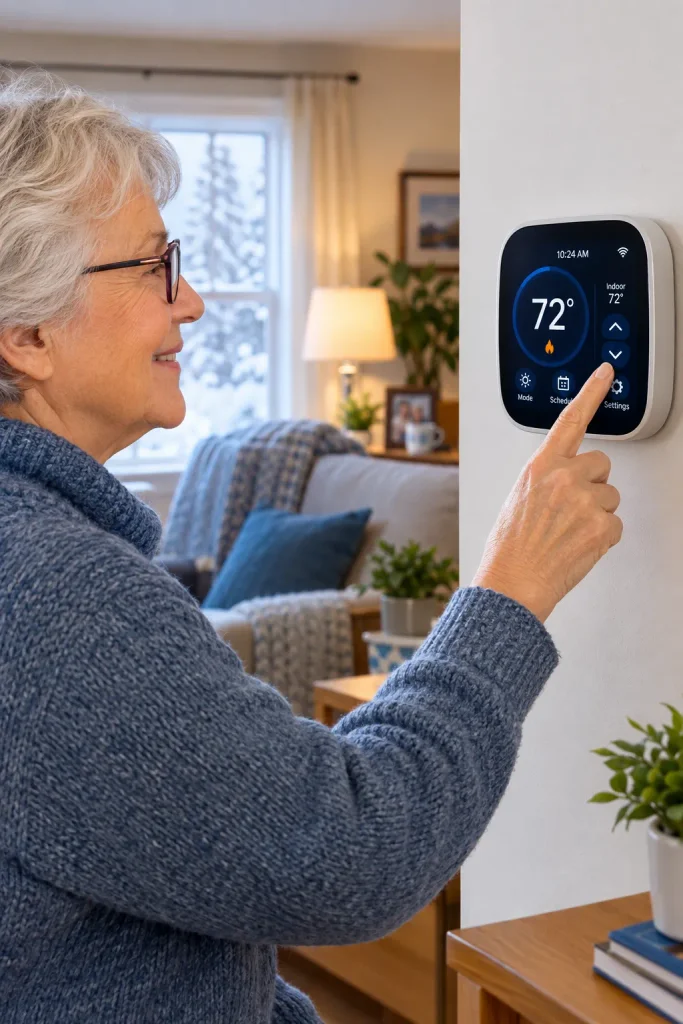
The best smart thermostats for seniors address these problems by putting more information directly in front of the user. A large digital temperature reading is easier to understand than a tiny scale. A smartphone app can eliminate the need to walk across the room. Voice control can remove the need to touch the thermostat at all.
There is also a safety dimension. The CDC recommends that older adults check indoor temperatures regularly during cold weather and notes that older adults can be particularly vulnerable to cold-related problems. A thermostat that is easier to read and manage can make regular temperature monitoring less of a chore.
Why Traditional Thermostats Can Be Difficult
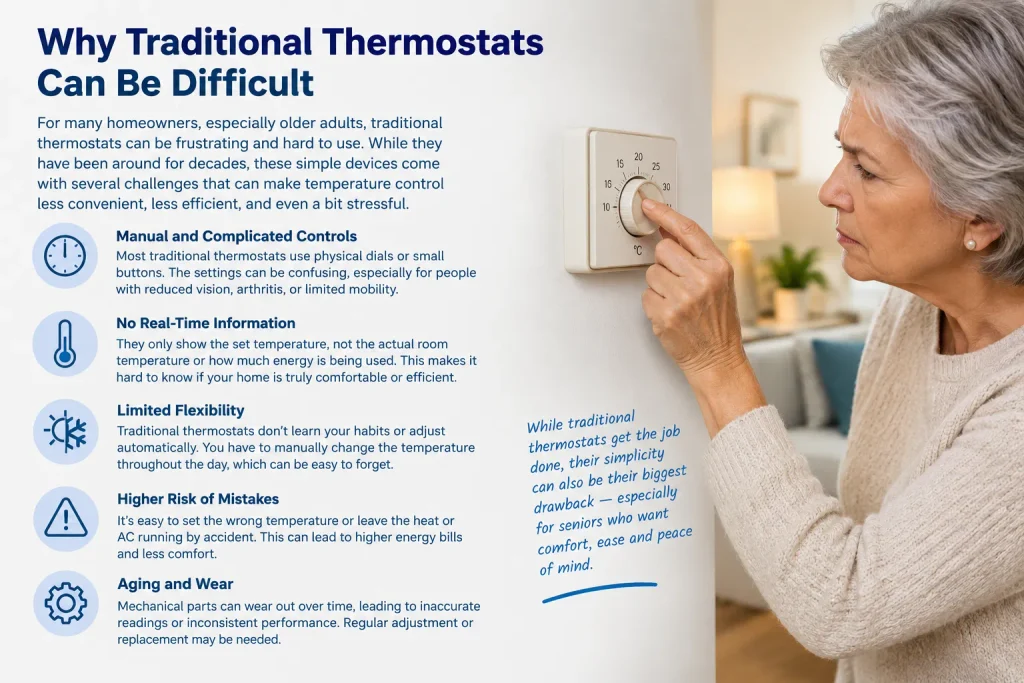
Traditional thermostats are not automatically bad. A simple programmable thermostat can still control heating effectively when it is installed correctly and programmed correctly. The issue is that programming and everyday use can become barriers.
Imagine an older person who wants to lower the heating slightly before going to bed and restore it in the morning. With a conventional thermostat, they may need to remember a schedule, understand several buttons and interpret a small screen.
A smart thermostat can automate that routine.
The device may learn preferred temperatures, follow a schedule, detect when the home is empty or allow a family member to change settings remotely. ENERGY STAR identifies scheduling, remote control, energy-use feedback and occupancy-related features among the functions available in certified smart thermostats.
That means the technology can reduce the number of decisions the older resident has to make.
Consistent Comfort Matters
A warm home is not necessarily a home that is constantly heated to the highest possible temperature. Good climate control is about maintaining an appropriate, stable environment without excessive heating.
This is particularly important in homes with rooms that heat unevenly. A hallway might feel comfortable while a bedroom remains noticeably colder. A thermostat located in one area cannot always understand what is happening elsewhere.
This is where remote temperature sensors become useful.
A sensor placed in a bedroom, living room or another frequently occupied area can give the system more information about actual conditions. Instead of relying entirely on the temperature at the thermostat’s wall, the system can use additional measurements to help manage comfort.
The Google Nest Learning Thermostat (4th gen), for example, currently includes a second-generation Nest Temperature Sensor and supports additional sensors. Google says the sensor can help manage hot and cold spots across rooms.
Ecobee also offers room sensors with its compatible smart thermostat ecosystem, allowing the system to account for temperatures and occupancy in different parts of the home.
Smart Thermostats Can Also Reduce Energy Waste
The financial argument is straightforward: heating an empty house wastes energy.
ENERGY STAR says certified smart thermostats are independently evaluated using real-world data and must meet specific energy-saving criteria. Its current criteria require demonstrated reductions in heating and cooling runtime, with the certified programme’s weighted national-average requirement including at least an 8% reduction in annual heating runtime. ENERGY STAR reports average savings of approximately 8% of heating and cooling bills, or around $50 per year, although actual savings vary by home, climate, equipment and behaviour.
That does not mean every senior household will save exactly 8%. A thermostat cannot compensate for an inefficient furnace, poor insulation or extremely high heating demand.
The value is in automatic control.
If a senior normally leaves the house for several hours, the thermostat can reduce heating during that period and restore comfort later. If the household follows a predictable routine, automatic scheduling can prevent unnecessary manual adjustments.
For families interested in lowering heating bills safely, automation can be more useful than simply telling an older person to remember to turn the thermostat down.
Top Features to Look For: Easy to Use Smart Thermostat Requirements
Not every smart thermostat is a good choice for an older adult. A device can have dozens of advanced features and still be frustrating if the basic temperature control is confusing.
The best buying decision starts with accessibility.
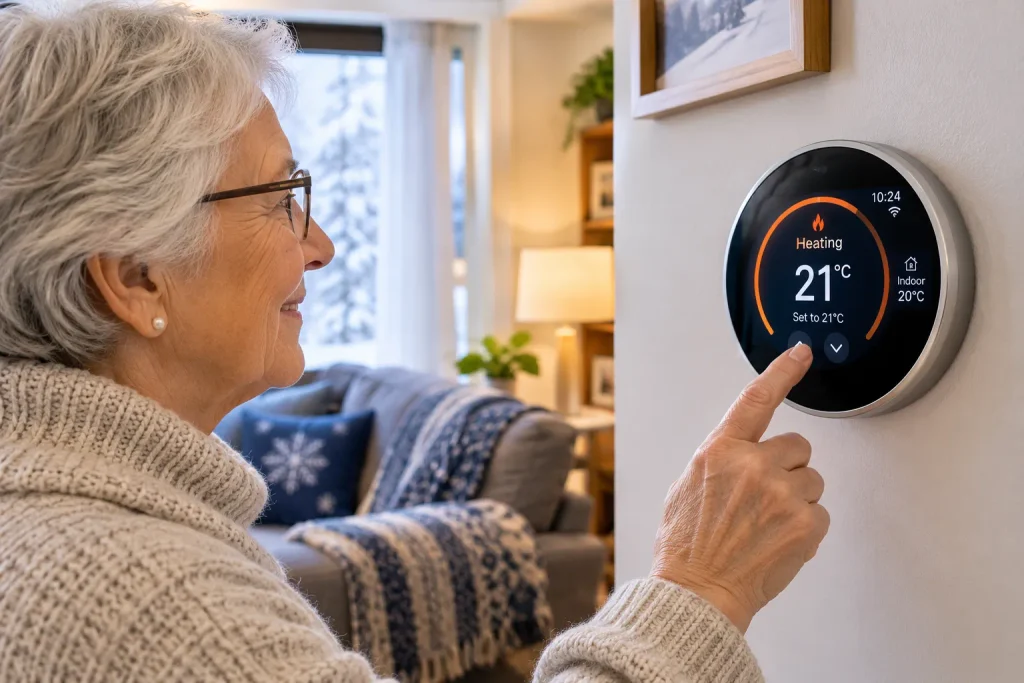
A senior-friendly thermostat should make the most common action — checking or changing the temperature — extremely obvious. You should not need to open three menus to discover whether the heating is currently set to 20°C.
The best smart thermostats for seniors should ideally combine straightforward physical controls with optional digital features. The older resident should be able to use the thermostat on the wall without depending entirely on a smartphone.
At the same time, family members can use the app for remote assistance, schedules and notifications.
Large, Readable Displays
Display size matters.
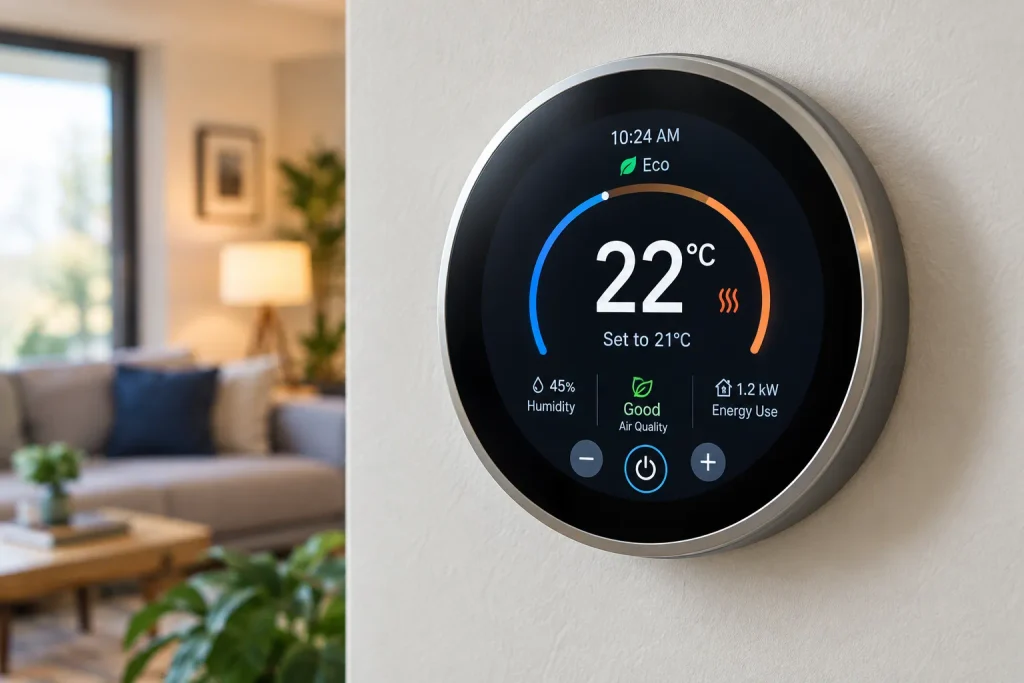
A thermostat mounted several metres away should still communicate the most important information clearly. Large numerals, good contrast and a clean interface are generally more valuable for senior users than decorative animations or excessive information.
The fourth-generation Nest Learning Thermostat has a 60% larger display than its predecessor, according to Google, and uses Dynamic Farsight to show information from across the room. Its display can show temperature, weather, humidity and other information depending on the configuration.
Ecobee’s Smart Thermostat Premium and Enhanced models also emphasise large touchscreen displays. Ecobee describes the Premium model as having a 50% larger touchscreen display than its previous design.
For an older adult, this can matter more than an advanced energy graph.
If the thermostat shows the temperature clearly without requiring someone to stand directly in front of it, the device is already solving a practical accessibility problem.
Simple Physical Controls
Touchscreens can be convenient, but physical interaction still matters.
A person who is comfortable turning a dial may prefer a thermostat with a physical rotating control. Someone accustomed to pressing buttons may prefer tactile controls.
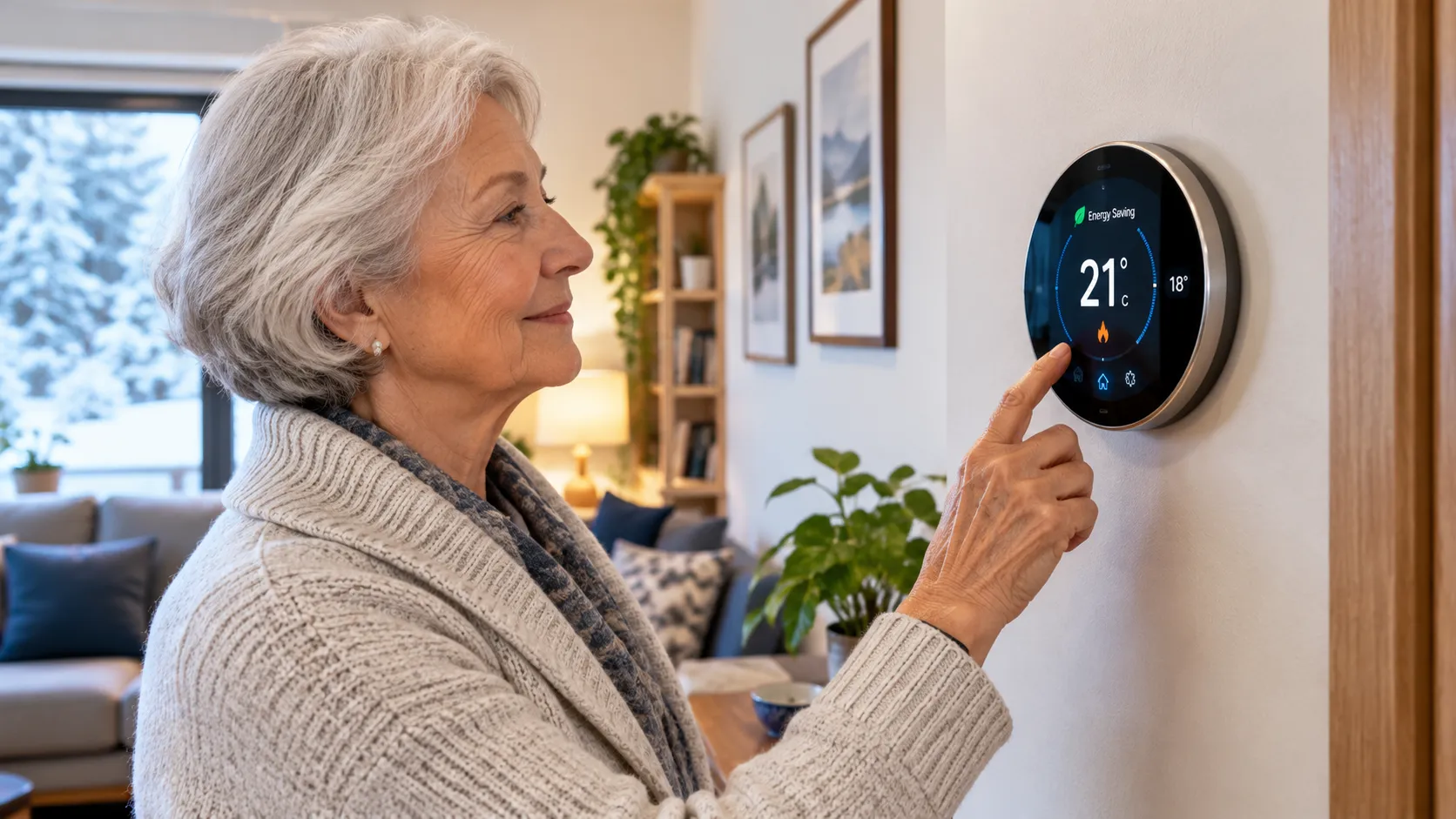
Google’s fourth-generation Nest Learning Thermostat uses a stainless-steel ring that can be turned and pressed to adjust settings.
That design can provide a useful balance between smart technology and familiar interaction.
The lesson is simple: do not choose a thermostat purely because it has the most advanced app. The person actually living with it should be able to understand the wall-mounted interface.
Automatic Temperature Adjustments
An easy to use smart thermostat should reduce the amount of programming the user needs to perform.
Some systems can learn temperature preferences and routines. Others provide guided scheduling or automatic energy-saving adjustments.
Google says the Nest Learning Thermostat (4th gen) can learn preferred temperatures and timing and create a schedule, while its Adaptive Eco feature can adjust the temperature when residents are away.
ENERGY STAR also identifies learning schedules, geofencing and automatic adjustments as common smart thermostat features.
This can be particularly helpful for seniors who have established routines.
Suppose someone usually wakes at 7:00 a.m., leaves for an appointment at 10:00 a.m. and returns at 1:00 p.m. The thermostat can handle temperature changes around that pattern rather than requiring the person to remember every adjustment.
The result is less interaction, not more.
Remote Access for Family Members
Remote access is one of the most valuable features for families.
A son, daughter, carer or trusted household member can potentially check the thermostat through an app and see whether the system is operating as expected.
This can be reassuring when an older parent lives alone.
However, remote control should be treated as assistance rather than surveillance. The resident should understand who has access and what those people can change.
A good arrangement might allow a family member to receive an alert when the indoor temperature becomes unusually low while leaving everyday temperature decisions to the person living in the home.
Compatibility Comes Before Features
One of the most important buying rules is also one of the easiest to overlook: check HVAC compatibility before buying.
A smart thermostat designed for a standard 24-volt system may not work with every heating system. Compatibility can depend on wiring, voltage, heating stages, heat pumps, boilers, radiant systems, auxiliary heat and other equipment.
Google’s specifications for the fourth-generation Nest Learning Thermostat list compatibility with many 24V systems, including gas, electric, oil, forced-air, heat-pump and radiant systems, while also advising homeowners to check compatibility.
That is particularly relevant when replacing an older thermostat in a senior’s home.
Do not assume that because a thermostat is popular it will automatically work with the existing heating system.
If the home has an unusual boiler, heat pump or multi-stage HVAC setup, professional confirmation may be worthwhile.
Voice-Controlled Heating for Elderly Independence
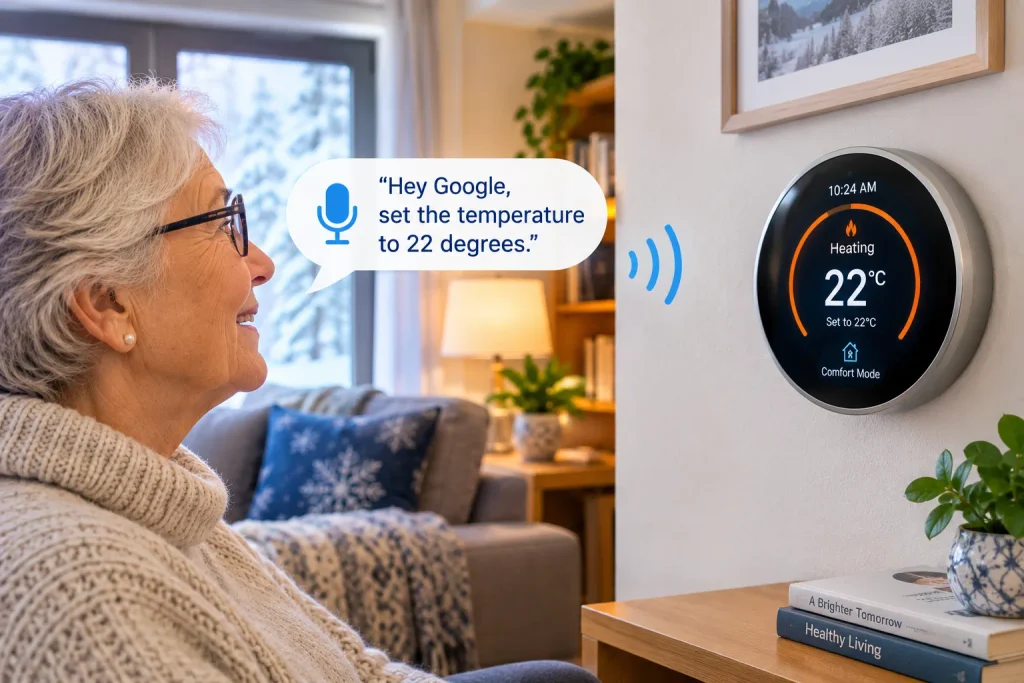
Voice control can transform a thermostat from something that requires physical interaction into something the resident can operate from a chair.
For an older adult with limited mobility, arthritis, balance problems or difficulty reaching wall-mounted controls, this can be a meaningful accessibility improvement.
Instead of walking across the room, the resident may be able to ask a compatible voice assistant to change the temperature.
The important phrase here is voice controlled heating for elderly users. The purpose is not novelty. It is independence.
How Voice Control Works
The basic concept is straightforward.
A compatible smart thermostat connects to a smart-home platform. A voice assistant receives a spoken request and sends the command to the thermostat.
The resident might ask to increase the temperature, lower it or check the current setting.
The exact commands depend on the thermostat, smart-home platform and configuration.
Ecobee currently advertises Alexa built into its Smart Thermostat Premium and describes hands-free temperature control as a feature suitable for seniors. Its ecosystem also supports major smart-home platforms including Apple Home and Google Assistant.
Google’s current Nest Learning Thermostat works with Google Home and Matter-enabled smart-home systems.
Why Hands-Free Control Can Improve Independence
Imagine an older person sitting comfortably in a living room when the temperature begins to feel too cool.
With a conventional thermostat, they need to stand up, walk to the thermostat, adjust it and return to their chair.
With voice control, the physical journey may disappear.
That may sound like a tiny convenience, but small barriers can accumulate throughout a day. Eliminating unnecessary trips around the house can make technology feel genuinely supportive rather than burdensome.
This is especially relevant to aging in place.
A smart climate-control system can become part of a broader home strategy that supports independent living. The same voice assistant may also control lights, blinds, plugs or other compatible devices.
The thermostat is therefore not an isolated gadget. It can become one component of a more accessible home.
Voice Control Should Not Be the Only Control
Despite its benefits, voice control should not be the only way to operate the heating.
Internet connectivity can fail. Voice recognition can misunderstand a request. A smart speaker can be muted or disconnected. The resident may also simply prefer pressing a physical control.
For that reason, the ideal setup provides several methods:
- Physical thermostat control
- Smartphone or tablet control
- Voice control
- Automatic scheduling
- Family-assisted remote control
This creates redundancy.
If one method fails, another remains available.
Privacy and Account Management
Smart-home technology also introduces privacy considerations.
Families should understand which accounts are connected to the thermostat and who can access the controls. Voice assistants may have their own privacy settings, recordings and account permissions.
The goal should be simple: give the resident useful control without unnecessarily exposing personal information or granting access to people who do not need it.
For an older adult living independently, setting up a small number of trusted users is often easier to manage than creating a complicated network of accounts.
Maximizing Sustainability: Energy Efficient Homes for Older Adults
Smart climate control becomes even more useful when it is connected to a broader sustainability strategy.
The heating system is usually one of the biggest energy loads in a home. ENERGY STAR notes that heating and cooling account for a major share of household energy use and describes smart thermostats as an important way to control that demand.
For older adults, sustainability should not mean sacrificing comfort.
An energy efficient home for older adults should ideally be comfortable, easy to operate and economical to maintain.
The best strategy is therefore to reduce wasted energy rather than simply asking residents to tolerate lower temperatures.
Occupancy Detection
Some smart thermostats and room sensors can detect whether spaces are occupied.
If a room is empty, the system may be able to adjust the heating strategy depending on the equipment and settings.
Ecobee says its Smart Thermostat Premium can detect when a home is empty and reduce heating or cooling to help lower energy costs.
Google’s Nest ecosystem similarly includes away-related energy-saving features.
For seniors, this can reduce the burden of remembering to adjust the thermostat whenever they leave home.
Room Sensors Can Help Manage Hot and Cold Spots
A single thermostat measures conditions at one location.
That can be a problem in a large house.
A bedroom at the end of a hallway may be cooler than the living room. A sunny room can become warmer during the afternoon. A basement can remain colder than the upper floor.
Additional sensors give the climate system more information.
The Google Nest Learning Thermostat (4th gen) includes one temperature sensor and supports additional sensors, while ecobee uses SmartSensors to help manage comfort in important rooms.
For seniors, placing a sensor in the room where they spend the most time can be particularly useful.
Lowering Heating Bills Safely
Lowering heating bills safely should never mean simply turning the heating down as far as possible.
The objective is controlled efficiency.
A smart thermostat can reduce heating during periods when the home is empty while maintaining comfortable temperatures when the resident is present.
That distinction is important for older adults because the CDC specifically identifies older people as more vulnerable to cold and recommends regular temperature checks during winter.
A good smart-home strategy therefore looks for wasted heating rather than targeting an arbitrary low temperature.
For example, reducing unnecessary heating in an empty home may be sensible. Allowing a bedroom to become excessively cold simply to save money may not be.
Smart Thermostats and Heat Pumps
Smart thermostats can be particularly valuable when paired with heat pumps, but compatibility and control logic matter.
Heat pumps operate differently from conventional furnaces. Large, frequent temperature changes can sometimes trigger less efficient operation or auxiliary heating, depending on the system.
ENERGY STAR’s smart thermostat criteria specifically include reporting requirements related to resistance heat utilisation in heat-pump installations.
That is one reason homeowners should avoid blindly applying generic thermostat schedules to a heat pump.
The thermostat, HVAC system and controls should work together.
Insulation Still Matters
A smart thermostat cannot stop heat escaping through an uninsulated attic.
If a home loses heat rapidly, the heating system has to work harder regardless of how intelligent the thermostat is.
For energy efficient homes for older adults, insulation and air sealing can therefore be just as important as smart technology.
The best combination is straightforward:
Reduce heat loss → improve heating efficiency → automate temperature control → monitor energy use.
This approach reduces the amount of work required from the heating system while preserving comfort.
A Smart Thermostat Is Part of a Bigger Aging-in-Place System
The real opportunity goes beyond temperature.
A well-designed smart home can connect climate control with lighting, door sensors, smoke alarms, leak detection and other safety technologies.
Imagine a senior waking at night and saying a voice command to increase the bedroom temperature while simultaneously turning on hallway lights.
Or imagine an adult child receiving a notification that the indoor temperature has dropped unusually low while the resident is away.
These features should be selected carefully and configured around the resident’s needs. More technology is not automatically better.
The best aging-in-place system is usually the one that feels almost invisible.
It quietly handles repetitive tasks and leaves the resident in control.
Choosing Among the Best Smart Thermostats for Seniors
There is no single thermostat that suits every senior household.
Instead, match the device to the person’s abilities, HVAC system and smart-home preferences.
A person who values physical simplicity may prefer a thermostat with a clear display and tactile controls. Someone with limited mobility may place more value on voice control and remote access. A large home may benefit from room sensors. A household focused on energy efficiency may prioritise occupancy detection and detailed energy feedback.
The following comparison can help narrow the field:
| Thermostat | Senior-friendly strengths | Smart-home ecosystem | Particularly useful for |
|---|---|---|---|
| Google Nest Learning Thermostat (4th gen) | Large display, physical ring, included temperature sensor, learning schedule | Google Home, Matter | Seniors who want clear physical controls plus automation |
| ecobee Smart Thermostat Premium | Large touchscreen, room sensor support, built-in Alexa | Alexa, Google Assistant, Apple Home and others | Hands-free control and multi-room comfort |
| ecobee Smart Thermostat Enhanced | Large touchscreen and occupancy sensing | Major smart-home ecosystems | Households wanting simpler ecobee features |
| Google Nest Thermostat | Clear display, guided scheduling, remote app control | Google Home | Users wanting a simpler Nest experience |
These are not interchangeable in every home.
Compatibility should come first. Then consider accessibility. Then consider smart-home integration.
A senior should never have to learn an unnecessarily complicated system simply because it has more features.
How Families Can Set Up a Smart Thermostat for an Older Adult
The installation process should be designed around the resident rather than the installer.
Start by explaining the thermostat’s most important function: changing the temperature.
Do not begin with every advanced feature.
Show the resident how to:
- Read the current temperature.
- Change the target temperature.
- Turn heating on or off when appropriate.
- Recognise an unusual warning.
- Ask for help if something does not behave as expected.
Then introduce automation.
Set a comfortable schedule based on the resident’s real routine rather than an idealised energy-saving schedule.
Next, configure remote access for a trusted family member if the resident wants it.
Finally, demonstrate voice control if it is supported.
The goal is confidence.
If the senior can operate the system without feeling dependent on another person, the smart thermostat is doing its job.
Common Mistakes to Avoid
One common mistake is buying the most expensive thermostat without checking compatibility.
Another is installing a smart thermostat and never setting up the automation that makes it useful.
A third is creating an overly aggressive energy-saving schedule that makes the home uncomfortable.
Another problem is putting a temperature sensor in a poor location. A sensor behind furniture, next to a heater or in direct sunlight may not represent the conditions of the room accurately.
Families should also avoid treating a smart thermostat as a medical or emergency device. It can provide useful temperature information and alerts, but it does not replace regular welfare checks, appropriate heating maintenance or emergency planning.
For older adults living alone, a thermostat can be one part of a broader safety strategy.
It should not be the entire strategy.
Winter Preparation Checklist for Seniors
Before the coldest part of winter arrives, families can review the home’s heating system and smart controls.
- Confirm that the thermostat is compatible with the HVAC system.
- Check that the display is easy for the resident to read.
- Place temperature sensors in important rooms if supported.
- Test remote access.
- Test voice commands.
- Confirm that heating schedules match the resident’s routine.
- Check heating equipment according to the manufacturer’s maintenance requirements.
- Keep an easy-to-read thermometer available.
- Check that smoke and carbon-monoxide alarms are working where applicable.
- Make sure the resident knows how to override automatic settings.
- Keep emergency contact information easy to access.
The CDC recommends that fuel-burning equipment be properly vented and that furnaces and vents be checked by qualified professionals before winter.
This is especially important because smart technology cannot compensate for poorly maintained heating equipment.
Conclusion
The best smart thermostats for seniors are not necessarily the models with the longest feature lists. They are the systems that make everyday heating easier, clearer and more manageable while giving families useful tools for remote assistance.
For an older adult, a large readable display can make temperature control less frustrating. A physical dial or simple touchscreen can preserve familiar hands-on control. Voice commands can make voice controlled heating for elderly users possible without requiring them to walk across the room.
Room sensors can help address hot and cold spots, while occupancy detection and automatic schedules can reduce unnecessary heating. ENERGY STAR’s certification programme provides an additional way to identify smart thermostats that have demonstrated energy-saving performance through real-world data.
The financial benefit should also be viewed realistically. A smart thermostat is not going to solve every heating problem by itself. Poor insulation, inefficient HVAC equipment and excessive heat loss can remain major sources of energy waste.
But when a smart thermostat is combined with an efficient heating system, good insulation and sensible temperature management, it becomes a useful part of a more resilient home.
For families preparing an older relative’s home for winter, the best time to install and test the system is before the coldest weather arrives.
Give the resident time to become comfortable with the controls. Configure the schedules. Test the voice commands. Check the sensors. Make sure a trusted family member knows how remote access works.
Most importantly, keep the system simple.
The real purpose of the best smart thermostats for seniors is not to make an older person’s home feel more technological. It is to make the home feel warmer, safer, easier to manage and more affordable to heat while helping the person living there maintain as much independence as possible.
Frequently Asked Questions
What makes a smart thermostat good for seniors?
A senior-friendly thermostat should have a clear display, simple controls, reliable scheduling and, where useful, remote and voice control. Compatibility with the home’s heating system is essential. Room sensors can also help when different parts of the home have noticeably different temperatures.
Is a smart thermostat difficult for an older adult to use?
It depends on the model and setup. A complicated installation or crowded interface can be frustrating, but many current thermostats combine automatic scheduling with straightforward physical or touchscreen controls. Families should configure the system before handing it over and teach only the functions the resident actually needs.
Can smart thermostats help seniors lower heating bills safely?
Yes, they can reduce unnecessary heating by adjusting temperatures when the home is empty or according to a schedule. ENERGY STAR reports average savings of about 8% on heating and cooling bills for certified smart thermostats, although individual results vary. Safety should remain the priority, particularly for older adults who are more vulnerable to cold.
Which is better for seniors: Nest or ecobee?
Both ecosystems offer features that can suit older adults, but the better choice depends on the person’s HVAC system, preferred smart-home platform and accessibility needs. The Nest Learning Thermostat (4th gen) has a large display, physical rotating control and included temperature sensor, while ecobee offers large touchscreen models, room sensors and strong voice-control options.
Should a family member have remote access to a senior’s thermostat?
Remote access can be useful when the older adult wants assistance, particularly if family members live elsewhere. It can allow a trusted person to check or adjust the temperature without making a physical visit. However, access should be granted only with the resident’s knowledge and consent, and account permissions should be kept limited to people who genuinely need them.
- For more informations click here