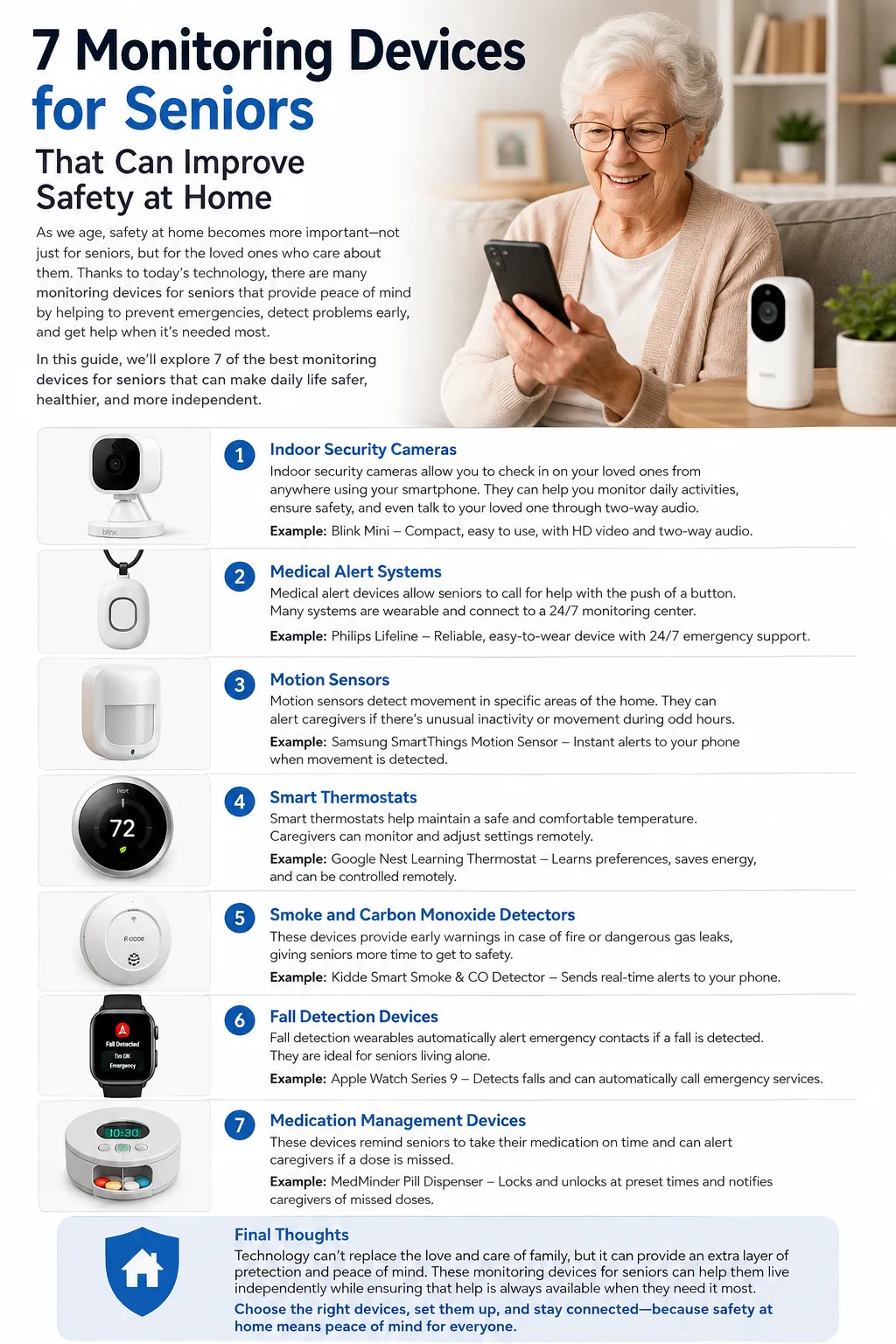
7 Monitoring Devices for Seniors That Can Improve Safety at Home
Aging at home can be a wonderful thing. For many older adults, staying in a familiar house means keeping their routines, neighborhood connections, favorite chair, kitchen, garden, and most importantly, a sense of independence. But independence does not mean someone has to handle every safety concern alone. Today, a growing range of monitoring devices for seniors can help families stay connected, identify potential emergencies, and provide reassurance without turning a home into a hospital or making an older adult feel constantly watched.
The interesting thing about modern monitoring devices for seniors is that they are no longer limited to traditional emergency pendants. A senior might wear a small medical alert button, use a smartwatch with fall detection, have a camera in a common area, rely on motion sensors to identify unusual inactivity, or use a connected medication dispenser. Some devices work actively, meaning the senior presses a button or speaks a command. Others work quietly in the background, detecting movement, inactivity, or other changes and sending an alert when something seems unusual.
That variety matters because every older adult has different needs. Someone who is active and independent may benefit most from a wearable device that works both inside and outside the home. Someone who rarely leaves the house may prefer a simple emergency button. A family caring for an older parent from another city might find passive activity monitoring more useful than a camera. The goal is not to buy every gadget available. The goal is to create a practical safety net that fits naturally into everyday life.
Recent 2026 reviews of medical alert systems continue to emphasize features such as 24/7 monitoring, fall detection, cellular connectivity, battery life, range, and ease of use. At the same time, consumer technology is expanding the definition of home monitoring, with cameras, sensors, GPS trackers, and connected devices giving families additional ways to stay informed.
So, which devices are actually worth considering? Below are seven categories of monitoring devices for seniors that can improve safety at home, along with examples of real products that shoppers may encounter on Amazon or through established manufacturers.
Why Monitoring Devices for Seniors Matter
The biggest advantage of monitoring devices for seniors is not technology itself. It is the extra layer of awareness technology can provide when a family member cannot physically be there. Imagine a daughter living several hours away from her mother. She may call every morning, but a phone call only tells her how things sounded during that conversation. It does not necessarily tell her whether her mother slipped in the bathroom later, forgot a medication, wandered outside unexpectedly, or remained inactive for an unusually long period.
Monitoring technology can help close that gap. A medical alert system can give an older adult a direct way to request help. A fall-detection wearable may recognize a sudden fall and initiate an alert even when the person cannot reach a phone. A smart camera can allow an authorized caregiver to check a living room remotely. A motion sensor can provide information about whether normal activity is taking place without recording video at all.
Falls are particularly important when discussing senior safety. Recent medical-alert reviews identify falls as one of the major concerns for older adults, especially for people with mobility challenges. That is why automatic fall detection has become such a prominent feature in modern monitoring products.
Still, technology should be viewed as a safety layer rather than a substitute for human care. No monitoring device can guarantee that an emergency will be detected perfectly. Fall detection can produce false alarms or miss certain events, cameras depend on power and connectivity, and wearable devices only help when they are charged and actually worn. Good monitoring therefore combines technology with sensible home modifications, regular communication, emergency contacts, and appropriate medical guidance.
How Technology Supports Independent Living
There is a subtle difference between monitoring someone and supporting someone’s independence. Poorly selected technology can feel intrusive, complicated, or even insulting. Well-designed technology can do the opposite. It can give an older adult confidence that help is available while allowing them to continue doing ordinary things without a family member constantly checking in.
Think of a monitoring system as a guardrail on a road. The guardrail does not drive the car. It does not tell the driver where to go. It simply provides protection if something goes wrong. The best monitoring devices for seniors work in much the same way.
A simple wearable emergency button, for example, can remain almost invisible during the day until it is needed. A motion sensor can provide reassurance without filming private conversations. A medication reminder can help someone follow a routine without requiring a caregiver to make repeated phone calls. These small improvements can make aging at home feel more manageable.
There is also a psychological benefit for families. Caregivers frequently worry about the question, “What if something happens and nobody knows?” Monitoring technology cannot eliminate that fear, but it can reduce the uncertainty surrounding it.
The best approach is therefore not maximum surveillance. It is appropriate monitoring. Start with the risks that actually exist in the home, choose the least intrusive technology that addresses those risks, and make sure the senior understands and agrees with how the system will be used.
1. Medical Alert Systems
Medical alert systems are among the most established monitoring devices for seniors, and for good reason. Their primary purpose is straightforward: give an older adult an easy way to request assistance during an emergency. Traditional systems often use a pendant or wrist button connected to a base station, while newer products can operate through cellular networks and include GPS, two-way voice communication, and automatic fall detection.
A basic emergency pendant may be particularly useful for someone who lives alone. If the person experiences a fall, sudden weakness, or another emergency, pressing the button can connect them with a monitoring center or designated contact. Depending on the system, the response may involve a trained operator, family member, emergency service, or another predefined contact.
Modern systems have expanded considerably. Current 2026 comparisons highlight options with 24/7 professional monitoring, fall detection, GPS, mobile coverage, and smartwatch-style designs. This means families can select a system based on lifestyle rather than simply buying the same pendant for everyone.
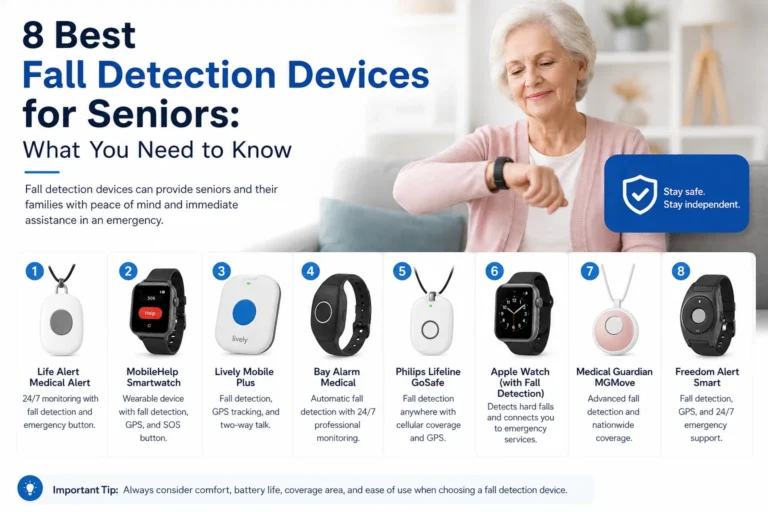
For example, Medical Guardian’s MGMove is a smartwatch-style medical alert option that combines emergency assistance with wearable functionality. Bay Alarm Medical, MobileHelp, Aloe Care Health, and other providers also offer different approaches to senior monitoring. Pricing and service terms can change, so shoppers should verify the current plan directly with the provider before purchasing.
When shopping on Amazon, you may also find simpler caregiver paging and emergency-button systems that are designed for communication within a home rather than professional emergency monitoring. These can be useful in certain situations, but they should not automatically be treated as equivalent to a professionally monitored medical alert service.
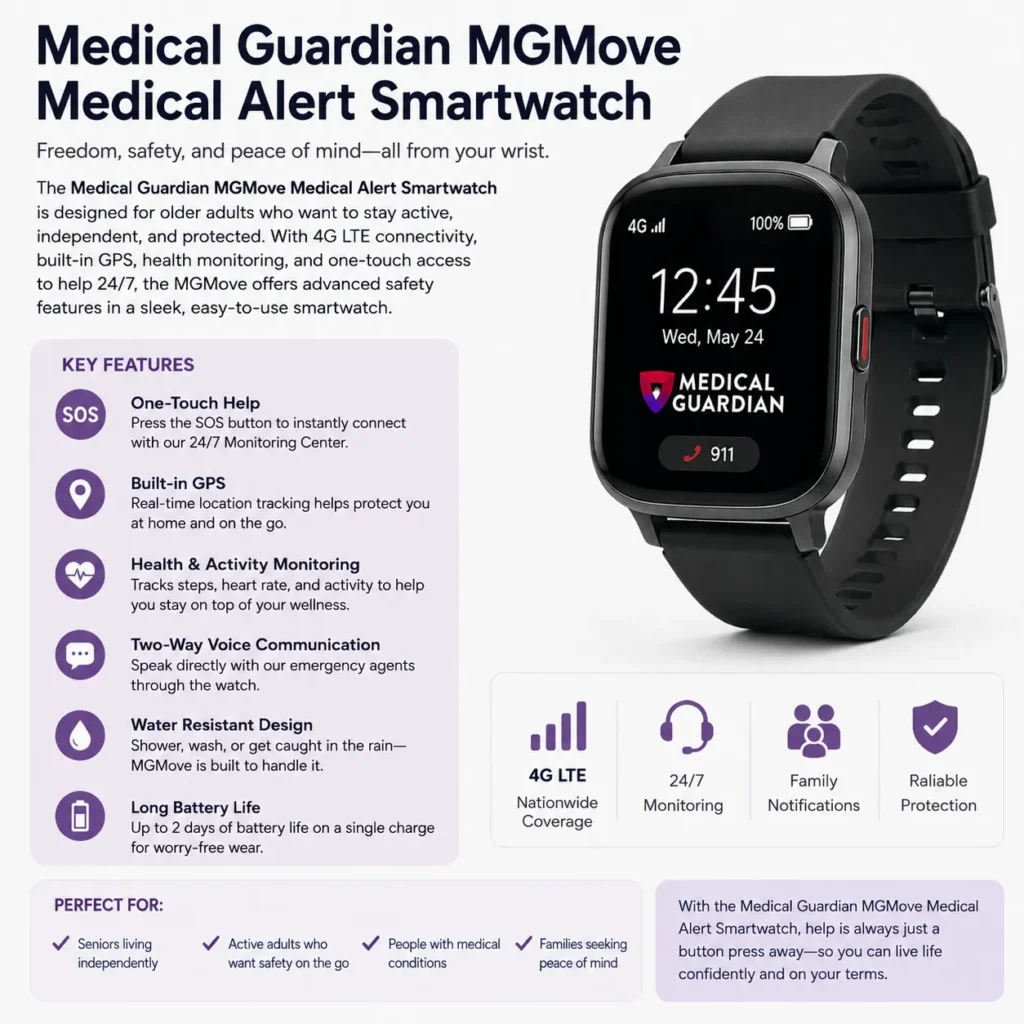
- Interested in this product? Check the link below for more details, or search for the product name directly on Amazon.
What to Look for in a Medical Alert System
The first question is simple: Who receives the alert? A button that merely makes a noise inside the house is very different from a professionally monitored medical alert system. Neither is necessarily wrong, but they serve different purposes.
Next, consider whether the device needs to work outside the home. If the senior walks around the neighborhood, shops independently, or attends appointments alone, a cellular mobile system or GPS-enabled wearable may make more sense than a home-only base station.
Battery life is another practical issue. A device with excellent features is not particularly helpful if the senior forgets to charge it. Water resistance is also important because bathrooms are among the places where a fall may occur, and a wearable that must be removed before showering creates a gap in protection.
Fall detection deserves special attention. Current systems commonly use sensors such as accelerometers and, in some cases, barometric sensors to identify patterns associated with falls. But automatic fall detection is not perfect, so a device should still have an easy manual help button.
Finally, check the contract, monthly monitoring cost, cancellation policy, trial period, cellular coverage, and emergency response process. A cheaper device is not necessarily the better choice if it does not provide the kind of response your family actually needs.
2. Fall Detection Devices and Smartwatches
Fall detection is one of the most useful developments in monitoring devices for seniors because it addresses a major weakness of traditional emergency buttons: the person has to press the button. What happens if someone falls, becomes confused, loses consciousness, or cannot reach the device?
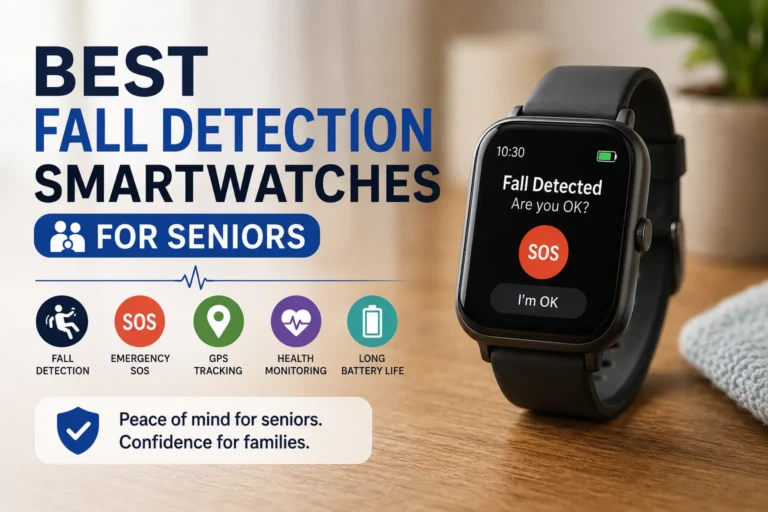
Automatic fall detection attempts to answer that problem. Wearable devices can use motion sensors to detect sudden changes in acceleration, movement, and orientation. Some systems combine multiple sensor readings to decide whether an event resembles a fall. If the device believes a serious fall has occurred, it may ask the wearer whether they need help and trigger an alert if there is no response.
Medical-alert testing and reviews published in 2026 continue to compare systems specifically on fall-detection performance, response procedures, and usability.
Smartwatches can also provide another route. Depending on the model, a smartwatch may include fall detection, emergency calling, location sharing, health features, and communication tools. Apple’s Apple Watch and Google’s Pixel Watch families are examples of mainstream wearables with safety-related features, while dedicated medical-alert watches are designed more specifically around emergency assistance.
For seniors, however, the “smartest” watch is not always the best watch. A device with dozens of complicated apps may be frustrating if the wearer primarily wants one large emergency button. Ease of use should come before impressive specifications.
Automatic Fall Detection Explained
It is important to understand what automatic fall detection can and cannot do. The technology generally looks for a combination of sudden movement and changes in position that resemble a fall. Some devices then provide an opportunity for the wearer to cancel an alert if they are fine.
That sounds simple, but human movement is unpredictable. Sitting down heavily, dropping the device, exercising, or making a sudden movement can sometimes resemble a fall. Conversely, certain falls may not produce the exact sensor pattern the device expects.
This is why automatic detection should be considered an additional safety mechanism, not an absolute guarantee. The strongest setup usually combines automatic detection with a manual emergency button, two-way communication, location information when appropriate, and a reliable contact or monitoring service.
Another practical consideration is charging. If the senior removes the watch every night and forgets to put it back on, the system has a blind spot. Families should establish a simple charging routine and make sure the senior knows what the device does when its battery is low.
For active seniors, though, fall-detection wearables can be particularly attractive because they travel with the person. A home sensor cannot help when someone is walking around the garden or visiting a nearby store. A cellular wearable potentially can.
3. Indoor Security Cameras
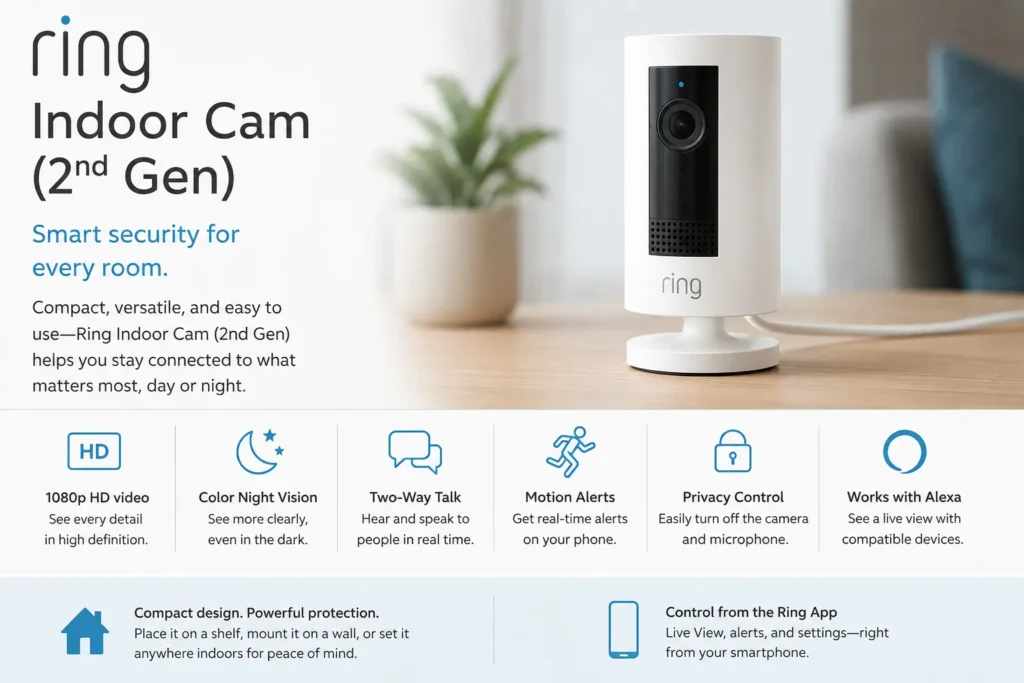
- See this product on Amazon.
Indoor cameras are another category of monitoring devices for seniors, particularly when caregivers want visual confirmation of what is happening. A camera placed in a living room, hallway, or entrance can allow an authorized family member to check the home remotely. Depending on the model, features may include motion detection, night vision, two-way audio, mobile notifications, and remote viewing.
A real example available through Amazon is the REOLINK Go Plus, which uses 4G LTE connectivity and offers remote viewing, motion alerts, night vision, and two-way communication. An Amazon listing describes 2K video, person detection, local storage options, and remote access through the Reolink app.
Another Reolink camera line offers features such as 4K video, pan and tilt, automatic tracking, night vision, AI detection, and two-way communication. These products are primarily marketed as security cameras, but their capabilities can also make them useful in carefully selected senior-monitoring situations.
The important word here is carefully.
Cameras can provide valuable information, but they also raise privacy concerns. An older adult may not want a camera pointed at them all day. Bedrooms and bathrooms should generally be treated as private areas, and family members should discuss where cameras will be placed before installation.
A camera can also create a false sense of security. If the camera faces the wrong direction, loses internet connectivity, or cannot see the event, it may not provide useful information. For that reason, cameras are best used as one part of a broader safety system.
Privacy-Friendly Camera Placement
The smartest camera placement is usually where it answers a specific safety question without unnecessarily invading privacy. A common area can be useful for checking whether someone is moving around normally. An entrance camera can help identify visitors or unusual activity near the front door. A hallway camera may provide information about nighttime movement.
The purpose should be defined before installation. Ask: What problem is this camera solving?
If the answer is “I want to watch my parent constantly,” it may be time to reconsider. If the answer is “We want to know whether my mother has fallen in the living room when she doesn’t answer the phone,” the camera has a clearer purpose.
Two-way audio can also be useful. A caregiver may be able to speak to the senior through the camera without making a phone call. But again, the older adult should understand when the camera is active and who can access it.
Strong passwords, two-factor authentication where available, software updates, and careful account management are essential. A camera is connected technology, so privacy and cybersecurity should be considered alongside physical safety.
4. Motion and Activity Sensors
Motion and activity sensors are among the most interesting monitoring devices for seniors because they can monitor patterns without necessarily recording video. A sensor can detect movement in a hallway, doorway, bedroom, or common area and communicate that information to a hub or smart-home platform.
This creates a different type of monitoring. Instead of seeing exactly what the person is doing, a caregiver may receive information suggesting that normal activity has changed.
For example, suppose an older adult normally gets up at 7:30 a.m. and walks into the kitchen shortly afterward. If a sensor-based system detects no movement for an unusually long period, it might generate an alert or prompt someone to check in. The same concept can be applied to nighttime bathroom trips, entrance doors, kitchen activity, or prolonged inactivity.
This approach can be especially attractive to seniors who dislike cameras. There is no video image of the person’s face, clothing, or private activities. Instead, the system works more like a collection of invisible breadcrumbs showing movement through the home.
Research into senior monitoring has also explored passive sensing because wearable systems depend heavily on whether the person remembers or wants to wear them. Academic work on non-contact monitoring has highlighted the potential of sensors and computer-vision approaches for recognizing unusual activity while reducing reliance on wearable devices.
The limitation is that motion is not the same thing as safety. Someone could be moving around while experiencing a medical problem, or they could remain still for a perfectly normal reason. Sensor data therefore needs context.
How Passive Monitoring Works
Passive monitoring works best when the system learns or observes a routine rather than looking for one magical emergency signal. Imagine a house as a small ecosystem. Doors open, lights turn on, footsteps move between rooms, and daily activities happen in recognizable patterns.
A sensor-based system can notice when those patterns change.
Some systems use door sensors, motion detectors, smart plugs, environmental sensors, or other connected devices. A family might receive a notification when a front door opens at an unusual time, when there has been no detected activity for an unusually long period, or when a particular room has unexpected activity.
This can be particularly useful for long-distance caregivers. Instead of calling every hour, they can establish a reasonable schedule for check-ins and use technology to flag unusual situations.
However, passive monitoring should not become a substitute for communication. A notification saying “no movement detected” is a reason to investigate, not proof that something is wrong. Internet outages, dead batteries, misplaced sensors, pets, and ordinary changes in routine can all affect the data.
The best systems therefore provide context rather than certainty. They help answer the question, “Does this look different enough that someone should check?”
5. GPS Tracking Devices
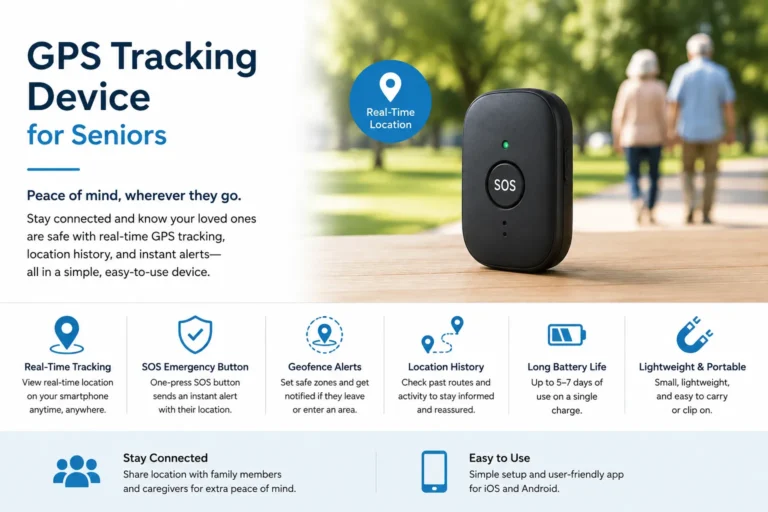
GPS tracking devices are especially valuable for seniors who remain active outside the home or who may become disoriented. While GPS is not strictly a home-monitoring technology, it can become an important part of a complete senior safety system because emergencies do not stop at the front door.
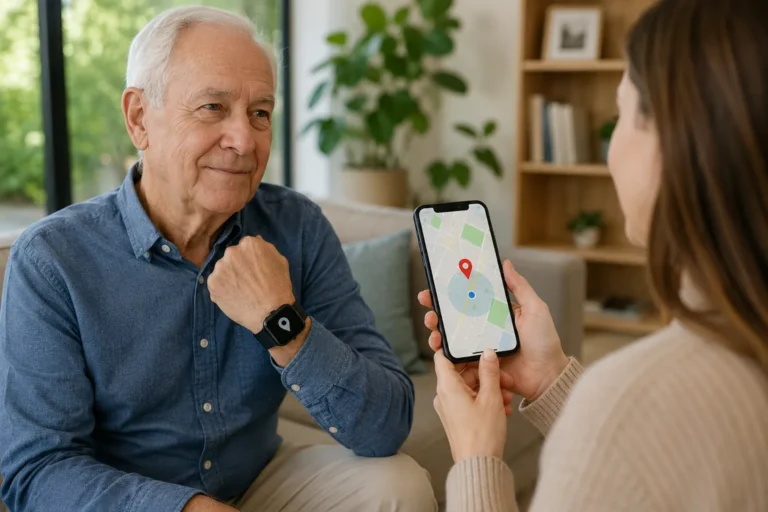
A GPS-enabled device can help authorized caregivers determine where the wearer is. Depending on the product, it may also provide geofencing, location history, emergency communication, or alerts when the person leaves a designated area.
AngelSense, for example, markets GPS monitoring technology for families and includes products described as suitable for children, teens, and elderly users. Recent Amazon Music content also references an AngelSense GPS monitoring device for elderly users.
The usefulness of GPS depends heavily on the individual’s circumstances. An independent senior who regularly walks around the neighborhood may appreciate location functionality. Someone who never leaves home may get more value from a medical alert pendant or motion sensors.
There is also an important ethical point: GPS tracking should be transparent. The senior should understand that their location is being shared and who has access to that information. Technology designed to increase safety should not quietly become a tool for unnecessary surveillance.
When GPS Monitoring Is Useful
GPS monitoring becomes particularly useful when location uncertainty is the main risk. This could include seniors with memory-related difficulties, people who frequently walk independently, or individuals who travel alone to appointments and errands.
Consider a simple example. A senior leaves home for a walk and normally returns within an hour. If the person becomes confused or takes a wrong turn, a GPS-enabled device can potentially provide a caregiver with their location instead of leaving the family guessing where to begin looking.
Geofencing can add another layer. A caregiver may establish a normal geographic area, with the system generating an alert if the person moves beyond it. This does not eliminate risk, but it can shorten the time between an unexpected departure and caregiver awareness.
GPS also works best when combined with communication. Knowing where someone is can be extremely useful, but being able to contact them or connect them to emergency assistance is even more valuable.
Battery life remains a practical concern. GPS tracking can consume power, and a device that has been sitting uncharged on a bedside table provides little protection. Families should build charging into the daily routine and check battery status regularly.
6. Medication Monitoring Devices
Medication management is another area where monitoring devices for seniors can provide meaningful support. Taking the right medication at the right time sounds simple, but complicated schedules, multiple prescriptions, and changing routines can make it difficult.
Medication monitoring devices range from basic reminder systems to automated dispensers. Some provide alarms, while more advanced connected products can organize doses, lock compartments, dispense medication at scheduled times, and notify caregivers if a dose is missed.
Senior-safety resources continue to discuss products such as Hero, MedReady, LiveFine, MedMinder, MedaCube, and medication reminder apps as different approaches to medication management.
The right option depends on how much assistance is needed. Someone who occasionally forgets a morning pill may only need a simple reminder. Someone managing several medications at different times may benefit from an automated dispenser. A person with significant medication-management difficulties may require a more comprehensive care plan involving family members or healthcare professionals.
The important thing is to avoid treating a dispenser as a medical professional. A device can remind someone to take a medication, but it cannot independently determine whether a prescription is appropriate or whether a new symptom requires medical attention.
Smart Medication Reminders and Dispensers
A good medication monitoring setup should reduce confusion rather than create more of it. If the device requires complicated smartphone configuration every morning, it may defeat the purpose.
Look for clear instructions, easy-to-read displays, audible alerts, reliable power, and a setup process that a caregiver can manage. If remote notifications are available, determine exactly what information the caregiver receives.
Privacy matters here as well. Medication information is personal, so families should consider who has access to alerts and records.
It is also worth thinking about backup plans. What happens if the internet goes down? What happens if the dispenser loses power? What happens if the senior ignores an alarm?
A connected dispenser can be excellent at routine support, but medication safety often works best when technology is paired with regular human oversight. A family member, caregiver, pharmacist, or healthcare professional may need to review the medication routine when circumstances change.
In other words, the device should be the assistant, not the decision-maker.
7. Voice and Emergency Communication Devices
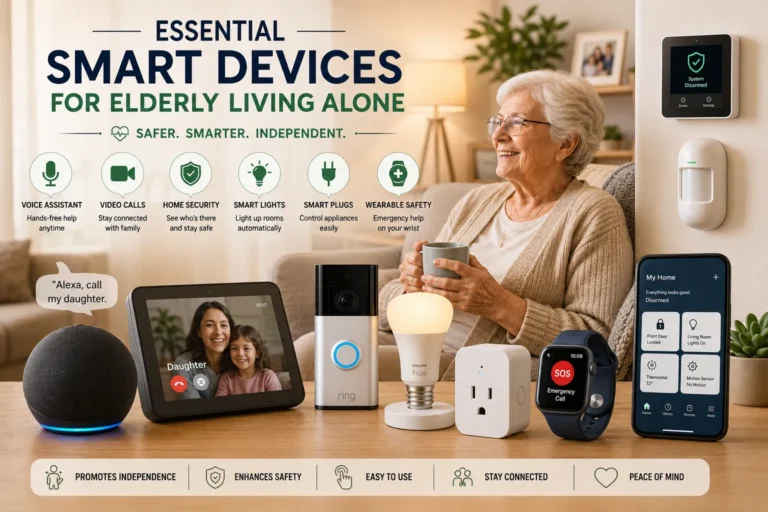
Voice-controlled technology can make another useful category of monitoring devices for seniors, especially for people who find small buttons or smartphone screens difficult to operate. Smart speakers and voice assistants can provide hands-free communication, reminders, timers, and smart-home controls.
For a senior with limited mobility, the ability to say a simple command can be easier than reaching for a phone. Voice technology can potentially be used to call a contact, control lights, set reminders, or communicate with another person through a compatible system.
However, emergency capabilities vary substantially between products and services. A generic smart speaker should not automatically be considered equivalent to a dedicated medical alert system. Families should verify exactly what emergency functions are supported, what subscription is required, and whether the system can contact emergency services or only designated contacts.
Voice assistants can also work together with other monitoring devices. For example, a senior might use voice commands to control smart lights while motion sensors provide passive activity information and a medical alert wearable provides dedicated emergency protection.
This creates a layered system rather than relying on a single device.
The key is simplicity. If a senior cannot remember the activation phrase, does not hear the speaker clearly, or finds the device frustrating, it may not be useful. Technology should adapt to the user rather than forcing the user to adapt to technology.
Using Voice Assistants for Senior Safety
Voice technology can be particularly helpful in situations where physical movement is difficult. Imagine someone sitting in a chair and realizing they need to call a family member but cannot easily reach their phone. A voice-enabled system may offer another way to initiate communication.
Smart-home integrations can also improve everyday safety. Voice-controlled lights can reduce the need to walk through a dark hallway. Timers can remind someone about meals or routines. Connected devices can potentially help create a more accessible home environment.
Still, voice assistants have limitations. They depend on power, microphones, connectivity, and the user’s ability to speak clearly enough for the system to understand. Background noise can also interfere with recognition.
That is why voice technology is best considered one component of monitoring devices for seniors, rather than the only emergency solution.
How to Choose the Right Monitoring Devices for Seniors
Choosing between all these monitoring devices for seniors can feel overwhelming. There are watches, pendants, cameras, sensors, GPS trackers, medication dispensers, smart speakers, and complete monitoring systems. The easiest way to narrow the options is to begin with the actual safety concern rather than the product.
Start by asking what could realistically go wrong. Is the primary concern falling? Medication management? Wandering? Long periods without contact? Difficulty reaching a phone? A senior who has one major risk may need only one device.
Next, consider the senior’s personality and habits. A person who refuses to wear a pendant will not suddenly become consistent because the device is expensive. Someone who dislikes cameras may be much more comfortable with passive sensors. Someone who enjoys technology may happily use a smartwatch.
The device should also match the physical environment. A large house may require multiple sensors. A small apartment may need only a wearable and an entrance sensor. If the senior spends significant time outdoors, home-only technology may not be enough.
Price is another consideration, but it should be evaluated as total cost, not just purchase price. A medical alert device might involve a monthly monitoring subscription. A camera may require cloud storage. A GPS tracker may need cellular service. A smart dispenser could have ongoing fees.
Battery life, cellular coverage, Wi-Fi requirements, water resistance, customer support, warranty terms, return policies, and subscription cancellation should all be checked before buying.
Building a Complete Home Safety System
The strongest approach is often a combination of complementary technologies. Instead of expecting one device to detect everything, give each device a specific job.
For example, a senior who lives alone might use a medical alert wearable for emergencies, a motion sensor for passive activity awareness, a camera in the living room with consent, and a medication reminder for daily routines.
That may sound like a lot, but the devices can operate quietly in the background. The senior does not necessarily have to interact with every component.
A family could establish a simple safety routine:
- The wearable handles emergency assistance.
- Motion sensors help identify unusual inactivity.
- A camera provides visual confirmation when appropriate.
- A medication system supports daily medication routines.
- GPS provides location information when the senior is away from home.
This layered approach resembles having several safety nets at different heights. If one fails, another may still provide useful information.
The system should also be tested. Do not wait for a real emergency to discover that the senior cannot hear the alert, the caregiver’s phone is blocking notifications, the battery is dead, or the device does not work in a particular room.
Perform regular test alerts. Check batteries. Review contact information. Update software. Make sure everyone involved understands what an alert means and what they should do next.
Most importantly, include the senior in the process. Explain the purpose of each device, respect privacy, and ask for feedback. A safety system works best when the person it is protecting feels empowered rather than controlled.
Comparing the 7 Types of Monitoring Devices for Seniors
| Device type | Best for | Main advantage | Potential limitation |
|---|---|---|---|
| Medical alert system | Emergency assistance | Direct access to help | May require subscription |
| Fall-detection wearable | Fall risk | Automatic alerts plus mobility | Requires charging and wearing |
| Indoor camera | Visual checks | Remote viewing and communication | Privacy concerns |
| Motion/activity sensor | Passive monitoring | No camera required | Activity does not always indicate safety |
| GPS tracker | Outdoor independence | Location awareness | Battery and cellular dependence |
| Medication dispenser | Medication routines | Scheduled reminders/dispensing | Does not replace medical oversight |
| Voice communication device | Hands-free communication | Easy verbal interaction | Connectivity and recognition limits |
The table shows why there is no single “best” option. Each category solves a different problem. A medical alert system is excellent for emergencies but may not tell a caregiver whether someone has been moving normally throughout the morning. A motion sensor can help with that question but cannot necessarily summon emergency help.
That is why choosing monitoring devices for seniors should be treated as a needs assessment rather than a shopping contest.
Real Products to Consider
When researching real products, shoppers may encounter several recognizable names across Amazon and manufacturer websites. REOLINK Go Plus, for example, has an Amazon listing describing 4G LTE connectivity, 2K video, night vision, motion alerts, person detection, local storage, and two-way communication. It is fundamentally a security camera, so families should decide whether its features fit their particular senior-monitoring purpose.
For GPS monitoring, AngelSense is another real product family associated with location tracking for elderly users, although families should verify current availability, compatibility, subscription requirements, and intended use before buying.
For dedicated medical alert systems, products such as Medical Guardian MGMove, Bay Alarm Medical systems, MobileHelp devices, and Aloe Care Health solutions are frequently included in current senior medical-alert comparisons. These are often purchased directly from the companies rather than treated as ordinary Amazon electronics.
When looking for products on Amazon, remember that marketplace availability can change. A product being available today does not guarantee that it will remain listed tomorrow, and prices can change frequently. For that reason, it is safer to identify the exact model and verify the current listing, seller, warranty, subscription, and return policy before purchasing.
What Features Matter Most?
If you are comparing several monitoring devices for seniors, resist the temptation to focus only on the longest feature list. More features can mean more complexity.
For emergency-focused devices, prioritize reliable connectivity, simple controls, good battery life, two-way communication, and appropriate fall detection. For cameras, prioritize privacy controls, secure accounts, reliable notifications, and clear video. For passive sensors, prioritize dependable alerts and a system that is easy for caregivers to understand.
Usability is often more important than technical sophistication. A senior may have excellent reasons for preferring a simple pendant over a smartwatch. Another person may find a smartwatch more natural because it looks like an ordinary consumer device.
Water resistance can also be important. If the device cannot be worn in the shower, there is a potential period when protection is unavailable. Since bathrooms are a known concern for falls, families should think carefully about this limitation.
Finally, consider what happens after an alert. An alarm is only the first step. Who receives it? Who checks on the senior? Can the senior communicate through the device? Does the monitoring center know the emergency contacts? Is the location available?
The best monitoring system is not simply the one that detects something. It is the one that creates a clear path from detection to assistance.
How to Set Up Monitoring Devices for Seniors at Home
Installation should be approached like creating a safety map. Walk through the house and identify areas where an emergency is most likely to happen or where unusual activity would be meaningful.
Consider the bedroom, bathroom, kitchen, living room, entrances, stairs, and outdoor areas. You do not necessarily need a device in every location. Instead, identify which risks each area presents.
A wearable should be comfortable and easy to access. A camera should be positioned to cover the intended area without unnecessarily recording private spaces. Motion sensors should be placed where movement patterns actually matter. Emergency contacts should be programmed correctly.
Once everything is installed, test it.
Have the senior practice pressing the emergency button. Test two-way communication. Walk through the rooms where sensors are installed. Check whether notifications reach the caregiver’s phone. Confirm that batteries are charged.
This practice is important because emergencies are not the time to learn how a device works.
A written emergency plan can also help. Keep important contact numbers accessible, identify who checks alerts first, and establish what happens if the first caregiver cannot respond.
Technology works best when the humans around it have a plan.
Common Mistakes to Avoid
One of the biggest mistakes families make with monitoring devices for seniors is buying a product before identifying the actual problem. A flashy smartwatch will not necessarily solve medication issues. A camera will not automatically detect every fall. A GPS tracker may be unnecessary for someone who never goes outside alone.
Another common mistake is forgetting maintenance. Batteries run down. Wi-Fi routers fail. Software changes. Phones get replaced. Subscriptions expire. A monitoring system that worked perfectly six months ago may not work today.
Families should also avoid assuming that automatic fall detection is infallible. Reviews and testing show differences between systems, and no technology should be treated as a guarantee.
Privacy is another major consideration. Installing cameras without discussing them with the senior can damage trust. Monitoring should ideally be transparent and proportional to the risk being addressed.
Finally, do not make the system so complicated that nobody uses it. Five simple devices working together can be more effective than one sophisticated system that the senior finds confusing.
The Future of Monitoring Devices for Seniors
The future of monitoring devices for seniors is moving toward more passive, intelligent, and personalized systems. Instead of asking an older adult to remember to press buttons or interact with screens, emerging technologies increasingly attempt to recognize changes in normal behavior automatically.
Researchers are exploring non-contact sensing, computer vision, motion recognition, and millimeter-wave technologies for fall detection and activity monitoring. A 2026 research project, for example, explored mmWave sensing for day-and-night fall detection in residential environments and highlighted the potential of non-wearable approaches.
That direction is significant because wearable compliance is one of the biggest practical challenges. The best device in the world is useless if it is left in a drawer.
At the same time, more intelligent monitoring creates new questions about privacy, accuracy, false alarms, data storage, and consent. A system that knows more about someone’s routine also creates greater responsibility for protecting that information.
The ideal future is not a house filled with surveillance cameras. It is a home where technology quietly notices meaningful changes while respecting the resident’s dignity and privacy.
How Families Can Balance Safety and Independence
There is a temptation, especially after a frightening incident, to install every available safety device. That reaction is understandable. When someone you love has a fall or another emergency, the desire to prevent it from happening again can be overwhelming.
But safety and independence should not be treated as enemies.
A senior may accept a medical alert pendant because it gives them confidence. They may reject a bedroom camera because it feels intrusive. They may love a smartwatch because it looks modern. They may prefer motion sensors because they do not have to remember to wear anything.
Those preferences matter.
The best monitoring devices for seniors are the ones that provide useful protection while fitting naturally into the person’s lifestyle. Technology should create confidence, not constant anxiety.
A good conversation can start with a simple question: “What would make you feel safer at home without making you feel watched?”
The answer can guide the entire system.
Conclusion
The right monitoring devices for seniors can make aging at home safer without taking away the independence that makes home so meaningful. Medical alert systems can provide a direct path to assistance, fall-detection wearables can add automatic protection, cameras can provide visual checks, motion sensors can monitor activity without video, GPS devices can support outdoor independence, medication systems can help maintain routines, and voice-enabled devices can make communication easier.
There is no universal winner. The best setup depends on the senior’s mobility, lifestyle, home environment, technology comfort, privacy preferences, and the specific risks the family wants to address.
Real products such as REOLINK cameras and AngelSense GPS trackers demonstrate how consumer technology can be adapted for different monitoring needs, while dedicated providers such as Medical Guardian, Bay Alarm Medical, MobileHelp, and Aloe Care Health offer more specialized medical-alert solutions.
The smartest strategy is to start small. Identify the biggest risk, choose the simplest device that addresses it, test the system, and expand only when there is a clear reason to do so.
After all, technology should not make an older adult feel like they are being watched every minute of the day. It should make them feel that, if something goes wrong, someone will know and help is within reach.
Frequently Asked Questions
1. What are the best monitoring devices for seniors living alone?
For many seniors living alone, a medical alert device with a manual emergency button is a strong starting point. If falls are a concern, adding automatic fall detection can provide another layer of protection. Motion sensors or a privacy-conscious camera can then provide additional awareness for caregivers who live elsewhere.
2. Are monitoring devices for seniors expensive?
Costs vary widely. Basic sensors and consumer cameras can have relatively low upfront prices, while professional medical alert systems may include monthly monitoring fees. GPS trackers and connected medication systems can also involve subscriptions. Always compare the complete cost, including equipment, monthly fees, cellular service, cloud storage, and cancellation terms.
3. Can a smartwatch replace a medical alert system?
Sometimes it can provide similar safety features, but not every smartwatch offers the same emergency monitoring service as a dedicated medical alert system. A smartwatch may be appropriate for a tech-comfortable senior who wants fall detection and emergency calling, while a dedicated medical alert system may be easier for someone who wants a single-purpose emergency device.
4. Should I install cameras to monitor an elderly parent?
Cameras can be useful, but privacy should come first. Discuss the idea with the senior and focus cameras on common areas where there is a genuine safety reason for monitoring. Avoid unnecessarily monitoring private areas, and secure camera accounts with strong passwords and available security features.
5. What is the most important feature in monitoring devices for seniors?
There is no single feature that matters to everyone. For someone at risk of falling, automatic fall detection may be important. For someone living alone, reliable emergency communication may matter more. For a senior with memory-related wandering concerns, GPS may be more useful. The best feature is the one that addresses the person’s actual safety risk while remaining simple enough to use consistently.
Note: Product availability, Amazon listings, prices, subscriptions, and specifications can change. Verify the current product page and manufacturer information before purchasing. Medical-alert and monitoring devices are safety tools, not guarantees of emergency detection or medical treatment.
For more informatio click here